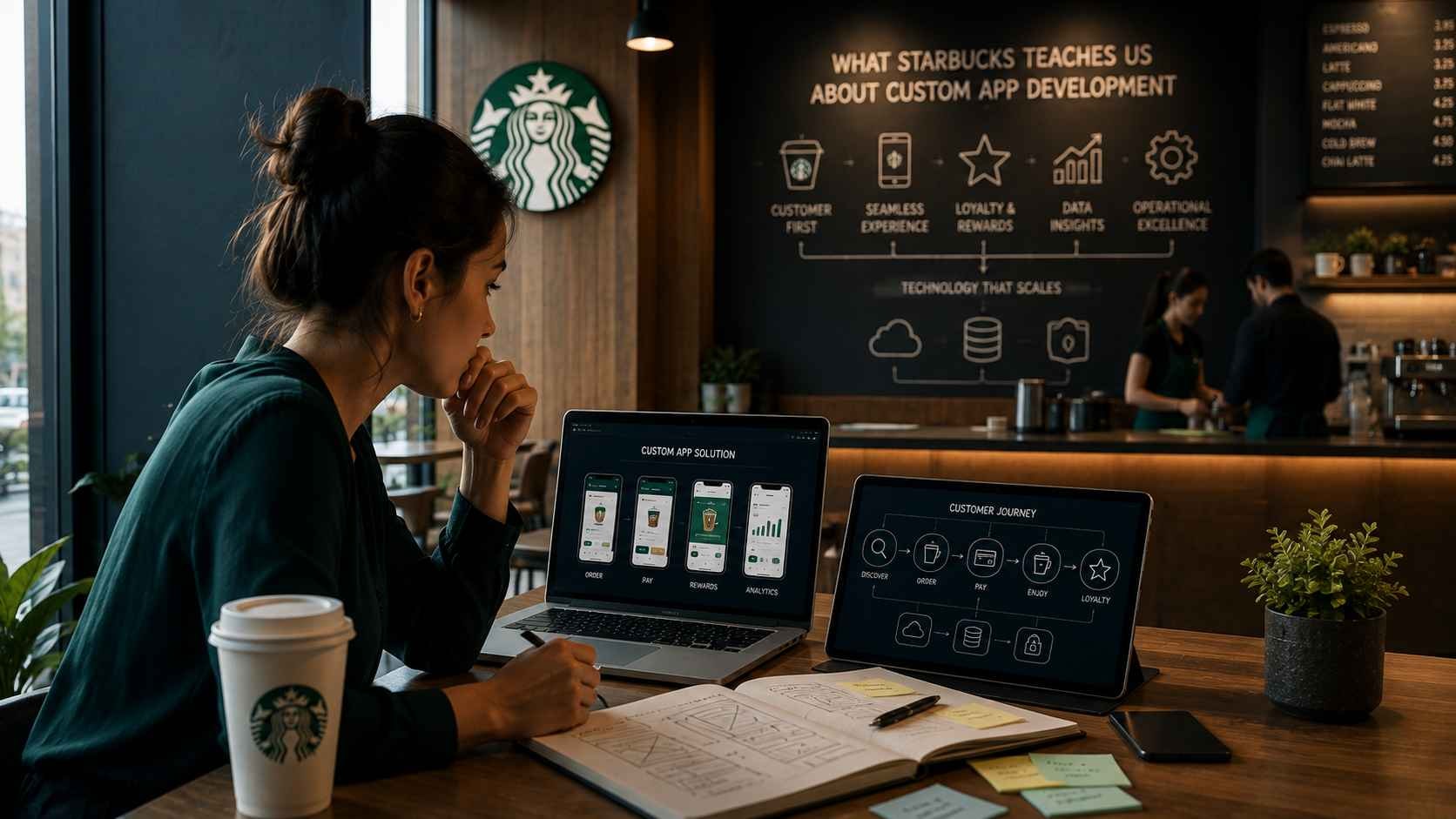
Coffee Shop App Development Lessons from Starbucks
What Coffee Chains Like Starbucks Teach Us About Custom App Development
19-04-2025
Mobile App
What Coffee Chains Like Starbucks Teach Us About Custom App Development
Mobile App Development
The strongest coffee apps do more than display a menu. They connect ordering, loyalty, payments, store operations and customer data into one dependable experience. This guide explains which lessons growing coffee brands can adapt, which enterprise features they should delay and how to plan a custom app around real operational needs.
Table of Contents
A customer opens a coffee app at 8:10 a.m., chooses a nearby location, removes one ingredient, adds another, pays with a stored method and expects the drink to be ready on arrival. The interaction feels simple because the complexity is hidden behind the screen.
That hidden complexity is the most useful lesson behind custom coffee shop app development. The customer sees a menu, rewards balance and pickup time. The business must coordinate product availability, customization rules, tax, payments, order routing, store capacity, loyalty data and staff fulfillment.
Coffee chains such as Starbucks demonstrate what a connected digital customer experience can become. They do not prove that every café should copy the same feature set. A regional chain with eight locations, an independent café and a franchise network have different customer volumes, workflows, budgets and data needs.
The right question is therefore not, “How do we build the Starbucks app?” It is, “Which parts of that experience solve a real problem for our customers and stores right now?”
What Does the Starbucks App Really Teach Coffee Businesses?
The main lesson is that a successful coffee app connects customer convenience with store operations. Mobile ordering, payments and loyalty work because they share accurate menu, location, order and customer data. Copying the visible interface without building those connections usually creates more operational work instead of a better customer experience.
It is easy to focus on the features customers can see: saved favorites, reward points, personalized offers and order-ahead pickup. Those features matter, but they are only the front end of a much larger system.
Behind each order, the platform must answer practical questions:
Is the selected store open and accepting mobile orders?
Is every selected product available at that location?
Which customizations are valid for that drink?
How should the order reach the store team?
When should the customer be told the order is ready?
How are points, promotions and refunds calculated?
Which system owns the customer, payment and order record?
A custom app succeeds when these decisions are handled reliably. It fails when the interface promises convenience but store employees must correct missing products, duplicate payments or unrealistic pickup times manually.
The visible app earns attention, but the connected operating system earns repeat use.
A Coffee App Is Part of the Operating System
A coffee app should be treated as an operating channel, not a standalone marketing asset. Once customers can order, pay and redeem rewards, the app begins influencing store workload, inventory, customer support, reporting and financial reconciliation.
A basic promotional app can publish locations, menus and offers without affecting store operations. A transactional app is different. It creates orders that staff must prepare, payments that finance teams must reconcile and customer issues that support teams must resolve.
The customer interface is only one layer
The mobile interface may include location selection, menu browsing, customization, checkout and loyalty. The supporting system may also require an administrative dashboard, product management, promotion rules, order monitoring, user management and store-level controls.
Store employees become app users too
Mobile ordering changes the work inside each location. Employees need a reliable way to receive orders, understand modifications, manage unavailable items and update order status without slowing counter service.
If the staff workflow is ignored, the customer app may increase queue confusion even while reducing the number of people standing at the register.
Operations must be able to control the promise
Stores need control over hours, temporary closures, product availability, order throttling and preparation times. A customer should not be allowed to place an order that a location cannot fulfill accurately.
This works best when the app reflects operational truth in near real time. It is not the right starting point when menu data, store processes or POS records remain inconsistent across locations .
Start With the Customer Journey, Not the Feature List
Before selecting app features, map the complete customer journey from opening the app to receiving the order. This reveals which capabilities are essential, which depend on integrations and where the business may create friction.
Feature lists often begin with loyalty points, AI recommendations and push notifications because they sound commercially valuable. The more useful starting point is the ordinary customer trying to place an ordinary order.
Step 1: Choose a location
The customer needs to find a nearby store, review its hours and confirm whether it accepts mobile orders. Multi-location businesses must decide whether menus, prices and availability differ by store.
Step 2: Browse an accurate menu
Products should be organized clearly and include useful descriptions, images, prices and dietary information where relevant. The menu must reflect what the selected location can actually prepare.
Step 3: Customize without confusion
Coffee products may support milk choices, sizes, temperatures, syrups, extra shots and preparation preferences. The interface must make valid combinations clear without overwhelming the customer.
Step 4: Review timing and price
Before payment, the customer should see the selected store, products, customizations, taxes, discounts and expected pickup or delivery timing.
Step 5: Pay and receive confirmation
Payment success should create one confirmed order, not an uncertain screen that encourages the customer to pay again. The customer also needs a reliable confirmation and a clear next step.
Step 6: Collect the order
Pickup instructions, status updates and store identification should reduce confusion when the customer arrives. The business must decide whether orders are collected from a dedicated area, counter or drive-through.
Mapping this journey before development prevents teams from building attractive screens around an incomplete operating process.
The Core Workflows a Coffee App Must Support
A practical coffee app usually needs to support four connected workflows: customer ordering, store fulfillment, business administration and customer retention. The first release does not need every advanced feature, but it must handle its chosen workflows completely.
Core workflows in a custom coffee shop application
Workflow
Primary User
Essential Capabilities
Main Risk
Customer ordering
Customer
Store selection, menu, customization, checkout and status
Incorrect items, prices or pickup expectations
Store fulfillment
Barista or store manager
Order receipt, modifications, queue management and status updates
Mobile orders disrupting counter operations
Business administration
Operations or marketing team
Menus, locations, promotions, users, reporting and permissions
Manual updates and inconsistent store data
Customer retention
Customer and marketing team
Rewards, offers, favorites, notifications and feedback
Promotions that reduce margin without changing behavior
The first version should focus on the workflows that solve the strongest customer and operational problem. A café trying to reduce counter queues may prioritize order-ahead pickup. A premium roaster may begin with subscriptions, product sales and loyalty rather than store pickup.
Which Features Belong in the First Version of a Coffee Shop App?
The first version should include only the features required to complete one valuable customer journey reliably. For most coffee businesses, that means location selection, an accurate menu, product customization, secure payment, order confirmation and a clear pickup workflow. Loyalty, recommendations and advanced analytics can follow once the ordering foundation works consistently.
Early-stage app planning often fails because teams confuse a complete customer journey with a long feature list. A mobile app does not become more valuable simply because it includes more screens.
The first release should prove that customers will use the service, stores can fulfill the orders and the business can maintain the system without excessive manual work.
Start with one primary use case
A coffee business should decide what the app is mainly expected to improve. The answer may be order-ahead pickup, repeat visits, digital loyalty, delivery coordination or subscription sales.
Trying to solve all of these problems at once usually increases scope before the business has validated any of them.
Include the minimum ordering foundation
A practical first version for order-ahead pickup may include:
Customer registration or guest checkout
Store selection
Location-specific menu browsing
Product sizes and valid customization options
Cart and order review
Payment processing
Order confirmation
Pickup instructions
Basic order status
Administrative controls for menus and locations
These features are not exciting in isolation, but they create the dependable core on which loyalty, personalization and automation can be built.
Delay features that depend on data maturity
Personalized offers, AI recommendations and predictive promotions require enough accurate customer and purchase data to produce useful decisions.
Adding them too early can create technical cost without improving the customer experience. The business should first establish clean product, order and customer records.
Delay features the stores cannot support
A customer-facing feature should not launch before store operations can fulfill the promise behind it.
For example, scheduled pickup windows may sound useful, but they require reliable preparation-time estimates and a process for handling unexpected rush periods.
Use the first release to test assumptions
The first app release should answer practical questions:
Will enough customers choose mobile ordering?
Which stores receive the most app orders?
Which customization options create fulfillment errors?
Where do customers abandon checkout?
Do customers return after the first order?
Can staff fulfill mobile and counter orders together?
These answers are more valuable than adding advanced features based on assumptions.
Suggested feature priorities for the first release
Feature Group
First Release
Later Release
Reason
Ordering
Menu, customization, cart and checkout
Scheduled orders and group ordering
Core transaction must work before adding complexity
Payments
Secure card or wallet payment
Stored balance and complex split payments
Basic payment reliability is the first requirement
Loyalty
Simple points or visit-based rewards
Tiering, challenges and personalized offers
Advanced loyalty needs usage data and campaign discipline
Personalization
Favorites and recent orders
Predictive recommendations
Customer-controlled shortcuts work before AI models are useful
Store operations
Order receipt and status control
Advanced capacity and demand forecasting
Staff first need a reliable fulfillment workflow
Analytics
Orders, revenue, product and store reporting
Advanced segmentation and prediction
Clean operational data must exist before deeper analysis
What Starbucks Gets Right About Loyalty
Starbucks demonstrates that loyalty works best when rewards are built into ordinary customer behavior. Customers do not need to remember a separate process. Ordering, paying and earning rewards happen within the same experience, which reduces friction and gives the business a clearer view of repeat purchasing.
The lesson is not that every coffee business needs a complex points economy. The useful principle is that loyalty should make the next purchase easier or more attractive without confusing the customer or damaging margins.
Loyalty should reward valuable behavior
A loyalty program should encourage behavior the business actually wants. That may include repeat visits, off-peak purchases, trying a new category, using prepaid value or returning to a nearby store.
Rewards that are disconnected from business goals may increase discounts without increasing long-term customer value.
The earning rules must be easy to understand
Customers should know what they earn and how to redeem it. Complex calculations, hidden exclusions and changing reward thresholds can reduce trust.
A smaller café may benefit more from a simple visit-based system than from a sophisticated points structure that requires extensive support.
Redemption should not interrupt checkout
Available rewards should be visible before payment and easy to apply. The customer should understand whether a reward affects the entire order, a specific product or a minimum purchase requirement.
Store staff should receive the redeemed order without needing to correct the discount manually.
Loyalty data needs clear ownership
The business should define where points, rewards and customer identity are stored. If the mobile app, POS and CRM each maintain separate records, customers may see different balances or lose rewards after account changes.
One system should act as the source of truth, with the others receiving consistent updates through reliable integrations.
Loyalty should support recognition, not surveillance
Customers may appreciate saved favorites, relevant offers and quick reordering. They may not appreciate unexplained tracking or excessive notifications.
Businesses should collect only the data needed to operate and improve the program, explain how it is used and provide meaningful controls.
Practical Loyalty Rule
Begin with one clear reward mechanic and one measurable customer behavior. Expand the program only after the business understands how customers earn, redeem and return.
Why Is Mobile Ordering an Operational Project?
Mobile ordering is an operational project because every digital order must be prepared by a physical store. The app changes order volume, timing, queue management, product availability and staff responsibilities. If store workflows are not redesigned alongside the software, digital convenience for customers can create confusion behind the counter.
A customer may place an order in seconds, but the store must fit that order into an existing flow that includes walk-in customers, drive-through traffic, delivery orders and custom requests.
The app creates a second queue
Mobile orders may arrive while the visible counter queue appears manageable. Without a combined queue strategy, staff may prepare orders in an inconsistent sequence and create longer waits for both channels.
The business should define whether orders are prioritized by submission time, promised pickup time, service channel or product complexity.
Preparation times must reflect real capacity
Static pickup estimates may work during quiet periods but fail during rush hours. A store needs a way to adjust preparation times, pause ordering or limit incoming volume when capacity changes.
This may begin with simple manager controls before the business invests in automated capacity prediction.
Product availability must be current
A menu item may be available at one location and unavailable at another. Ingredients may also sell out during the day.
If the app does not reflect availability accurately, stores must contact customers, issue refunds or make substitutions after payment.
Customization rules must be operationally valid
The digital menu should allow only combinations the store can prepare and price correctly. Unlimited free-text instructions may create inconsistent drinks, allergy concerns and preparation delays.
Structured choices are generally easier for customers, staff and reporting.
Staff need clear order displays
Store teams should see customer name, order number, items, customizations, pickup method and timing in a format that is easy to scan.
Important modifications should not be hidden inside long text or displayed differently from counter orders.
Exception handling must be planned
The system should define what happens when payment succeeds but the order does not reach the store, an item becomes unavailable after checkout or the customer arrives at the wrong location.
These situations are not rare technical edge cases. They are part of normal operations and need clear ownership.
Illustrative Scenario: When a Good App Creates a Bad Store Experience
Consider a growing coffee chain with six locations. The company launches mobile ordering with a polished menu, stored payments and rewards. Customers adopt it quickly during the morning rush.
The app displays the same ten-minute pickup estimate for every store. It also allows each location’s full menu even when certain ingredients are unavailable. Mobile orders print on a separate device behind the counter, while staff continue managing walk-in orders through the POS.
The customer experience begins strongly but becomes inconsistent. Some orders are ready early, others are delayed and several require substitutions. Store managers begin pausing the printer during busy periods, but the app continues accepting orders.
The problem is not the visual design. The problem is that the ordering promise is disconnected from store capacity, availability and fulfillment.
A better rollout would begin with two locations, a smaller menu, clear queue ownership and manager controls for preparation time and availability. The business could then measure fulfillment performance before expanding to every store.
A successful pilot proves that customers, software and store operations can complete the same promise together.
Which Systems Must Connect to a Mobile Ordering App?
A mobile ordering app typically needs to connect with the POS, payment provider, menu system, order-management workflow and customer database. Multi-location businesses may also require inventory, CRM, loyalty, analytics and delivery integrations. The exact architecture depends on which system owns each type of data.
Integrations are often the largest source of hidden complexity in custom app development. A business may already have several tools, but those tools were not necessarily designed to exchange data in real time.
Point-of-sale system
POS integration can synchronize products, prices, taxes and orders. It may also help consolidate reporting and reduce the need for staff to re-enter mobile orders.
The team should confirm which APIs the POS provides, whether all locations use the same configuration and how refunds or order changes are handled.
Payment gateway
The payment provider handles authorization, settlement and payment-method security. The app should avoid storing sensitive card details directly when secure tokenized options are available.
The business should also plan for failed payments, duplicate attempts, refunds and charge disputes.
Menu and product system
The app needs accurate names, descriptions, prices, images, modifiers and location availability. One system should own these records so updates do not need to be repeated manually.
Order-management system
Orders need to move from the app into a store workflow. Depending on the business, that may be the POS, a kitchen display, a dedicated order dashboard or a custom orchestration layer.
Loyalty and customer records
Customer identity, rewards, preferences and order history should remain consistent across channels. The business must decide whether the CRM, loyalty engine or application backend owns these records.
Inventory and availability
Full ingredient-level inventory integration can be complex. Some businesses may begin with store-managed item availability rather than real-time ingredient calculations.
This simpler approach works when the menu is manageable and store managers can update availability reliably. It becomes less suitable as locations and product combinations increase.
Analytics platform
Analytics should capture both technical and business events, including menu views, cart abandonment, payment failure, repeat ordering and reward redemption.
Event definitions should be planned before launch so the business can answer meaningful questions without reconstructing missing data later.
Decide Which System Owns Each Record
Reliable integrations depend on clear data ownership. For every important record, one system should be designated as the authoritative source. Other systems may display or update that information, but they should not create competing versions without defined synchronization rules.
Example system-of-record decisions for a coffee app
Data Type
Possible Source of Truth
Key Decision
Product and price
POS or central menu system
How location-specific pricing and modifiers are synchronized
Order
Order-management platform or POS
When an order becomes confirmed and who can change it
Payment
Payment gateway
How authorization, capture, refund and failure are represented
Customer identity
Application backend or CRM
How duplicate accounts and guest orders are handled
Loyalty balance
Loyalty engine
When points are earned, reversed and redeemed
Store availability
POS, inventory system or store dashboard
How quickly unavailable items disappear from the app
Without these decisions, teams may build integrations that technically exchange data but still produce contradictory customer and store experiences.
Is Your Coffee App Scope Connected to Store Operations?
Review the customer journey, first-release features and system integrations before development begins.
Should a Coffee Business Build a Custom App or Use a Third-Party Ordering Platform?
The right choice depends on the business model, customer base, operational maturity and long-term digital strategy. A third-party platform can help businesses begin accepting digital orders quickly, while a custom application provides greater control over customer relationships, branding, loyalty and business data.
Neither approach is automatically better. The decision should be based on what the business is trying to achieve over the next several years rather than the next few months.
When a third-party platform makes sense
Independent cafés and newer businesses often benefit from existing ordering platforms because they reduce development time and technical complexity. These services typically provide ordering, payments and basic customer communication without requiring a dedicated software team.
They are particularly useful when the business is still validating demand or operating only one or two locations.
Where third-party platforms become limiting
As the business grows, standardized platforms may limit branding, customer ownership, loyalty flexibility and integration options. Businesses may also depend on pricing models, feature roadmaps and policies they cannot control.
This becomes increasingly important when multiple locations, subscriptions, franchise operations or personalized customer experiences are introduced.
When custom app development becomes valuable
A custom application becomes more attractive when digital ordering is a strategic business channel rather than an additional convenience.
Businesses with growing customer bases often require stronger loyalty capabilities, deeper reporting, operational integrations and greater control over future features than standardized platforms can provide.
Think beyond today's requirements
The decision should not focus only on current store count. It should also consider expected growth, operational complexity, customer retention strategy and future digital initiatives.
Building a custom application too early may create unnecessary cost. Waiting too long may leave the business constrained by systems that no longer support its direction.
Custom coffee app versus third-party ordering platform
Consideration
Third-Party Platform
Custom Application
Launch speed
Faster implementation
Longer planning and development
Branding
Limited customization
Complete brand ownership
Customer data
May have platform limitations
Greater ownership and flexibility
Loyalty
Standard capabilities
Designed around business objectives
Integrations
Platform dependent
Built around operational requirements
Long-term flexibility
Limited by provider roadmap
Controlled by the business
When Do Personalization and AI Actually Add Value?
Personalization and artificial intelligence become valuable only after the business has established accurate customer data, dependable ordering workflows and consistent operational processes. Adding AI before these foundations exist often increases technical complexity without improving the customer experience.
Many businesses are attracted to recommendation engines because they are highly visible inside enterprise applications. However, recommendations are useful only when they are relevant and timely.
Start with customer-controlled personalization
Customers often appreciate simple conveniences such as saved favorite drinks, recently ordered products and preferred pickup locations.
These features reduce ordering time without requiring sophisticated predictive models.
Build recommendation capability gradually
Once sufficient ordering history exists, the application can begin suggesting complementary products, seasonal drinks or relevant promotions.
These recommendations should support customer decisions rather than interrupt the ordering process.
AI can also improve operations
Artificial intelligence is not limited to customer recommendations. Operational forecasting may eventually help businesses understand demand patterns, staffing requirements and product planning.
These capabilities generally become useful after reliable historical data has been collected across locations.
Customer trust remains essential
Personalization should always remain transparent. Customers should understand why recommendations appear and how their information is being used.
Respecting privacy and providing meaningful choices often creates greater long-term trust than aggressive personalization.
Personalization Guideline
Build features that save customers time before building features that attempt to predict customer behavior.
How Does App Development Change for Multi-Location Coffee Chains?
Multi-location businesses require additional planning because every location may operate differently while customers still expect one consistent digital experience. The application must balance centralized management with local flexibility.
Menus may vary by location
Product availability, pricing and seasonal offerings often differ between stores. The application should display information based on the selected location rather than assuming every store operates identically.
Promotions require centralized control
Marketing teams frequently need the ability to launch campaigns across multiple locations while allowing selected stores to opt out when operationally necessary.
Administrative permissions should support both central governance and local decision-making.
Store reporting should remain independent
Managers typically require reports for their own location, while leadership teams need consolidated reporting across the entire organization.
Planning these reporting structures early reduces future redesign work.
Franchises introduce additional complexity
Franchise businesses often require separate ownership structures, financial reporting and operational controls. These differences influence authentication, permissions, menu management and promotional rules.
The application architecture should anticipate these requirements before expansion begins.
Common Mistakes Businesses Make When Building a Coffee Shop App
Most unsuccessful mobile applications do not fail because of poor visual design. They fail because planning decisions were made without considering operational reality, customer behavior or long-term maintenance.
Trying to copy Starbucks feature by feature
Enterprise applications represent years of continuous improvement, operational refinement and customer feedback. Copying every visible feature increases cost while ignoring the reasons those features were introduced.
Building without validating customer demand
Businesses sometimes assume customers want every digital capability available. In reality, customers often value speed, convenience and reliability more than feature quantity.
Ignoring operational workflows
Software cannot solve operational problems that remain undefined. Staff training, fulfillment processes and inventory management should evolve alongside the application.
Treating integrations as minor tasks
Payment systems, POS platforms, loyalty engines and reporting tools frequently require significant implementation effort. These integrations should be planned during discovery rather than near launch.
Launching every feature simultaneously
Businesses often reduce project risk by introducing capabilities gradually. Controlled releases allow customer feedback, operational learning and technical improvements before wider expansion.
Warning Signs During Planning
The project starts with a feature list instead of customer journeys.
Store managers are not involved in planning.
Data ownership has not been defined.
Integration requirements remain unclear.
Every requested feature is classified as mandatory.
Success metrics have not been identified.
No pilot rollout strategy exists.
How Should Businesses Measure the Success of Their Coffee App?
Success should be measured by business outcomes rather than download numbers alone. A mobile application creates value when it improves customer convenience, supports store operations and contributes to sustainable business growth.
Customer adoption
Measure how many customers actively place orders, return regularly and continue using the application over time.
Operational performance
Review order accuracy, fulfillment speed, preparation efficiency and customer support requests. These indicators reveal whether digital convenience is supported operationally.
Customer retention
Repeat purchases, loyalty participation and reorder frequency often provide more meaningful insights than installation totals.
Business performance
Evaluate whether the application contributes to higher customer lifetime value, stronger engagement and improved operational visibility without creating unnecessary administrative overhead.
The most valuable coffee app is not the one with the largest feature list. It is the one customers continue using because it consistently makes ordering easier.
A Practical Roadmap for Building a Custom Coffee Shop App
Successful coffee apps are rarely built all at once. They evolve through structured planning, validation, development and continuous improvement. Businesses that invest time in defining customer journeys and operational requirements before development typically avoid costly redesigns later.
Rather than asking developers to immediately build every requested feature, it is more effective to divide the project into measurable phases.
Phase 1: Business Discovery
Every project should begin by understanding why the application is being built.
The discovery process should answer questions such as:
What business problem should the app solve?
Who will use the application?
Which customer journey matters most?
Which operational systems already exist?
Which processes currently create customer frustration?
These answers influence every later design and technical decision.
Phase 2: Customer Journey Mapping
Before designing screens, map every important interaction from opening the application until the customer receives the completed order.
This exercise often exposes missing operational decisions long before development begins.
Phase 3: Product Prioritization
Every requested feature should be evaluated according to customer value, implementation complexity and operational readiness.
Features that create the greatest customer benefit with manageable implementation effort usually belong in the first release.
Phase 4: UX and UI Design
Design should focus on reducing customer effort rather than increasing visual complexity.
Navigation, ordering, customization and payment should feel predictable on both Android and iPhone devices.
Phase 5: Technical Architecture
During this stage, the development team defines backend services, APIs, integrations, authentication, security, cloud infrastructure and deployment strategy.
Early architectural planning reduces expensive changes during development.
Phase 6: Application Development
Frontend and backend development should progress incrementally with continuous testing rather than waiting until every feature has been completed.
Regular demonstrations allow stakeholders to validate functionality before additional work continues.
Phase 7: Testing
Testing should include customer journeys, payment processing, order management, loyalty calculations, store workflows, security and performance.
Testing only individual screens is not sufficient because most production issues appear during complete end-to-end workflows.
Phase 8: Pilot Launch
Launching the application across every location immediately increases operational risk.
A smaller pilot involving selected stores allows the business to validate customer adoption, store workflows and technical stability before wider deployment.
Phase 9: Continuous Improvement
The first release establishes the foundation. Customer feedback, analytics and operational learning should guide future improvements instead of assumptions.
Recommended custom coffee app development roadmap
Phase
Primary Objective
Expected Outcome
Discovery
Understand business goals
Clear project direction
Customer Journey
Map ordering experience
Reduced customer friction
Product Planning
Prioritize features
Controlled project scope
Design
Improve usability
Faster ordering experience
Development
Build reliable software
Stable production release
Testing
Validate customer and operational workflows
Fewer production issues
Pilot
Validate assumptions
Lower implementation risk
Continuous Improvement
Expand based on evidence
Sustainable long-term growth
Choosing the Right Technology Stack for a Coffee Shop App
Technology decisions should support business objectives rather than follow industry trends. The ideal technology stack depends on customer volume, operational complexity, integration requirements and future expansion plans.
Cross-platform mobile development
Many businesses choose cross-platform frameworks because they reduce development effort while delivering consistent experiences across Android and iOS devices.
Flutter has become a common choice for businesses that want a single codebase while maintaining a high-quality user experience.
Backend architecture
The backend manages authentication, customer accounts, orders, loyalty, notifications, reporting and integrations.
A scalable backend architecture should allow additional stores, products and future features without requiring complete redevelopment.
Cloud infrastructure
Cloud platforms allow applications to scale according to demand while providing availability, monitoring and disaster recovery capabilities.
Infrastructure decisions should consider expected customer growth rather than current order volume alone.
API-first architecture
APIs make it easier to connect POS platforms, payment providers, CRM systems and future digital products.
Businesses planning kiosk ordering, websites or loyalty partnerships often benefit from reusable API services.
Security considerations
Customer accounts, payments and personal information require strong authentication, secure communication and careful permission management.
Security should influence architecture from the beginning rather than being treated as a final implementation task.
Why Scalability Should Be Planned Before Launch
Scalability is easier to design than to retrofit. Even if the first release supports only a few locations, the underlying architecture should anticipate future growth.
Infrastructure should be able to expand without disrupting customer service.
Store expansion
Every new location introduces additional menus, staff permissions, operating hours and reporting requirements.
The administrative interface should make these additions manageable without developer involvement.
Feature expansion
Businesses often begin with ordering before introducing subscriptions, gift cards, delivery, catering or memberships.
Flexible architecture reduces the effort required to support these future capabilities.
International expansion
Businesses planning international growth should consider language support, currencies, taxation and regulatory requirements during early architecture discussions.
These capabilities are easier to include proactively than after multiple regional launches.
How to Choose the Right Mobile App Development Partner
Selecting the right development partner involves more than reviewing attractive mobile interfaces. Businesses should evaluate how the team approaches product strategy, technical planning, integrations and long-term collaboration.
Look beyond the portfolio
Attractive application screenshots do not reveal how the system performs under production conditions.
Ask prospective partners how they handle scalability, integrations, security, testing and operational workflows.
Evaluate discovery capabilities
Strong development teams spend time understanding business objectives before estimating implementation effort.
If the conversation immediately moves to pricing without discussing workflows, customer journeys or integrations, important planning may be missing.
Understand the development process
The partner should explain how requirements become designs, how designs become software and how software is tested before production release.
Transparent communication throughout development reduces uncertainty for stakeholders.
Ask about post-launch support
Mobile applications require continuous maintenance as operating systems, devices and customer expectations evolve.
Businesses should understand how bug fixes, security updates and feature enhancements will be managed after launch.
Questions to Ask Before Hiring an App Development Company
How do you begin product discovery?
How are integrations planned?
What testing process do you follow?
How do you manage production deployments?
What happens after launch?
How are future features prioritized?
How do you protect customer data?
How is project progress communicated?
Planning a Coffee Shop Mobile App?
Explore how a structured discovery process can help define the right features, integrations and development roadmap before investing in implementation.
Designing a Coffee App That Customers Actually Enjoy Using
Great coffee apps succeed because they reduce effort, not because they add more screens. Customers usually open the application with one clear objective—order a drink, find a nearby store, redeem rewards or reorder something familiar. Every design decision should support these goals with as few unnecessary steps as possible.
The Starbucks application demonstrates this principle well. Most repeat customers can complete an order in moments because the interface emphasizes familiar actions instead of forcing users to navigate complex menus every time.
Minimize decision fatigue
Too many choices presented simultaneously often slow customers instead of helping them. Categories, recommendations and customization options should appear progressively as they become relevant.
This approach allows experienced customers to move quickly while still supporting first-time users who need additional guidance.
Keep navigation predictable
Core actions such as ordering, rewards, account management and store locations should remain accessible throughout the application.
Customers should never need to search for frequently used features after every update.
Reduce typing wherever possible
Saved payment methods, favourite stores, previous orders and customer preferences reduce friction throughout the ordering journey.
The less information customers need to repeatedly enter, the more likely they are to complete their purchase.
Make errors easy to recover from
Customers occasionally select the wrong location, incorrect drink size or unintended customization.
Clear review screens, editable carts and understandable confirmation messages reduce frustration before payment is completed.
Every additional tap should have a clear purpose. Convenience—not visual complexity—is what keeps customers returning to a coffee app.
Why Responsive Design Still Matters Alongside Mobile Apps
Although mobile applications receive significant attention, responsive websites continue to play an important role throughout the customer journey. Many customers first discover a coffee brand through search engines before deciding whether downloading an application is worthwhile.
A responsive website and a mobile application should complement one another rather than compete.
The website often creates the first impression
Potential customers may first encounter the business while searching for nearby cafés, specialty drinks or opening hours.
A responsive website provides accessible information before customers commit to creating an account or installing an application.
Different customers prefer different channels
Some visitors simply want directions or menu information. Others become regular customers who appreciate saved orders and loyalty rewards inside a dedicated application.
Supporting both experiences expands customer accessibility.
Consistency builds trust
Branding, pricing, menus and promotions should remain consistent across websites, applications and in-store experiences.
Customers should never feel uncertain because different digital channels present conflicting information.
Which Analytics Matter Most for a Coffee Shop App?
Collecting data is easy. Learning from it is more valuable. Coffee businesses should identify a small number of meaningful metrics that explain customer behaviour and operational performance rather than attempting to monitor every available event.
Customer acquisition
Understanding how customers discover and install the application helps businesses evaluate marketing effectiveness.
Order completion
Businesses should measure how many customers begin an order compared with how many successfully complete payment.
Significant abandonment often indicates unnecessary friction during checkout.
Repeat ordering
Returning customers usually provide stronger evidence of long-term value than first-time downloads.
Monitoring reorder behaviour also helps evaluate loyalty initiatives and seasonal promotions.
Store managers benefit from understanding order volumes, preparation times, fulfillment delays and cancellation patterns.
These insights often highlight operational improvements beyond the application itself.
Key analytics for a custom coffee shop application
Category
Example Metric
Business Value
Acquisition
App installs and registrations
Understand marketing performance
Ordering
Completed versus abandoned orders
Improve conversion
Loyalty
Reward redemption
Measure customer engagement
Operations
Average fulfillment time
Improve store efficiency
Customer Retention
Repeat purchase frequency
Measure long-term customer value
Why Security and Privacy Cannot Be Added Later
Coffee applications process customer identities, payment information, purchase history and sometimes location data. Protecting this information is a fundamental product requirement rather than an optional technical enhancement.
Secure authentication
Authentication should balance convenience with appropriate security controls. Password recovery, account verification and session management should all be planned during development.
Payment protection
Businesses should rely on trusted payment providers instead of attempting to store sensitive payment information themselves.
Secure payment workflows reduce both technical complexity and compliance responsibilities.
Customer privacy
Customers should understand what information is collected, why it is needed and how it supports the application experience.
Transparent communication often strengthens customer confidence more effectively than collecting excessive amounts of information.
Administrative permissions
Different employees require different levels of system access. Store managers, marketing teams and operational administrators should receive permissions appropriate to their responsibilities.
Limiting unnecessary administrative access reduces operational and security risks.
Why Launch Day Is Only the Beginning
Publishing an application marks the beginning of continuous improvement rather than the end of development. Customer expectations, operating systems and business priorities evolve over time, making ongoing maintenance essential.
Customer feedback
Reviews, support requests and behavioural analytics often identify opportunities that internal project teams cannot predict during development.
Operating system updates
Android and iOS regularly introduce platform changes that may affect permissions, notifications, payment behaviour and application compatibility.
Planned maintenance helps ensure continued reliability.
Business growth
As coffee businesses expand, new products, locations, partnerships and loyalty strategies may require additional application capabilities.
Building upon a well-structured technical foundation makes future improvements significantly easier.
Continuous optimization
Analytics should guide future releases. Every improvement should address observed customer behaviour or operational needs rather than assumptions.
Long-Term Product Thinking
The most successful coffee applications improve continuously through customer feedback, operational learning and measured product decisions instead of large, infrequent redesigns.
How Should Businesses Evaluate the Return on Investment of a Custom Coffee Shop App?
The return on investment (ROI) of a custom coffee shop application should be evaluated through long-term customer relationships, operational efficiency and business flexibility rather than downloads alone. A successful application becomes another revenue and customer engagement channel, but only when it supports measurable business objectives.
Many businesses mistakenly expect immediate financial returns after launching an application. In practice, value develops gradually as customers adopt digital ordering, loyalty participation increases and operational processes improve.
Customer retention often creates the greatest value
Acquiring a customer is only the beginning. A well-designed application encourages repeat visits by reducing friction, remembering customer preferences and making rewards easier to redeem.
Businesses should evaluate whether existing customers return more frequently after adopting the application rather than focusing exclusively on attracting new users.
Operational efficiency reduces hidden costs
Digital ordering can simplify store workflows, reduce ordering mistakes and provide greater visibility into customer demand.
These operational improvements may create long-term value even when they are not immediately visible in revenue reports.
Customer data becomes more useful over time
As customers continue using the application, businesses gain a better understanding of purchasing behaviour, product preferences, seasonal demand and marketing performance.
Better decisions often become one of the most valuable outcomes of a custom application.
Future expansion becomes easier
A flexible application platform supports future initiatives such as subscriptions, digital gift cards, catering, new store locations and additional customer engagement strategies without starting from scratch.
The strongest return on investment comes from creating a digital platform that continues improving the business long after the first release.
Why an MVP Approach Works Better Than Building Everything at Once
Many successful digital products begin with a focused minimum viable product (MVP) instead of a complete feature set. An MVP allows businesses to validate customer demand, operational processes and technical assumptions before investing in more advanced functionality.
Coffee businesses often assume they need a feature-rich application similar to Starbucks before launching. In reality, customers generally value reliability and convenience more than feature quantity.
Validate customer behaviour first
Before investing in AI recommendations, subscriptions or advanced loyalty systems, businesses should confirm that customers consistently use mobile ordering and complete purchases through the application.
Reduce project risk
Smaller releases expose technical, operational and usability issues earlier, allowing improvements before the application reaches every customer.
This approach generally reduces expensive redevelopment later.
Build from evidence
Every future release should respond to customer feedback, operational observations and measurable analytics instead of assumptions made during the initial planning process.
Full-feature launch versus MVP approach
Area
Full Initial Release
MVP Approach
Initial investment
Higher
Controlled
Project risk
Higher
Lower through validation
Customer feedback
Arrives after complete build
Guides future releases
Product flexibility
Harder to adjust
Easier to improve incrementally
Learning speed
Slower
Faster
Future Trends in Coffee Shop Mobile Applications
Customer expectations continue evolving as digital experiences improve across industries. Coffee businesses planning custom applications today should understand which trends are likely to influence future development priorities without feeling pressured to implement everything immediately.
Smarter personalization
Recommendation systems will continue improving as businesses collect better customer data. Future personalization is likely to focus on relevance rather than simply displaying more promotions.
Subscription services
Many food-service businesses are exploring recurring subscription models that encourage predictable customer engagement while simplifying repeat purchases.
Digital wallets
Integrated payment experiences continue reducing checkout friction by allowing customers to pay quickly through familiar digital wallets.
Voice interactions
Voice assistants and conversational interfaces may eventually simplify repeat ordering for customers who regularly purchase similar products.
Predictive operations
Operational forecasting supported by historical ordering patterns may help businesses improve staffing, inventory planning and product availability.
These capabilities become more valuable once reliable operational data has been collected over time.
How KSoft Technologies Approaches Custom Mobile App Development
At KSoft Technologies, custom mobile application development begins with understanding the business rather than selecting technologies. Every project starts by identifying customer journeys, operational processes, integration requirements and long-term business objectives.
Rather than attempting to replicate enterprise applications feature by feature, the focus remains on building solutions that match the client's current operational maturity while supporting future growth.
Business-first discovery
Product planning begins by identifying the business problems the application should solve, the users it will support and the systems it must integrate with.
User experience before implementation
Customer journeys are validated before development begins, helping ensure the application reduces friction instead of introducing unnecessary complexity.
Scalable technical architecture
Backend services, APIs and cloud infrastructure are designed to support future enhancements without requiring complete redevelopment.
Incremental delivery
Features are delivered progressively, allowing stakeholders to review functionality, provide feedback and prioritize future improvements throughout development.
Long-term partnership
Mobile applications continue evolving after launch. Ongoing maintenance, security updates and feature planning help businesses respond to changing customer expectations and technology platforms.
A Decision Framework Before Investing in a Coffee Shop App
Before beginning development, business owners should evaluate whether the application aligns with their operational readiness, customer behaviour and long-term strategy. The following framework provides a structured starting point.
Question 1: Is there a clear customer problem?
Determine whether customers experience meaningful friction that digital ordering, loyalty or personalization can solve.
Question 2: Are store operations prepared?
Evaluate whether locations can reliably receive, prepare and complete digital orders without disrupting existing workflows.
Question 3: Which systems require integration?
Identify the operational platforms that will exchange information with the application before development begins.
Question 4: What belongs in the first release?
Prioritize only the features required to validate customer adoption and operational success.
Question 5: How will success be measured?
Establish measurable business outcomes before writing code so every future enhancement can be evaluated against those objectives.
Coffee Shop App Readiness Checklist
Clear customer problem identified.
Customer journey documented.
Operational workflow reviewed.
Required integrations identified.
MVP scope defined.
Success metrics established.
Pilot rollout planned.
Future roadmap documented.
Real Business Lessons Coffee Brands Can Learn from Starbucks Without Copying Starbucks
Starbucks has spent years refining its digital ecosystem through continuous product improvements, customer feedback and operational optimization. Most coffee businesses do not need to reproduce that ecosystem immediately. Instead, they should identify the underlying business principles that created long-term customer value.
The objective is not to imitate Starbucks. The objective is to understand why certain product decisions succeeded and determine whether those same principles solve the challenges facing a different business.
Lesson 1: Convenience wins repeatedly
Customers return to applications that consistently save time. Quick ordering, reliable pickup and predictable experiences often influence repeat usage more than sophisticated visual design.
Every feature should reduce customer effort rather than increase it.
Lesson 2: Digital experiences must support physical operations
Mobile ordering succeeds only when stores can consistently fulfill the promises made by the application.
Software and operational workflows should evolve together instead of being managed independently.
Lesson 3: Loyalty is part of the customer experience
Effective loyalty programs become a natural extension of ordering rather than a separate activity customers must remember to use.
Simplicity generally produces stronger engagement than unnecessarily complicated reward structures.
Lesson 4: Customer data should improve service
Collecting information is valuable only when it helps customers receive a better experience.
Personalization should provide practical value while respecting customer privacy and transparency.
Lesson 5: Product development never really ends
Successful digital products continue improving through customer feedback, analytics and operational learning.
Launching the application should be viewed as the beginning of product evolution rather than the completion of a technology project.
How App Requirements Differ Across Different Coffee Businesses
Not every coffee business requires the same digital strategy. Business size, customer behaviour and operational complexity significantly influence product priorities.
Typical priorities for different coffee business models
Business Type
Primary Digital Goal
Suggested Initial Focus
Independent Café
Increase repeat customers
Loyalty and simple mobile ordering
Regional Coffee Chain
Improve operational consistency
Multi-location ordering and centralized management
Franchise Brand
Standardize customer experience
Central administration with local operational controls
Specialty Coffee Roaster
Expand customer relationships
Product subscriptions and eCommerce integration
Hybrid Café and Restaurant
Simplify ordering
Complex menus with reliable customization
Choosing the correct product direction depends on understanding the business rather than copying another company's application.
Challenges Businesses Should Prepare for During Implementation
Every software project involves technical and operational challenges. Planning for these challenges before development begins allows businesses to make informed decisions instead of reacting after launch.
Integration complexity
Existing POS platforms, payment gateways, CRM systems and inventory tools may not exchange information in exactly the way the new application requires.
Integration planning should therefore begin during discovery instead of development.
Operational adoption
Employees require training alongside technical implementation.
Store managers should understand how mobile ordering changes fulfillment processes before customers begin placing digital orders.
Customer adoption
Even well-designed applications require customer education.
Launch campaigns, in-store promotion and clear onboarding help customers understand why downloading the application benefits them.
Ongoing maintenance
Mobile applications continue changing after release.
Businesses should allocate resources for monitoring, maintenance, feature improvements and operating system compatibility.
A Practical Framework for Planning a Coffee Shop Mobile App
Rather than beginning with technology decisions, businesses can use the following framework to organize planning before development starts.
Coffee shop application planning framework
Stage
Primary Question
Expected Deliverable
Business Strategy
Why is the application being built?
Business objectives
Customer Research
What problems should the app solve?
Customer journey maps
Product Planning
Which features belong in version one?
MVP definition
Technical Planning
Which systems must integrate?
Solution architecture
UX Design
How should customers complete each journey?
Wireframes and interface designs
Development
How should functionality be delivered?
Incremental software releases
Validation
Does the application achieve business objectives?
Analytics and customer feedback
Questions Every Business Should Answer Before Starting Development
Answering the following questions before selecting technologies or requesting development estimates improves project clarity and reduces unnecessary scope changes.
Which customer problem are we solving?
Why will customers choose our application instead of existing alternatives?
Which workflows currently create the greatest operational challenges?
Which systems already exist within the business?
Which customer information must remain synchronized across platforms?
Which features are essential for the first production release?
How will we measure product success after launch?
Which future capabilities should the architecture support?
Who will manage the application after launch?
How will customer feedback influence future product decisions?
These questions encourage product thinking rather than feature collection, helping businesses invest in capabilities that directly support long-term growth.
Mobile Applications as Part of Digital Transformation
A coffee shop application should not be viewed as an isolated software project. It becomes one component of a broader digital ecosystem that may include websites, loyalty programs, eCommerce, customer support, analytics, marketing automation and operational reporting.
Businesses that align application development with broader digital transformation initiatives often create stronger customer experiences because information flows consistently across every customer touchpoint.
Instead of treating every new digital initiative as a separate project, organizations benefit from building reusable systems that support future innovation without repeatedly starting from the beginning.
Digital transformation is not achieved by adding more technology. It is achieved by connecting technology to better customer and operational outcomes.
Choosing the Right Development Path for Your Coffee Business
Every coffee business operates under different constraints. Some prioritize rapid expansion, others focus on customer loyalty, while many simply want to improve daily operations. Selecting the right development strategy requires balancing customer expectations, operational readiness, technical complexity and long-term business objectives.
Rather than asking whether a business should build an application, leaders should determine whether a custom mobile application represents the best solution for the problems they are trying to solve today.
When a simple solution is sufficient
Businesses with a single location or limited digital demand may initially benefit from responsive websites, online menus and existing ordering platforms before investing in custom software development.
Starting with a smaller digital footprint allows organizations to validate customer demand while minimizing implementation risk.
When custom development becomes the logical next step
As customer expectations grow, businesses often require capabilities that standardized platforms cannot easily provide. Branded customer experiences, deeper loyalty integration, operational automation and ownership of customer relationships become increasingly valuable.
At this stage, custom development supports long-term flexibility rather than short-term convenience.
Think in terms of business capability
A custom application should be viewed as an evolving business capability instead of a one-time technology purchase. Every release should strengthen customer relationships, improve operational efficiency and provide clearer business insights.
A Realistic Implementation Timeline
Although every project differs, successful implementations generally progress through several structured stages rather than a single development phase.
Typical implementation progression for a custom coffee shop application
Stage
Primary Focus
Main Deliverable
Discovery
Business objectives and product planning
Product roadmap
UX & UI Design
Customer experience validation
Wireframes and interface designs
Architecture
Backend, APIs and integrations
Technical foundation
Development
Incremental implementation
Working application
Quality Assurance
Functional and operational testing
Production-ready software
Pilot Release
Controlled customer rollout
Real-world validation
Continuous Improvement
Product evolution
Future feature releases
The exact duration of each stage depends on project scope, integration complexity, stakeholder availability and operational readiness rather than a fixed calendar estimate.
Technology Alone Does Not Create Competitive Advantage
One of the biggest misconceptions surrounding custom mobile applications is that technology itself creates differentiation. In reality, technology only enables better execution.
Two businesses can deploy similar mobile applications while achieving very different outcomes because customer experience, operational discipline and continuous improvement determine long-term success.
Strategy guides technology
Product decisions should always reflect business strategy. Applications built without strategic direction often become collections of disconnected features rather than valuable business assets.
Operations determine customer experience
Reliable preparation, accurate menus, consistent fulfillment and responsive customer service influence customer satisfaction just as much as application design.
Continuous learning creates long-term value
Customer feedback, analytics and operational reporting provide opportunities to improve every future release. Businesses willing to learn continuously often outperform organizations attempting to perfect every feature before launch.
Technology supports competitive advantage when it enables better business execution—not when it simply introduces more features.
Business Readiness Scorecard
Before beginning a custom mobile application project, decision-makers should evaluate whether the organization is prepared from both a technical and operational perspective.
Coffee shop mobile application readiness assessment
Assessment Area
Key Question
Ready?
Business Strategy
Are the business objectives clearly defined?
□
Customer Research
Do we understand customer expectations?
□
Operational Processes
Can stores consistently fulfill digital orders?
□
Product Scope
Has the MVP been defined?
□
Integrations
Are required systems documented?
□
Technical Architecture
Has scalability been considered?
□
Success Metrics
How will success be measured?
□
Product Ownership
Who owns the product after launch?
□
Is a Custom Coffee Shop App the Right Investment?
A custom application represents a significant strategic investment rather than simply another digital marketing initiative. Businesses should evaluate whether it supports measurable customer and operational improvements instead of pursuing development because competitors have launched similar products.
For organizations with repeat customers, multiple locations, loyalty ambitions and long-term digital strategies, a custom application can become an important competitive advantage.
Businesses still validating demand may benefit from simpler digital channels before investing in more comprehensive custom software development.
There is no universal answer. The right decision depends on customer behaviour, operational readiness, available resources and long-term business objectives.
Article Summary
Coffee chains such as Starbucks demonstrate how mobile applications can strengthen customer relationships when technology, operations and business strategy work together.
Throughout this guide we explored:
Why customer journeys matter more than feature lists.
The operational foundations behind successful mobile ordering.
How loyalty programs should support customer behaviour.
The importance of system integrations and scalable architecture.
Why MVP development reduces implementation risk.
Common planning mistakes businesses should avoid.
Product governance, analytics and continuous improvement.
A practical framework for planning a custom coffee shop application.
Rather than copying enterprise applications feature for feature, businesses achieve better results by understanding the underlying product principles that make digital experiences valuable for both customers and operations.
Building a Coffee Shop App Is About Building Better Customer Relationships
Looking at Starbucks purely as a technology company misses the real lesson. Its mobile application succeeds because it supports the entire customer experience—from discovering products and placing orders to earning rewards and collecting purchases with minimal effort.
Every successful digital interaction reflects careful product planning, operational coordination and continuous refinement. The application is simply the customer-facing expression of those business decisions.
Coffee businesses do not need enterprise-scale software to deliver meaningful digital experiences. They need a product that solves real customer problems, supports store operations and creates measurable business value.
Whether the organization operates a single café or a growing franchise network, the same principle remains true: technology should simplify the customer's journey while making daily operations more efficient for employees.
The goal is not to build an application like Starbucks. The goal is to build the right application for your customers, your operations and your long-term business strategy.
Planning Your Custom Mobile Application
Before beginning development, take time to understand customer expectations, document operational workflows, identify required integrations and define the smallest product capable of delivering measurable value.
Businesses that invest in product discovery before development generally make better implementation decisions because technology is aligned with operational goals from the beginning.
Once the business strategy, customer journey and technical architecture have been clearly defined, development becomes significantly more predictable and future improvements become easier to manage.
Ready to Build a Custom Coffee Shop Mobile App?
Whether you're planning your first MVP or expanding a multi-location digital platform, KSoft Technologies can help you define the right product strategy, architecture and development roadmap.
The Starbucks application combines mobile ordering, payments, loyalty, personalization and store operations into a connected customer experience. Its success comes from integrating these capabilities with reliable operational workflows rather than relying on attractive interface design alone.
Should every coffee shop build a custom mobile application?
Not necessarily. Businesses should evaluate customer demand, operational readiness, long-term growth plans and digital strategy before investing in custom development. Smaller businesses may initially benefit from simpler digital solutions before expanding into custom software.
What features should a coffee shop mobile app include?
Most first releases benefit from store selection, menu browsing, product customization, secure payments, order confirmation, loyalty basics and administrative management. Additional capabilities can be introduced after customer behaviour has been validated.
How does a loyalty program improve customer retention?
Loyalty programs encourage repeat purchases by rewarding valuable customer behaviour while making future orders more convenient. The most effective programs remain simple, transparent and directly connected to everyday purchasing.
Is Flutter a good choice for coffee shop mobile app development?
Flutter is frequently selected because it supports cross-platform development for Android and iOS from a shared codebase while maintaining consistent user experiences. The final technology decision should always reflect project requirements.
What systems usually integrate with a coffee shop application?
Common integrations include POS platforms, payment gateways, customer relationship management systems, loyalty platforms, inventory management, analytics services and notification providers. Required integrations depend on business operations.
How long does custom coffee app development take?
Development timelines vary according to feature scope, integration complexity, operational requirements and project planning. Discovery, design, development, testing and pilot validation all contribute to the overall implementation schedule.
How should businesses measure application success?
Success should be evaluated through customer adoption, repeat ordering, operational efficiency, loyalty participation, order accuracy and broader business outcomes rather than application downloads alone.
Why is an MVP recommended for custom mobile app development?
An MVP allows businesses to validate customer demand, operational processes and technical assumptions before investing in more advanced functionality. This approach reduces project risk while supporting continuous product improvement.
How can KSoft Technologies help with custom mobile app development?
KSoft Technologies works with businesses to plan customer journeys, define MVP scope, design scalable architectures, develop cross-platform mobile applications, integrate operational systems and support long-term product evolution.