
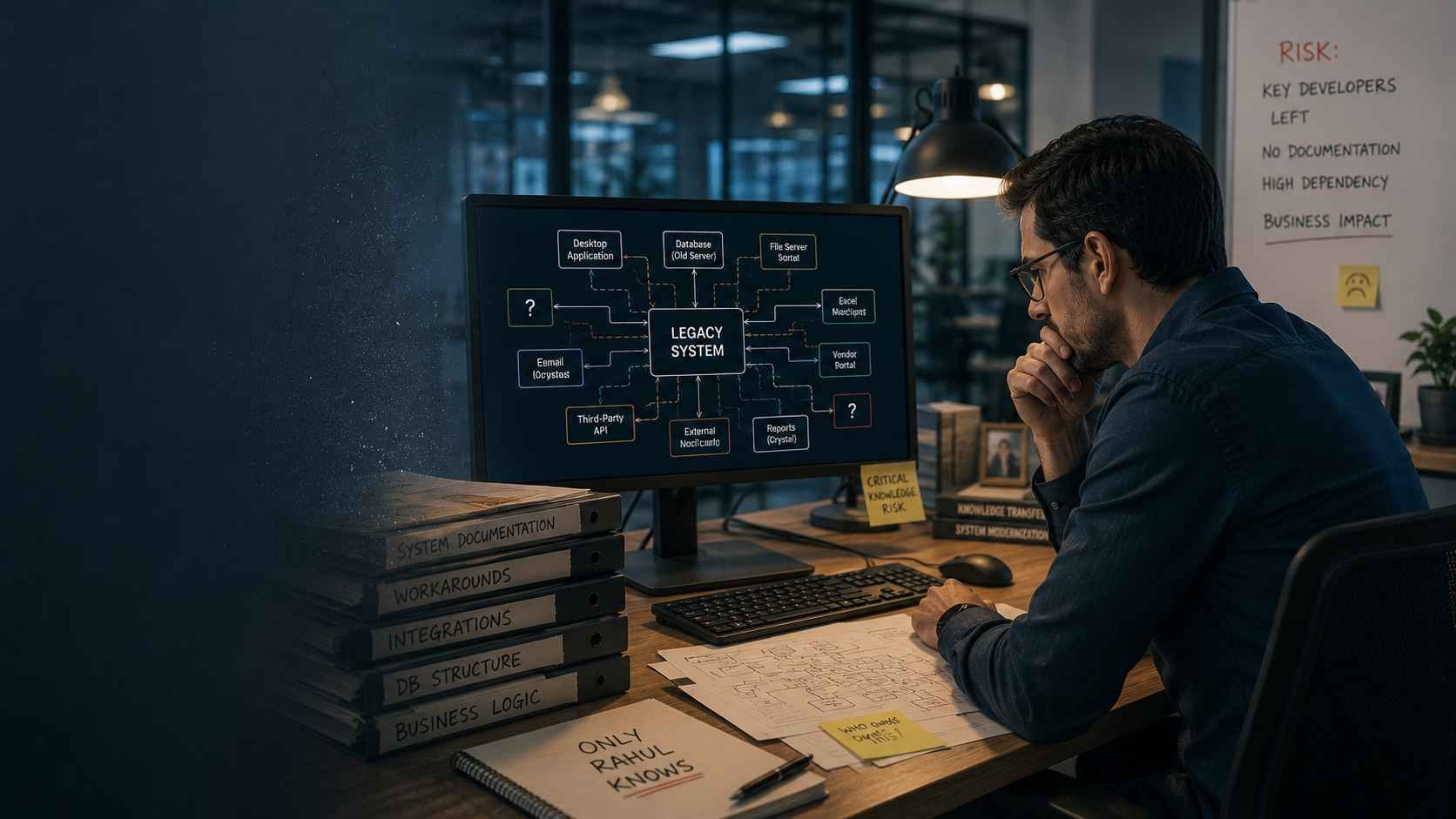
Legacy Application Modernization
A legacy application can continue running for years while the knowledge required to understand, repair, and safely change it quietly disappears. When experienced developers and long-serving employees leave, businesses can lose far more than technical expertise—they can lose the unwritten rules that keep critical operations working.
The application is still online. Orders are processing. Employees can log in. Reports are being generated. From the outside, there is no obvious emergency.
Then a seemingly minor change is required.
The development team opens the code and discovers a problem that is much harder to see on a technology inventory: nobody currently responsible for the application fully understands why parts of it work the way they do.
A validation rule has no documentation. A scheduled process depends on an old database procedure. An unusual calculation exists because of a business requirement introduced twelve years ago. A manual workaround is known by one operations employee but appears nowhere in the system documentation.
This is the legacy code knowledge gap—the difference between having a functioning application and having enough organizational knowledge to understand, maintain, troubleshoot, and safely change it.
For CIOs, CTOs, application owners, and business leaders, that gap can become as serious as the age of the technology itself. The software may remain operational long after the developers who designed it, employees who shaped its workflows, and administrators who learned its exceptions have moved on.
Once that knowledge leaves, even ordinary maintenance can turn into investigation. Modernization becomes harder because a new team must first reconstruct what the existing system actually does—and which behaviors the business cannot afford to lose.
Why Does a Legacy Code Knowledge Gap Develop?
A legacy code knowledge gap develops when critical understanding of an application remains with individuals instead of being captured in maintainable documentation, code, tests, architecture records, and operational procedures. As those people change roles or leave, the organization retains the software but gradually loses the context required to manage it confidently.
The process is usually gradual.
An application might begin with a small development team that understands the architecture intimately. Over time, new requirements arrive. Developers add modules. Databases change. Interfaces are connected. Temporary workarounds become permanent. Business rules evolve without the original design documentation being updated.
Ten or fifteen years later, the system may contain knowledge from several generations of employees.
The code tells you what happens, but not always why
Source code is valuable documentation, but it rarely captures the entire business context behind an old application.
A developer may find a conditional rule that prevents certain transactions from being processed. The code shows the condition clearly. What it may not explain is whether the rule exists because of a regulatory requirement, an old customer contract, a historical data problem, or a business process that no longer exists.
Removing apparently unnecessary code without that context can therefore change business behavior in ways that are difficult to predict.
Temporary fixes accumulate into institutional knowledge
Legacy applications often survive because experienced people learn how to work around their limitations.
An operations employee may know that a particular report must be generated before month-end processing. A database administrator may know that one integration occasionally requires a manual restart. A developer may know that a certain module cannot be deployed independently because another component expects a specific version.
These details can keep a system stable for years without ever becoming formal documentation.
The danger appears when the organization mistakes operational familiarity for documented organizational knowledge.
The Most Dangerous Legacy Dependency May Be a Person
Businesses usually evaluate legacy risk by looking at technology: unsupported frameworks, obsolete databases, aging servers, security exposure, difficult integrations, or unavailable vendor support.
Human dependency deserves the same scrutiny.
Consider an application where only one senior developer understands the deployment process, one finance employee understands how a calculation is reconciled, and one database administrator knows why several scheduled jobs run in a particular sequence.
Technically, the application may have multiple users and maintainers. Operationally, however, critical knowledge is concentrated in three people.
That creates key-person dependency.
The risk is not limited to resignation. Knowledge can become unavailable because of retirement, promotion, internal transfer, extended leave, outsourcing changes, vendor turnover, mergers, or restructuring.
The central question for an application owner is therefore not simply:
“Is this system still working?”
A stronger question is:
“Could another qualified team understand and safely operate this system if our most knowledgeable people were unavailable tomorrow?”
If the answer is uncertain, the organization already has a continuity risk—even if the application currently appears stable.
Your Legacy System Has a Hidden Cost
If critical application knowledge exists mainly in the heads of a few employees, assess the system before that expertise disappears. A structured legacy assessment can identify documentation gaps, dependencies, modernization risks, and areas of concentrated knowledge.
What Knowledge Actually Disappears When Legacy Experts Leave?
The loss is rarely limited to programming knowledge. Experienced legacy-system experts often hold technical, operational, historical, and business knowledge simultaneously. That combination is difficult to reconstruct because each category explains a different part of why the application behaves as it does.
1. Undocumented business rules
Mature applications often contain years of business decisions embedded directly in code.
Pricing exceptions, eligibility checks, approval thresholds, manufacturing calculations, financial validations, customer-specific rules, inventory logic, and regulatory conditions may all exist without a current functional specification.
The application effectively becomes the specification.
2. Historical design decisions
A new developer can inspect an architecture and see how components connect. Understanding why the architecture was designed that way is harder.
Some apparently poor design choices may have been reasonable responses to constraints that existed at the time. Others may remain only because changing them was considered too risky.
Without that history, modernization teams can waste time rediscovering old constraints—or remove behavior that still matters.
3. Operational workarounds
Not every important process exists inside the application.
Employees may export data to spreadsheets, manually correct certain records, run processes in a specific order, avoid particular screens under certain conditions, or perform reconciliation outside the system.
Those practices form part of the real operating model even though they may be invisible in the codebase.
4. Integration knowledge
A legacy system may exchange information with ERP platforms, accounting systems, manufacturing equipment, payment services, customer portals, reporting databases, file servers, APIs, scheduled scripts, and third-party applications.
Knowing that an integration exists is only the beginning. Teams also need to understand data ownership, timing, failure behavior, retry procedures, authentication, transformation rules, downstream consumers, and what happens when the integration is unavailable.
5. Troubleshooting intuition
Long-serving developers often recognize failure patterns that are difficult to document after the fact.
An error message may point to one component while an experienced engineer knows the actual cause is an upstream batch process. A support specialist may recognize that a particular user complaint usually means a background service has stalled.
When those people leave, incident resolution can become slower because the new team has to rebuild that diagnostic knowledge through repeated investigation.
Seven Warning Signs That Critical System Knowledge Is Already at Risk
Organizations do not need to wait for a resignation to identify knowledge concentration. Several operational patterns indicate that a legacy application is already too dependent on individual memory.
- Only one or two people can make production changes safely.
- Developers regularly ask a former employee or retired specialist how something works.
- Business rules cannot be explained without inspecting old source code.
- Documentation exists but no longer matches the current application.
- Teams avoid modifying certain modules because nobody fully understands the consequences.
- Operational staff rely on undocumented manual workarounds.
- New developers require months of informal knowledge transfer before they can work independently.
One sign alone does not necessarily mean the application is in immediate danger. Several appearing together, however, indicate that the organization should treat knowledge preservation as part of application risk management rather than routine documentation housekeeping.
Why Knowledge Loss Makes Legacy Application Modernization Harder
Modernization requires more than moving source code from an old technology to a newer one. A successful modernization effort must preserve the business capabilities that still matter while deciding which historical constraints, obsolete workflows, and technical compromises should disappear.
That decision becomes much harder when nobody can confidently explain the existing behavior.
A modernization team may then spend the first phase of the project performing software archaeology: tracing database procedures, interviewing employees, mapping dependencies, comparing reports, following data through integrations, and testing obscure workflows simply to reconstruct the current system's functional specification.
This discovery work is often necessary. The problem is allowing it to begin only after critical knowledge has already left the organization.
Businesses considering legacy application modernization can reduce uncertainty by capturing institutional knowledge while experienced developers, application owners, and business users are still available to explain it.
What Happens to the Business When Legacy System Knowledge Disappears?
When legacy system knowledge disappears, the immediate consequence is not necessarily a system outage. The more common result is a gradual increase in operational uncertainty. Changes take longer, incidents become harder to diagnose, releases become riskier, and fewer people are willing to modify critical parts of the application.
Eventually, the organization reaches a dangerous position:
The business depends on software that it can operate, but no longer fully understands.
That distinction matters.
A functioning application can create the impression that the risk is under control. But operational continuity depends on more than whether the application works today. It depends on whether the organization can diagnose, repair, change, secure, and recover that application tomorrow.
Small Changes Become High-Risk Projects
One of the first symptoms of a legacy code knowledge gap is fear of change.
A business team requests what appears to be a straightforward modification:
- Add a field to an existing workflow.
- Change a calculation.
- Update an approval rule.
- Connect a new API.
- Modify a report.
- Support a new customer requirement.
The technical team hesitates because nobody can confidently predict what else the modification could affect.
That hesitation is often rational.
Legacy applications can contain tightly coupled modules, shared database procedures, implicit dependencies, duplicated business logic, hard-coded configuration, and integrations that were never formally documented.
A five-line code change can therefore trigger unexpected behavior somewhere else in the system.
When the people who understood those relationships are gone, teams compensate by increasing analysis, testing, approvals, and contingency planning around even modest changes.
Impact Analysis Becomes Software Archaeology
In a well-understood application, engineers can usually answer basic questions before making a change:
- Which modules use this function?
- Which database tables will be affected?
- Which integrations consume this data?
- Which business process depends on this rule?
- Which automated tests validate the behavior?
In a poorly documented legacy environment, answering those questions may require tracing code manually, searching database objects, interviewing users, reviewing old tickets, examining logs, and testing behavior in a non-production environment.
The organization pays a knowledge-reconstruction cost before development even begins.
Production Incidents Take Longer to Diagnose
Knowledge gaps become especially visible when something breaks.
Imagine that a critical overnight process stops generating files required by another business system.
An experienced legacy developer might know immediately that:
- A particular Windows service occasionally stops.
- A network path must be available before the batch begins.
- A database job has to complete first.
- A failed record can block the remaining batch.
- A temporary file sometimes needs to be removed before restarting.
Without that knowledge, a new support team sees only the symptom.
Engineers begin investigating the application, database, operating system, network, integration, and downstream system independently.
Mean time to resolution increases because the organization has lost the shortcuts created by years of operational experience.
Tribal Knowledge Is Useful Until It Becomes a Dependency
Every experienced team develops informal knowledge.
People remember unusual customer requirements, historical incidents, deployment quirks, exceptions, and workarounds that would be impractical to document immediately.
The problem begins when this tribal knowledge becomes the primary mechanism for operating a business-critical application.
Statements such as these should trigger attention:
- “Ask Raj; he is the only person who understands that module.”
- “Don't deploy this without Maria.”
- “Nobody touches that stored procedure anymore.”
- “The original developer left, so we are not sure why that rule exists.”
- “Operations knows the workaround.”
- “We have documentation somewhere, but it is several years old.”
These are not harmless characteristics of old software.
They are indicators that application continuity depends on specific individuals.
How Can You Measure Key-Person Dependency in a Legacy Application?
A simple way to evaluate knowledge concentration is to identify every critical application responsibility and determine how many people can perform it independently.
| Knowledge Area | People Who Understand It | Risk |
|---|---|---|
| Application Architecture | 1 senior developer | High |
| Deployment Process | 1 developer and 1 administrator | Medium |
| Core Business Rules | 1 developer and 1 business employee | Medium |
| Database Procedures | 1 database administrator | High |
| Third-Party Integrations | 1 former project lead | Critical |
| Incident Recovery | 2 support engineers | Medium |
The objective is not simply to count employees.
It is to determine whether another qualified person could perform the responsibility without depending on the primary expert.
The “Bus Factor” Reveals a Hidden Continuity Problem
Software teams sometimes use the informal term bus factor to describe how many people would need to become unavailable before a project or system could no longer continue effectively.
For a business-critical legacy application, a bus factor of one should be treated as a serious continuity warning.
If one employee is the only person who knows:
- How production deployments work.
- How month-end processing is recovered.
- Why a critical financial calculation behaves differently for certain customers.
- How an undocumented integration exchanges data.
Then the organization has concentrated operational knowledge into a single point of failure.
Prioritize Knowledge Gaps by Business Impact
Not every undocumented function deserves the same urgency.
Organizations can prioritize knowledge-preservation work by evaluating two factors:
- How critical the knowledge is to business operations.
- How concentrated that knowledge is among individuals.
| Business Criticality | Knowledge Concentration | Priority |
|---|---|---|
| High | One person | Immediate |
| High | Several people | High |
| Medium | One person | High |
| Medium | Several people | Moderate |
| Low | One person | Moderate |
| Low | Several people | Lower |
This prevents documentation initiatives from becoming broad exercises where teams attempt to document everything equally and eventually abandon the effort.
Undocumented Business Logic Is Often More Dangerous Than Undocumented Code
Technical teams can often reverse-engineer what code does.
Reconstructing why the business requires that behavior is harder.
Consider a legacy billing application containing this rule:
Orders from a particular customer category receive a different calculation when the transaction occurs during the final three business days of the month.
A developer can identify the conditional logic.
But the code may not reveal whether the rule exists because of:
- A contractual commitment.
- A regulatory requirement.
- An accounting treatment.
- A historical system limitation.
- A workaround that is no longer necessary.
That missing context becomes critical during modernization.
A team rewriting the application must decide whether the behavior should be preserved, redesigned, or removed.
Without business knowledge, the safest choice often becomes preserving everything—even obsolete complexity.
Legacy Application Knowledge Exists in Multiple Layers
Effective knowledge preservation requires more than creating developer documentation.
A mature legacy application usually contains several distinct knowledge layers.
| Knowledge Layer | Examples |
|---|---|
| Business Knowledge | Rules, calculations, approvals, exceptions, compliance requirements |
| Application Knowledge | Modules, workflows, architecture, code dependencies |
| Data Knowledge | Schema, stored procedures, data ownership, historical conventions |
| Integration Knowledge | APIs, file exchanges, batch interfaces, upstream and downstream systems |
| Infrastructure Knowledge | Servers, operating systems, runtime requirements, configuration |
| Operational Knowledge | Deployments, monitoring, support, recovery, scheduled processes |
| Historical Knowledge | Why unusual design decisions and workarounds exist |
A modernization or knowledge-transfer initiative that captures only one layer can therefore leave major gaps elsewhere.
Why “We Have Documentation” Does Not Automatically Mean the Knowledge Is Safe
Documentation reduces knowledge risk only when it is current, understandable, discoverable, and detailed enough for another person to perform the required work.
Many legacy environments technically have documentation.
It may consist of:
- An architecture diagram created eight years ago.
- A deployment document that references retired servers.
- Requirements documents from the original implementation.
- Old support tickets.
- Comments inside source code.
- Spreadsheets stored in individual folders.
These artifacts can still be useful, but their existence should not be confused with operational readiness.
A stronger test is whether a new engineer or application owner can use the documentation to understand and perform the task without relying on undocumented explanation from the original expert.
Why Traditional Knowledge Transfer Sessions Often Fail
Organizations frequently respond to an employee's resignation by scheduling several knowledge-transfer meetings during the notice period.
The departing expert shares their screen, explains the application, answers questions, and uploads documents.
This is better than doing nothing, but it has significant limitations.
The expert may have accumulated ten years of knowledge.
The organization may have only two or three weeks to extract it.
More importantly, experienced employees often do not know which parts of their knowledge are unique because familiar processes feel obvious to them.
Important details therefore emerge only when somebody else attempts to perform the work independently.
Knowledge Transfer Should Be Tested, Not Merely Completed
A better knowledge-transfer process includes reverse demonstration.
After learning a task, the receiving team should perform it while the expert observes.
For example:
- The expert documents the production deployment process.
- A second engineer reviews the documentation.
- The second engineer performs a deployment in a safe environment.
- Missing steps and assumptions are identified.
- The documentation is updated.
The same approach can be applied to incident recovery, batch processing, database maintenance, reporting, integration support, and other critical procedures.
Knowledge has not been transferred simply because someone explained it. It has been transferred when another qualified person can use it successfully.
Don't Wait for a Resignation to Discover What Nobody Else Knows
Identify key-person dependencies, undocumented business logic, fragile integrations, and modernization risks while your experienced application experts are still available.
The Knowledge Gap Creates a Hidden Maintenance Tax
Organizations often measure legacy application cost through infrastructure, licenses, support contracts, and development effort.
Knowledge loss creates another cost that is harder to see.
Engineers spend additional time:
- Tracing unfamiliar code.
- Reconstructing business requirements.
- Searching historical tickets.
- Interviewing long-serving employees.
- Testing undocumented dependencies.
- Creating larger regression-test cycles.
- Investigating incidents that experienced employees once diagnosed quickly.
Each individual activity may appear to be ordinary maintenance.
Together, they form a recurring knowledge-gap tax on every change made to the application.
Knowledge Risk Compounds Over Time
Legacy knowledge loss rarely remains static.
When experienced people leave, the remaining team becomes more cautious about changing unfamiliar areas. Because those areas are changed less frequently, fewer developers gain experience with them.
Documentation becomes increasingly outdated.
New workarounds are created around old behavior.
The application becomes even more dependent on the shrinking group of people who understand it.
This creates a reinforcing cycle:
- Knowledge becomes concentrated.
- An expert leaves.
- Confidence in the application decreases.
- Teams avoid risky changes.
- Fewer people develop deep system knowledge.
- Remaining experts become even more critical.
Breaking that cycle requires deliberate knowledge recovery and transfer—not simply waiting until the next modernization project begins.
How Does a Legacy Code Knowledge Gap Increase Operational Risk?
A legacy code knowledge gap increases operational risk because the business becomes less capable of predicting how a critical application will respond to changes, failures, new requirements, infrastructure updates, and integration problems.
The software itself may not have changed.
What has changed is the organization's ability to understand and control it.
That difference can affect application availability, incident recovery, security, compliance, customer service, financial processing, and business continuity.
The risk becomes particularly serious when the application supports processes that cannot simply stop while a new team investigates how the system works.
Business Continuity Depends on Knowledge as Well as Technology
Traditional business continuity planning often focuses on infrastructure failure.
Organizations prepare for:
- Server outages.
- Database failures.
- Network interruptions.
- Data-center problems.
- Cloud-service outages.
- Cybersecurity incidents.
But restoring infrastructure does not necessarily restore the organization's ability to operate the application.
A backup may restore the database.
A virtual machine may restore the application server.
Source control may restore the code.
None of those automatically restores the knowledge required to understand why a failed batch process behaves differently at month-end, how an integration should be restarted, which configuration values are environment-specific, or what sequence must be followed after recovery.
Business continuity therefore requires both recoverable technology and recoverable operational knowledge.
“We Have the Source Code” Is Not a Complete Continuity Strategy
Organizations sometimes assume that owning the source code protects them from knowledge loss.
Source-code access is essential, but it does not necessarily provide the complete operating model of a mature application.
The repository may show:
- Classes and functions.
- Business calculations.
- Database queries.
- Configuration references.
- Error handling.
- Integration logic.
It may not explain:
- Why unusual business rules were introduced.
- Which behavior is still required by the business.
- Which code paths are effectively obsolete.
- Which manual procedures compensate for application limitations.
- Which external teams depend on generated data.
- Which deployment steps exist outside the repository.
- Which failures require special recovery procedures.
Source code can help a new team reconstruct technical behavior, but reconstruction takes time and does not guarantee that the business intent behind the behavior will be obvious.
What Documentation Is Commonly Missing From Legacy Applications?
Documentation gaps are rarely limited to one missing architecture document. Mature applications accumulate knowledge across technical, business, operational, and support layers.
A practical documentation assessment should therefore examine several categories.
| Documentation Area | What It Should Explain | Risk When Missing |
|---|---|---|
| Architecture | Components, boundaries, technologies, dependencies, and data flows | Teams cannot easily predict change impact |
| Business Rules | Calculations, validations, approvals, exceptions, and regulatory logic | Modernization may alter important business behavior |
| Database | Schema, stored procedures, ownership, relationships, and critical jobs | Data changes and migrations become harder to validate |
| Integrations | Interfaces, formats, schedules, authentication, dependencies, and failure behavior | Changes can unexpectedly break connected systems |
| Deployment | Build, configuration, release, rollback, and verification procedures | Production releases depend on individual memory |
| Operations | Monitoring, batch processes, scheduled tasks, maintenance, and recovery | Incidents take longer to diagnose and resolve |
| Security | Authentication, authorization, certificates, secrets, service accounts, and access dependencies | Security changes can introduce outages or unmanaged exposure |
| Support | Known failures, troubleshooting steps, common fixes, and escalation paths | Support teams repeatedly rediscover the same solutions |
Start With the Business Rules the Company Cannot Afford to Lose
Documenting every line of a large legacy application is rarely the best first objective.
Begin with the rules that directly affect important business outcomes.
Depending on the application, these may include:
- Pricing calculations.
- Discount rules.
- Tax calculations.
- Credit limits.
- Approval thresholds.
- Eligibility conditions.
- Manufacturing calculations.
- Inventory allocation rules.
- Financial reconciliation logic.
- Compliance validations.
- Customer-specific exceptions.
- Data-retention requirements.
For each critical rule, capture more than its technical implementation.
Record:
- What the rule does.
- Why the rule exists.
- Which business process depends on it.
- Who can validate the rule.
- Where it is implemented.
- Which data it uses.
- Which exceptions exist.
- Whether the rule is still required.
This creates a bridge between technical behavior and business intent.
Database Knowledge Can Be More Critical Than Application Knowledge
Long-running business applications often place substantial logic inside the database.
Stored procedures may calculate values, transform records, generate reports, synchronize systems, enforce rules, and perform scheduled processing.
Over time, the database can become an application layer of its own.
This creates additional knowledge questions:
- Which stored procedures are still actively used?
- Which tables are written by external applications?
- Which jobs run automatically?
- Which jobs depend on other jobs completing first?
- Which tables contain historical structures that cannot be removed?
- Which reports query the database directly?
- Which integrations bypass the application layer?
If the only database administrator who understands these relationships leaves, the organization can retain the entire database while losing the context required to change it safely.
Undocumented Integrations Create Hidden Modernization Dependencies
Legacy applications rarely operate alone.
They may exchange information with:
- ERP platforms.
- CRM systems.
- Accounting software.
- Warehouse systems.
- Manufacturing systems.
- Payment services.
- Customer portals.
- Supplier systems.
- Business intelligence platforms.
- Third-party APIs.
Some integrations are obvious because they use formal APIs.
Others may rely on CSV files placed in shared folders, direct database connections, scheduled scripts, email attachments, FTP transfers, or custom middleware written years ago.
These informal integrations are particularly vulnerable to knowledge loss because their behavior may never have been captured in an integration catalog.
Build an Integration Inventory Before the Knowledge Leaves
For every known integration, record:
- Source system.
- Destination system.
- Business purpose.
- Data exchanged.
- Direction of data flow.
- Transfer frequency.
- Technology or protocol.
- Authentication method.
- Failure behavior.
- Retry mechanism.
- Support owner.
- Business owner.
This inventory becomes useful for both operational support and future legacy application modernization.
Map the Dependencies Before You Change the Application
Legacy modernization becomes significantly riskier when business rules, database logic, integrations, and operational dependencies are undocumented. A structured assessment can establish what the system actually does before migration or redevelopment begins.
Deployment Knowledge Is Frequently More Fragile Than Teams Realize
Modern software teams increasingly rely on automated build and deployment pipelines.
Older applications may still depend on procedures accumulated over many years.
A deployment could require:
- Building the application on a specific workstation.
- Copying files manually to a server.
- Stopping services in a particular order.
- Running database scripts manually.
- Updating configuration files.
- Registering components.
- Restarting scheduled services.
- Running a manual smoke test.
If these steps exist mainly in one engineer's memory, every production release carries a personnel dependency.
The same is true of rollback.
A team may know how to deploy successfully but have no tested procedure for restoring the previous state when something goes wrong.
Create Operational Runbooks for High-Risk Procedures
A runbook provides step-by-step instructions for recurring operational activities.
High-value legacy application runbooks may cover:
- Application startup and shutdown.
- Production deployment.
- Rollback.
- Database backup and recovery.
- Batch-process recovery.
- Certificate renewal.
- Service-account changes.
- Integration restart.
- Month-end processing.
- Year-end processing.
- Common incident recovery.
Good runbooks should include prerequisites, expected results, verification steps, failure conditions, rollback instructions, and escalation contacts.
What Should You Document First?
When a legacy application contains years of undocumented knowledge, attempting to capture everything at once can overwhelm the team.
Prioritize documentation using business impact and knowledge concentration.
Start with areas that meet one or more of these conditions:
- The process is business-critical.
- Only one person understands it.
- A failure could stop operations.
- The process affects financial or regulatory outcomes.
- The area changes frequently.
- The organization plans to modernize it soon.
- Incidents in the area are difficult to diagnose.
- The current expert may retire, transfer, or leave.
This risk-based approach produces useful documentation faster than treating every component as equally important.
Use Multiple Methods to Capture Legacy System Knowledge
Different kinds of knowledge require different capture methods.
| Knowledge Type | Useful Capture Method |
|---|---|
| Architecture | System diagrams and component inventories |
| Business Rules | Rule catalogs and business-user interviews |
| Operational Procedures | Runbooks and recorded demonstrations |
| Troubleshooting | Known-error databases and incident playbooks |
| Integrations | Interface catalogs and data-flow diagrams |
| Database | Schema documentation, data dictionaries, and job inventories |
| Historical Context | Structured interviews with long-serving employees |
| Code Behavior | Automated tests, code comments, and technical walkthroughs |
Preserve Important Knowledge as Close to the System as Possible
Documentation stored far away from the application is easier to forget and harder to maintain.
Where practical, keep technical documentation close to the source code and development workflow.
This can include:
- README files.
- Architecture decision records.
- Deployment instructions.
- Environment configuration guides.
- API specifications.
- Database migration notes.
- Automated tests that describe expected behavior.
Documentation that changes with the system is more likely to remain useful than a static document created once and forgotten.
Automated Tests Can Preserve Business Knowledge
Tests do more than detect defects.
Well-designed automated tests can document expected system behavior in an executable form.
For example, tests can establish that:
- A particular customer type receives a specific pricing treatment.
- An order above a threshold requires additional approval.
- A financial calculation rounds according to a defined rule.
- A specific status transition is prohibited.
- An integration produces a required data format.
During modernization, these tests can become valuable evidence that the replacement application preserves critical behavior.
For poorly tested legacy applications, creating characterization tests around high-risk business behavior can therefore serve both knowledge preservation and modernization preparation.
The Goal Is Not More Documentation—It Is Recoverable Knowledge
Legacy application knowledge should not be considered protected merely because documents, source code, or old diagrams exist somewhere in the organization.
The real objective is recoverability.
Can another qualified person determine how the application works?
Can they understand the business rules that matter?
Can they deploy it?
Can they recover it?
Can they diagnose common failures?
Can they identify its dependencies?
Can they safely change it without relying on the memory of one long-serving employee?
If the answer to several of these questions is no, the organization has more than a documentation problem.
It has a business continuity and modernization risk.
How Do You Audit the Knowledge Risk in a Legacy Application?
A legacy application knowledge audit identifies what the organization knows about a system, where that knowledge exists, who holds it, how well it is documented, and what would happen if the primary experts became unavailable.
The objective is not to create documentation for every technical detail immediately.
The objective is to expose the areas where missing knowledge could create the greatest operational, financial, security, compliance, or modernization risk.
A practical audit should examine the application from several perspectives:
- Business processes.
- Business rules.
- Application architecture.
- Source code.
- Database logic.
- Integrations.
- Infrastructure.
- Deployment.
- Operations and support.
- Security.
- People and knowledge ownership.
Step 1: Determine How Critical the Application Is to the Business
Before evaluating documentation quality, determine what would happen if the application became unavailable or could no longer be safely changed.
Ask:
- Which business processes depend on the application?
- How many employees or customers use it?
- Does it support revenue-generating activity?
- Does it process financial transactions?
- Does it support manufacturing or logistics operations?
- Does it contain regulatory or compliance logic?
- What would happen if the application were unavailable for one hour, one day, or one week?
- Is there a practical alternative process?
A knowledge gap in a low-impact internal utility does not carry the same business risk as a knowledge gap in a system responsible for billing, production, order processing, healthcare workflows, or financial reconciliation.
Create an Application Criticality Rating
| Criticality | Typical Characteristics | Knowledge Priority |
|---|---|---|
| Critical | Application failure could stop core operations, revenue, production, financial processing, or regulatory activity | Immediate |
| High | Significant business disruption would occur and workarounds are limited | High |
| Moderate | Business impact is manageable temporarily through alternative processes | Planned |
| Low | Limited operational impact and practical alternatives exist | Lower |
Step 2: Identify Who Actually Understands the System
Job titles do not necessarily reveal where critical knowledge resides.
An application may officially belong to IT while essential knowledge is distributed across developers, database administrators, operations employees, finance specialists, external vendors, and former project participants.
Build a knowledge-owner map.
For each major system area, identify:
- The primary expert.
- The secondary expert.
- The business subject-matter expert.
- The technical owner.
- The operational support owner.
- Any external vendor dependency.
Then determine whether the secondary person can actually perform the work independently.
Being familiar with a system is not the same as being able to support it without the primary expert.
Use a Knowledge Ownership Matrix
| System Area | Primary Expert | Backup | Documented? | Risk |
|---|---|---|---|---|
| Core Business Logic | Senior Developer | Partial | Partial | High |
| Database Jobs | DBA | None | No | Critical |
| Deployment | Technical Lead | Developer | Outdated | High |
| Customer Exceptions | Operations Manager | Partial | No | High |
| External Integrations | Former Project Lead | None | Partial | Critical |
Step 3: Build a Complete Technical Inventory
Knowledge cannot be protected if the organization does not know what components belong to the application.
A legacy system inventory should identify:
- Programming languages and frameworks.
- Application modules.
- Source-code repositories.
- Databases.
- Stored procedures.
- Scheduled jobs.
- Servers and hosting environments.
- Desktop components.
- Third-party libraries.
- External integrations.
- File-transfer processes.
- Reporting systems.
- Authentication dependencies.
- Supporting scripts and utilities.
This inventory becomes the foundation for architecture documentation, dependency mapping, modernization planning, and risk prioritization.
Look for “Shadow Components” Outside the Official Application
Some of the most important parts of a legacy workflow may not appear in the application's official architecture.
Teams should actively search for:
- Excel workbooks containing calculations.
- Access databases maintained by departments.
- Scheduled Windows tasks.
- PowerShell or batch scripts.
- Shared-folder file exchanges.
- Manual database scripts.
- Desktop utilities.
- Locally stored configuration files.
- Reports that query production databases directly.
These components frequently exist because employees created practical solutions around limitations in the original application.
Ignoring them during knowledge capture can result in a technically successful modernization that breaks the real business workflow.
Do You Know Everything Your Legacy Application Depends On?
Hidden scripts, database jobs, spreadsheets, integrations, manual workarounds, and undocumented business rules can turn a seemingly straightforward modernization into a high-risk project. Map the system before critical knowledge disappears.
Step 4: Map the Business Processes the Application Supports
Technical documentation explains the system.
Business-process mapping explains how people actually use it.
Select the most important workflows and trace them from beginning to end.
For example, an order-processing workflow might involve:
- A salesperson enters an order.
- The application validates customer information.
- Pricing rules calculate the final amount.
- Credit rules determine whether approval is required.
- Inventory is checked.
- A downstream ERP system receives the order.
- Operations performs an additional manual verification.
- Finance receives transaction information for invoicing.
Mapping the entire process can reveal knowledge that source-code analysis alone would never expose.
Step 5: Interview Long-Serving Developers and Business Experts
Experienced employees often hold historical context that cannot be reconstructed easily from technical artifacts.
Do not limit interviews to questions such as:
“How does this module work?”
Ask questions designed to uncover hidden knowledge.
Questions for legacy developers
- Which parts of the application are you most cautious about changing?
- Which modules have unexpected dependencies?
- Which areas generate the most production incidents?
- Which business rules are difficult to understand from the code?
- Which components depend on obsolete technologies?
- What would a new developer probably misunderstand?
- Which processes depend on manual intervention?
- Which parts would you redesign if you were building the system today?
Questions for business users
- Which workflows are essential to daily operations?
- Which system limitations require workarounds?
- Which calculations or reports must remain exactly correct?
- Which customer-specific exceptions exist?
- What do you do outside the application to complete the process?
- Which system behaviors would be difficult to replace?
Step 6: Review Historical Incidents and Support Tickets
Incident history can reveal knowledge dependencies that employees may not remember during interviews.
Review previous support cases and ask:
- Which problems occur repeatedly?
- Who usually resolves them?
- Are the solutions documented?
- Are recurring fixes manual?
- Do similar incidents require the same expert every time?
- Which failures have unclear root causes?
A repeated incident solved by the same individual is a strong signal that troubleshooting knowledge has not been distributed effectively.
Step 7: Review the Application's Change History
Source-control history, release notes, issue trackers, and project records can help explain how the application evolved.
Look for:
- Modules repeatedly modified by the same developer.
- Areas that have not changed for many years.
- Large changes without supporting documentation.
- Emergency fixes.
- Customer-specific modifications.
- Regulatory changes.
- Temporary fixes that became permanent.
Code that has remained untouched for years is not necessarily stable knowledge.
Sometimes it remains untouched because nobody currently understands it well enough to change it safely.
Step 8: Build a Dependency Map
A dependency map shows what the legacy application relies on and what relies on it.
Include:
- Upstream systems.
- Downstream systems.
- Databases.
- APIs.
- File exchanges.
- Scheduled processes.
- Authentication systems.
- Reporting tools.
- External vendors.
- Infrastructure components.
The map should also identify the business owner and technical owner for important dependencies.
Step 9: Validate Whether the Knowledge Is Actually Transferable
A documentation audit should not stop at checking whether a document exists.
Test whether another person can use it.
Select representative high-risk tasks such as:
- Deploying a release.
- Restarting an integration.
- Recovering a failed batch.
- Tracing a transaction.
- Changing a business rule.
- Restoring a database.
Ask a qualified secondary team member to perform the task using the available documentation.
Every question they must ask the original expert reveals another undocumented assumption.
Step 10: Create a Legacy Knowledge Risk Register
The final output of the audit should convert discoveries into prioritized actions.
| Risk | Impact | Knowledge Owner | Priority | Action |
|---|---|---|---|---|
| Only one developer understands pricing logic | Incorrect customer billing | Senior Developer | Critical | Document rules and create characterization tests |
| Batch recovery is undocumented | Operational interruption | DBA | High | Create and validate recovery runbook |
| ERP integration ownership unclear | Order-processing disruption | Unknown | High | Map integration and assign ownership |
| Deployment depends on one engineer | Release delays and recovery risk | Technical Lead | High | Document, cross-train, and automate |
A Simple Legacy Knowledge Risk Score
Organizations managing several legacy applications can use a simple scoring model to identify which systems require attention first.
Score each application from 1 to 5 across:
- Business criticality: How damaging would failure be?
- Knowledge concentration: How few people understand it?
- Documentation quality: How incomplete or outdated is the documentation?
- Technology obsolescence: How difficult is the technology to support?
- Change frequency: How often does the business need modifications?
- Integration complexity: How many external dependencies exist?
Applications scoring highly across several categories should become candidates for immediate knowledge capture, risk reduction, or modernization planning.
What Should You Have at the End of a Knowledge Audit?
A useful legacy knowledge audit should produce actionable artifacts rather than a generic recommendation to improve documentation.
The organization should leave with:
- A business criticality assessment.
- A system and technology inventory.
- A knowledge-owner matrix.
- A business-rule inventory.
- An integration catalog.
- A dependency map.
- A list of undocumented operational procedures.
- A key-person dependency assessment.
- A prioritized knowledge risk register.
- A modernization-readiness view.
These artifacts provide the foundation for deciding what should be documented, transferred, stabilized, automated, refactored, replaced, or modernized.
Turn Hidden Legacy Knowledge Into a Visible Risk Map
If your application depends on undocumented business rules, long-serving developers, fragile integrations, or manual operational knowledge, a structured assessment can help determine what must be captured before modernization begins.
Audit Knowledge Before Choosing a Modernization Strategy
Organizations sometimes begin modernization by asking whether they should rehost, replatform, refactor, rewrite, or replace an application.
That decision can be premature when the organization does not yet understand the application's business rules and dependencies.
Knowledge discovery should inform modernization strategy.
For example, a system that appears technically suitable for replacement may contain extensive customer-specific rules that are expensive to reproduce in a commercial platform.
Another application may look too complicated to rewrite until discovery reveals that a large percentage of its historical functionality is no longer used.
The better the organization understands the current system, the more confidently it can decide what should survive into the future architecture.
You Cannot Protect Knowledge You Have Not Identified
Legacy knowledge risk becomes manageable once it becomes visible.
Identify the critical systems.
Identify the people who understand them.
Map the business processes, technical components, integrations, and operational procedures.
Test whether the available documentation can actually be used by someone other than the original expert.
Then prioritize the gaps according to business impact.
This turns an abstract concern about experienced employees leaving into a concrete risk-management and legacy modernization plan.
How Do You Transfer Legacy System Knowledge Before It Disappears?
Effective legacy system knowledge transfer requires more than scheduling a few handover meetings. The goal is to move critical application knowledge from individual memory into documented, testable, repeatable organizational capability.
A strong knowledge-transfer strategy should combine:
- Structured interviews.
- Technical walkthroughs.
- Business-rule documentation.
- Runbooks.
- Recorded demonstrations.
- Pairing and shadowing.
- Reverse knowledge transfer.
- Automated tests.
- Documentation validation.
The objective is not simply to capture information.
It is to ensure another qualified person can understand, operate, troubleshoot, and change the application without depending on the original expert.
Start With the Knowledge That Would Hurt Most to Lose
Legacy applications may contain years or decades of accumulated knowledge. Attempting to capture all of it at the same level of detail can consume significant time without reducing the most important risks first.
Prioritize knowledge that is:
- Business-critical.
- Known by only one or two people.
- Difficult to reconstruct from source code.
- Required during incidents.
- Necessary for production deployment or recovery.
- Related to financial or regulatory processing.
- Needed for planned modernization.
This creates a risk-based transfer plan rather than a generic documentation project.
Create a Formal Knowledge Transfer Plan
Each high-risk knowledge area should have a specific transfer objective.
| Knowledge Area | Current Expert | Receiving Owner | Transfer Method | Validation |
|---|---|---|---|---|
| Pricing Logic | Senior Developer | Application Team | Rule documentation and code walkthrough | Characterization tests |
| Production Deployment | Technical Lead | DevOps Engineer | Runbook and shadow deployment | Independent deployment |
| Month-End Processing | Finance SME | Finance Operations | Process walkthrough and checklist | Reverse demonstration |
| ERP Integration | Integration Developer | Application Support | Architecture map and troubleshooting guide | Failure simulation |
| Database Recovery | DBA | Secondary DBA | Recovery runbook and practical exercise | Test restore |
Use Structured Interviews to Capture Knowledge Experts Forget to Mention
Simply asking an experienced developer to “document everything you know” rarely works.
Much of their expertise has become automatic.
A better approach is to interview them around specific situations.
Ask about normal operation
- What happens every day?
- Which scheduled processes are critical?
- Which integrations must be monitored?
- Which processes require manual intervention?
Ask about failure scenarios
- What commonly breaks?
- Which symptoms are misleading?
- What is the first thing you check?
- Which failures require escalation?
Ask about dangerous areas
- Which modules are risky to modify?
- Which database procedures have hidden dependencies?
- Which configuration settings should never be changed casually?
- Which parts of the system lack reliable tests?
Ask about historical context
- Why does this unusual rule exist?
- Which temporary fixes became permanent?
- Which features are no longer used?
- Which customer-specific exceptions still matter?
Record Technical Walkthroughs for Complex Procedures
Written documentation should remain the primary searchable reference, but recorded walkthroughs can capture context that is difficult to reproduce in text alone.
Useful recordings may include:
- Architecture walkthroughs.
- Production deployment demonstrations.
- Database job explanations.
- Integration troubleshooting.
- Month-end processing.
- Incident recovery.
- Critical code-module walkthroughs.
Recordings should supplement—not replace—maintainable documentation.
A two-hour video without indexing or supporting notes can become difficult to use during an actual production incident.
Capture Critical Legacy Knowledge Before Your Experts Leave
Identify undocumented business logic, deployment procedures, integration dependencies, troubleshooting knowledge, and key-person risk while experienced developers and business users are still available.
Use Pairing and Shadowing to Transfer Practical Knowledge
Some knowledge cannot be transferred effectively through documents alone.
Pairing allows the receiving engineer or analyst to observe how the expert handles real work.
Examples include:
- Investigating a production incident.
- Deploying a release.
- Reviewing a difficult code change.
- Running a financial process.
- Diagnosing an integration failure.
The receiving person can see not only what steps are performed, but also how the expert decides what to investigate first.
That diagnostic reasoning is often one of the hardest forms of legacy application knowledge to preserve.
Reverse Shadowing Proves Whether Knowledge Has Actually Moved
After observing the expert, reverse the roles.
The receiving team member performs the task while the expert observes.
The expert should intervene only when necessary.
This reveals:
- Missing documentation.
- Hidden assumptions.
- Unclear terminology.
- Undocumented prerequisites.
- Areas where additional training is required.
Reverse shadowing turns knowledge transfer from a passive activity into a measurable capability test.
Legacy Knowledge Transfer Checklist
-
Critical business rules have been documented.
-
Important application modules have technical owners.
-
Database jobs and stored procedures have been reviewed.
-
Integration dependencies are mapped.
-
Production deployment is documented.
-
Rollback procedures are documented.
-
Common production incidents have troubleshooting guidance.
-
Month-end, quarter-end, and annual processes are documented.
-
Operational workarounds are recorded.
-
Secondary team members have completed practical exercises.
-
Critical documentation has been validated by someone other than the original expert.
Do Not Focus Only on Developers
Some of the most important legacy knowledge belongs to business users rather than technical teams.
Long-serving finance, operations, manufacturing, logistics, customer-service, or administrative employees may understand:
- Why certain workflows exist.
- Which system outputs are trusted.
- Which reports require manual correction.
- Which exceptions occur for specific customers.
- Which processes are performed outside the application.
- Which system behavior is technically incorrect but operationally expected.
If modernization captures technical behavior without capturing this business context, the replacement system may reproduce the software while failing to reproduce the real operational process.
Pair Technical Experts With Business Subject-Matter Experts
The strongest knowledge-capture sessions often involve both technical and business participants.
A developer can explain:
“This stored procedure applies a different calculation when the customer belongs to category C.”
The business expert may then explain:
“That exists because those customers are governed by a different commercial agreement.”
Capturing both explanations creates documentation that is significantly more useful during future modernization.
Start Knowledge Transfer Before Retirement or Resignation Is Announced
Waiting until a critical employee submits their resignation creates unnecessary pressure.
Knowledge preservation should be part of normal application governance.
Organizations should be particularly proactive when:
- Senior developers are approaching retirement.
- The system depends on a small specialist team.
- An outsourced vendor relationship may change.
- The technology is becoming difficult to recruit for.
- A modernization initiative is planned.
- The application has experienced significant staff turnover.
Early knowledge transfer allows teams to validate and improve documentation while the experts are still available.
External Vendors Can Create the Same Knowledge Concentration Risk
Legacy application knowledge is sometimes concentrated outside the company.
A vendor may have maintained the application for years and possess most of the practical knowledge related to:
- Architecture.
- Deployment.
- Database behavior.
- Integrations.
- Known defects.
- Customer-specific modifications.
If the vendor relationship ends unexpectedly, the company can discover that owning the software does not mean owning the knowledge required to operate it.
Organizations should therefore ensure that documentation, source code, credentials, architecture information, deployment procedures, and operational knowledge remain accessible internally.
Create a Knowledge Exit Plan for Critical Vendors
For business-critical applications maintained by third parties, establish transition requirements before the contract ends.
The exit plan should address:
- Complete source-code access.
- Build instructions.
- Deployment documentation.
- Environment configuration.
- Database documentation.
- Integration specifications.
- Credentials and certificate ownership.
- Known issues.
- Open technical debt.
- Knowledge-transfer sessions.
How Do You Measure Knowledge Transfer Progress?
Knowledge-transfer initiatives should be measured through capability rather than the number of documents created.
| Metric | What It Measures |
|---|---|
| Critical Processes With Runbooks | Operational documentation coverage |
| Critical Areas With Backup Owners | Reduction in key-person dependency |
| Validated Knowledge Transfers | Whether another person can independently perform the work |
| Business Rules Documented | Preservation of business logic |
| Integrations With Named Owners | Dependency ownership |
| High-Risk Modules With Tests | Preservation of expected system behavior |
Knowledge Preservation Requires an Ongoing Review Cycle
Documentation becomes another legacy artifact if nobody maintains it.
Assign ownership for important documentation and review it when:
- A major release occurs.
- An integration changes.
- A business rule changes.
- An infrastructure component moves.
- A significant incident reveals undocumented behavior.
- A key employee changes roles or leaves.
Documentation should evolve alongside the application.
Use Production Incidents as Knowledge-Capture Opportunities
Every significant incident exposes something about how the application actually behaves.
After resolution, capture:
- The symptom.
- The real root cause.
- The diagnostic process.
- The resolution.
- Recovery steps.
- Preventive actions.
If an experienced engineer solved the incident using undocumented intuition, that knowledge should be converted into reusable organizational guidance.
Knowledge Transfer Should Feed Directly Into Modernization Planning
Documentation should not become an isolated administrative exercise.
Knowledge captured from legacy experts can help the modernization team determine:
- Which business rules must be preserved.
- Which workflows can be simplified.
- Which integrations should be redesigned.
- Which obsolete features can be retired.
- Which dependencies create the greatest risk.
- Which modules should be modernized first.
This transforms knowledge preservation from defensive risk management into useful input for future architecture.
Preserve What the Business Knows Before Replacing What the Technology Does
A successful modernization starts by understanding the business rules, workflows, dependencies, and operational knowledge hidden inside the current application.
The Best Time to Transfer Legacy Knowledge Is Before You Need It
Knowledge transfer becomes much harder after the original expert is gone.
The strongest organizations treat application knowledge as an operational asset rather than something that happens to live in the memories of experienced employees.
Capture critical business logic.
Document operational procedures.
Cross-train secondary owners.
Validate that they can perform critical tasks independently.
Keep documentation current.
And use the knowledge gained to prepare for legacy application modernization.
The goal is simple: when a key developer, business expert, or vendor leaves, the organization's understanding of the system should remain.
How Can Legacy Application Modernization Reduce Knowledge Risk?
Legacy application modernization can reduce knowledge risk when it makes business rules, interfaces, deployment processes, system ownership, and expected behavior more explicit. The goal should not be to replace old technology while carrying the same undocumented dependencies into a newer platform.
A successful modernization effort should improve both the technology and the organization's ability to understand and operate it.
That means modernization should address:
- Undocumented business logic.
- Key-person dependency.
- Manual deployment knowledge.
- Hidden integrations.
- Unsupported components.
- Weak test coverage.
- Unclear ownership.
- Operational workarounds.
Do Not Recreate the Same Knowledge Gap in the New System
A company can successfully migrate from an old programming language or platform and still preserve the original organizational risk.
This happens when the replacement application remains:
- Poorly documented.
- Under-tested.
- Dependent on one developer.
- Full of implicit business rules.
- Connected through undocumented integrations.
- Difficult to deploy without specialist knowledge.
The technology may be modern, but the knowledge model is still fragile.
Modernizing the platform without modernizing the knowledge model simply moves key-person dependency into newer technology.
Use a Knowledge-First Modernization Approach
Before redesigning or replacing a legacy application, capture enough knowledge to distinguish essential business capability from historical technical complexity.
A knowledge-first modernization approach can follow this sequence:
- Identify critical business processes.
- Document business rules and exceptions.
- Map application and database dependencies.
- Inventory integrations and manual workarounds.
- Identify key-person knowledge risks.
- Create behavioral tests around critical functionality.
- Decide what must be preserved, redesigned, replaced, or retired.
- Build the target architecture around explicit ownership and interfaces.
Classify Legacy Knowledge Before You Migrate It
Not every piece of legacy behavior should survive modernization.
Knowledge discovery should help the team classify existing behavior into clear categories.
| Decision | When It Applies |
|---|---|
| Preserve | Behavior remains essential and should continue substantially unchanged |
| Redesign | The business capability remains required, but the current workflow or implementation should improve |
| Replace | A supported platform or service can provide the required capability more effectively |
| Automate | A manual workaround should become part of the supported application workflow |
| Retire | The behavior exists historically but no longer provides business value |
Knowledge Capture Can Reveal Business Rules That No Longer Belong in the System
One benefit of documenting legacy business logic is discovering how much of it is historical rather than current.
A rule may have been introduced because:
- A customer contract that no longer exists.
- A discontinued product required special handling.
- An old regulatory requirement changed.
- A former system had a technical limitation.
- A temporary workaround became permanent.
Without historical knowledge, a modernization team may reproduce these rules automatically because deleting anything feels dangerous.
With business context, the team can challenge whether the complexity still deserves to survive.
Modernization Should Remove Knowledge Risk, Not Just Old Technology
Before rewriting or migrating a legacy system, identify the business rules, integrations, workarounds, and expert knowledge that must be preserved—or deliberately retired.
Use Characterization Tests to Preserve Unknown Legacy Behavior
Some legacy applications have little or no automated test coverage.
Before changing them substantially, teams can create characterization tests that capture what the system currently does.
These tests do not initially attempt to prove that the behavior is ideal.
They establish a baseline.
For example, characterization tests can capture:
- Pricing calculations.
- Order validation behavior.
- Status transitions.
- Report outputs.
- Financial calculations.
- File formats.
- API responses.
During modernization, the team can compare the replacement behavior against those known outputs and investigate differences deliberately.
Golden Master Testing Can Help When Business Logic Is Poorly Understood
For complex systems, teams may capture representative inputs and the outputs produced by the existing application.
These expected outputs can serve as a golden master during migration.
This can be particularly useful for:
- Financial calculations.
- Manufacturing calculations.
- Complex reporting.
- Pricing engines.
- Data transformations.
Golden master testing does not eliminate the need to understand the business rules.
It provides an additional safety mechanism while that understanding is being reconstructed.
Create a Business Rule Catalog Before Rewriting Critical Logic
A business rule catalog turns hidden application logic into an explicit modernization artifact.
For each rule, document:
- Rule identifier.
- Business description.
- Reason for the rule.
- Current implementation location.
- Inputs.
- Expected outputs.
- Exceptions.
- Business owner.
- Modernization decision.
This creates traceability between the old application and the target system.
Example Business Rule Documentation
| Field | Example |
|---|---|
| Rule | BR-014 |
| Description | Orders exceeding the approved customer credit limit require finance approval |
| Current Location | Order validation module and database stored procedure |
| Business Owner | Finance |
| Exception | Selected strategic accounts use a separate approved threshold |
| Modernization Decision | Preserve rule but centralize implementation |
Modernization Is an Opportunity to Centralize Scattered Business Logic
Legacy applications often implement the same business rule in several places.
A pricing calculation, for example, may exist in:
- The main application.
- A stored procedure.
- A reporting database.
- An Excel workbook.
- An external customer portal.
Different versions can gradually diverge.
Modernization can reduce this knowledge burden by establishing one authoritative implementation and documented interfaces around it.
Record Architecture Decisions So Future Teams Understand Why
One reason legacy knowledge disappears is that teams document what they built but not why they chose it.
Architecture Decision Records can preserve important context for future developers.
A short record can explain:
- The problem being solved.
- The options considered.
- The selected approach.
- The reasoning.
- The known trade-offs.
- The date and decision owners.
Years later, another engineer can understand whether an unusual design is intentional, historical, or safe to reconsider.
Documentation Should Be a Deliverable of the Modernization Project
Documentation should not be left until the final week of implementation.
Treat it as part of the definition of done.
Depending on the application, required documentation may include:
- Architecture diagrams.
- Service and component ownership.
- API documentation.
- Business rule catalog.
- Data dictionary.
- Integration catalog.
- Deployment runbooks.
- Recovery procedures.
- Monitoring and alert documentation.
- Architecture decision records.
Cross-Training Should Happen During the Project, Not After It
A replacement application can immediately develop key-person dependency if only the implementation team understands it.
Include future support and internal engineering teams throughout modernization.
They should participate in:
- Architecture reviews.
- Code walkthroughs.
- Deployment exercises.
- Integration testing.
- Incident simulations.
- Release activities.
By production launch, knowledge should already exist across multiple people.
Require Knowledge Transfer From Your Modernization Partner
If an external software partner performs the modernization, the organization should not exchange one dependency for another.
The final system should not become understandable only to the vendor that built it.
Define handover expectations before the project begins.
These may include:
- Source-code ownership and repository access.
- Architecture documentation.
- Build and deployment procedures.
- Infrastructure configuration.
- API and integration documentation.
- Database documentation.
- Training sessions.
- Recorded walkthroughs.
- Support transition.
Don't Replace One Key-Person Dependency With a Vendor Dependency
Modernization should leave your organization with documented architecture, accessible source code, clear ownership, tested deployment procedures, and enough internal knowledge to operate the system confidently.
How Knowledge Risk Should Influence Your Modernization Strategy
The amount of recoverable knowledge in the current application should influence the modernization approach.
| Modernization Approach | Knowledge Consideration |
|---|---|
| Rehost | Preserves most application behavior, so undocumented logic and dependencies usually remain |
| Replatform | Requires understanding platform dependencies while much business logic stays unchanged |
| Refactor | Requires stronger technical understanding because internal behavior changes |
| Rewrite | Requires deep business-rule and workflow knowledge to avoid losing required functionality |
| Replace | Requires understanding which existing capabilities and exceptions must be mapped to the new platform |
| Retire | Requires confidence that no critical business process or downstream dependency still relies on the application |
Rewriting an Application With Poor Business Knowledge Is Particularly Risky
A rewrite begins with a clean technical implementation but still needs a reliable definition of what the application must do.
If the legacy system itself is the only accurate specification, the team must reconstruct requirements before or during development.
Otherwise, the replacement may omit:
- Rare but important workflows.
- Customer-specific exceptions.
- Financial rules.
- Compliance behavior.
- Low-frequency scheduled processes.
- Manual steps that users depend on.
This is why knowledge discovery should precede major rewrite commitments.
Sometimes Knowledge Recovery Must Be a Project of Its Own
In highly undocumented applications, the organization may need a discovery phase before it can accurately estimate modernization.
That phase can include:
- Source-code analysis.
- Database analysis.
- Business-user interviews.
- Runtime monitoring.
- Integration mapping.
- Workflow observation.
- Characterization testing.
The output should reduce uncertainty around system scope, dependencies, business rules, and migration risk.
Add Knowledge Resilience to Your Modernization Success Criteria
Modernization programs usually measure improvements such as:
- Performance.
- Scalability.
- Security.
- Cloud adoption.
- User experience.
- Development speed.
Add knowledge resilience.
At project completion, ask:
- Can multiple engineers support the application?
- Are critical business rules documented?
- Are important behaviors covered by tests?
- Are integrations visible and owned?
- Can the application be deployed without relying on one person?
- Can another qualified team understand the architecture?
A Modern Application Should Be Easier to Understand as Well as Easier to Run
Technology modernization is an opportunity to eliminate more than obsolete frameworks and infrastructure.
It can remove undocumented business logic.
Reduce key-person dependency.
Replace manual operational procedures.
Make integrations explicit.
Improve test coverage.
Create shared ownership.
And preserve important architecture decisions for future teams.
The strongest legacy application modernization outcome is therefore not simply a newer application.
It is an application the organization can understand, support, change, and evolve without depending on the memory of a small number of people.
How Do You Prevent Legacy Knowledge From Becoming Concentrated Again?
Preventing future knowledge gaps requires governance, not a one-time documentation exercise. Critical application knowledge should have named owners, backup owners, review cycles, test coverage, documented operating procedures, and clear expectations for how changes are recorded.
The goal is to make knowledge resilience part of normal application management.
Assign Explicit Ownership for Critical Knowledge Areas
Every important application should have clear ownership across several knowledge domains.
| Knowledge Area | Primary Owner | Backup Owner |
|---|---|---|
| Business Rules | Application Owner / Business SME | Secondary Business SME |
| Application Architecture | Technical Lead | Senior Developer |
| Database | DBA | Secondary DBA |
| Integrations | Integration Owner | Application Support |
| Deployment | DevOps / Technical Lead | Application Engineer |
| Operational Support | Support Lead | Secondary Support Engineer |
Ownership should not mean that one person becomes the new single point of failure.
It means someone is responsible for ensuring the knowledge remains current, transferable, and accessible.
Every Critical Knowledge Area Needs a Backup Owner
Backup ownership is one of the simplest ways to reduce key-person dependency.
The backup should be able to:
- Explain the process.
- Find the relevant documentation.
- Perform critical operational tasks.
- Escalate correctly when something fails.
- Participate in application changes.
A name listed in a spreadsheet is not enough.
Backup ownership should be validated through practical participation.
Review Critical Knowledge on a Fixed Cycle
Documentation becomes unreliable when updates depend on somebody remembering to make them.
Establish recurring review points.
High-risk documentation may need review:
- Quarterly.
- After significant releases.
- After major incidents.
- After integration changes.
- After infrastructure changes.
- When application ownership changes.
Lower-risk documentation can follow a less frequent review cycle.
Every Important Document Needs an Owner Too
A runbook without an owner eventually becomes historical evidence rather than operational guidance.
Documentation ownership should answer:
- Who updates this document?
- When is it reviewed?
- What system changes require an update?
- Where is the authoritative version stored?
Make Legacy Knowledge an Owned Business Asset
Critical application knowledge should not depend on memory. Establish ownership, backup coverage, current documentation, and modernization priorities before key-person risk becomes a business interruption.
Make Documentation Part of Change Management
One of the easiest ways for documentation to become outdated is to treat it as separate from development.
Instead, significant changes should trigger documentation review automatically.
For example, a change should not be considered complete until required updates are made to:
- Architecture diagrams.
- Business rule documentation.
- API specifications.
- Integration catalogs.
- Deployment runbooks.
- Support procedures.
Add Knowledge Preservation to the Definition of Done
Development teams often define completion through coding, testing, review, and deployment.
For business-critical systems, completion should also include required knowledge updates.
A practical definition of done may require:
- Code reviewed.
- Automated tests updated.
- Business rules documented.
- Architecture changes recorded.
- Runbooks updated.
- Support team informed.
Use New Developer Onboarding as a Test of Documentation Quality
A new engineer provides a useful test of whether application knowledge is understandable without years of historical context.
During onboarding, track:
- Which concepts require repeated verbal explanation.
- Which documents are difficult to find.
- Which setup steps are undocumented.
- Which architectural choices are confusing.
- Which terminology assumes historical knowledge.
These questions expose documentation gaps that experienced team members no longer notice.
Build a Legacy Application Onboarding Pack
A structured onboarding pack can reduce the time required for new engineers to become productive.
It can include:
- Application overview.
- Architecture diagram.
- Local development setup.
- Repository structure.
- Database overview.
- Critical business rules.
- Integration catalog.
- Deployment process.
- Known technical debt.
- Support escalation paths.
Use Code Comments to Explain Why, Not Just What
Comments are most valuable when they preserve context that cannot be inferred easily from the code.
Weak comment:
Calculate final price.
Better comment:
Apply the historical contract discount for legacy customer category C. Confirm with Finance before removing this rule.
The second comment preserves business context rather than restating the implementation.
Use Architecture Decision Records for Important Changes
Architecture Decision Records help prevent today's design reasoning from becoming tomorrow's mystery.
Create them for decisions such as:
- Introducing a new integration pattern.
- Replacing a database.
- Moving workloads to cloud infrastructure.
- Splitting a monolithic module.
- Introducing a new authentication approach.
Turn Incident Postmortems Into Reusable Knowledge
Production incidents often reveal hidden dependencies more clearly than architecture reviews.
After significant incidents, document:
- What failed.
- Why it failed.
- Why detection took as long as it did.
- How the team diagnosed the issue.
- How service was restored.
- What documentation was missing.
- What should change afterward.
This prevents the next support team from rediscovering the same knowledge under pressure.
Employee Retirement Should Trigger Formal Knowledge Planning
In organizations with long-lived enterprise systems, retirement can create one of the largest predictable knowledge risks.
Unlike unexpected resignation, retirement is often visible months or years in advance.
Use that time deliberately.
Build a transition plan covering:
- Critical responsibilities.
- Unique knowledge areas.
- Receiving owners.
- Documentation requirements.
- Shadowing periods.
- Validation exercises.
Legacy Technology Skills Shortages Increase Knowledge Risk
Some legacy technologies become difficult to support because fewer developers actively work with them.
This can create a double risk:
- The internal experts who understand the system are leaving.
- The external market for replacement expertise is shrinking.
Systems built with older languages, frameworks, databases, or proprietary platforms may therefore become increasingly expensive to support even if they remain technically functional.
Include Skills Availability in Legacy Risk Assessments
When evaluating a legacy application's future, consider:
- How easy is it to recruit developers for the technology?
- How many current employees understand it?
- How many external vendors still support it?
- Is vendor documentation still available?
- Are development and debugging tools still supported?
A system with shrinking internal knowledge and shrinking external talent availability should receive higher modernization priority.
Knowledge Debt Can Be More Dangerous Than Technical Debt
Technical debt describes compromises in code, architecture, testing, and infrastructure that make software harder to maintain.
Knowledge debt is different.
It describes the accumulated gap between what the organization needs to know about a system and what it has actually captured.
Examples include:
- Undocumented business rules.
- Unknown integration ownership.
- Unwritten deployment steps.
- Missing incident recovery procedures.
- Architecture decisions nobody can explain.
Technical debt can often be inspected directly in the system.
Knowledge debt becomes most visible when the person who understood the missing context is no longer available.
Maintain a Knowledge Debt Register
Organizations already tracking technical debt can add knowledge debt to the same governance process.
| Knowledge Debt | Risk | Remediation |
|---|---|---|
| Pricing rules undocumented | Incorrect behavior during modernization | Rule catalog and automated tests |
| Only one deployment expert | Release continuity risk | Runbook, cross-training, automation |
| Integration dependencies unclear | Unexpected downstream failures | Dependency mapping and ownership |
| Incident recovery undocumented | Longer outages | Recovery playbooks and simulations |
Technical Debt Is Visible. Knowledge Debt Often Is Not.
Assess where critical system knowledge is concentrated, undocumented, difficult to recruit for, or vulnerable to employee and vendor turnover.
Legacy Application Knowledge Resilience Scorecard
A simple scorecard can help leadership determine whether application knowledge is becoming more resilient.
| Measure | Healthy State |
|---|---|
| Critical Knowledge Owners | Primary and validated backup owners exist |
| Business Rules | Critical rules are documented and owned |
| Deployment | Multiple people can deploy using documented procedures |
| Integrations | Critical interfaces are documented with business and technical owners |
| Incident Recovery | Major scenarios have validated runbooks |
| Testing | High-risk behavior is protected by automated or repeatable tests |
| Documentation | Documents have owners and recurring review dates |
Knowledge Resilience Has to Become Part of Application Governance
A one-time documentation project can reduce immediate risk.
It cannot prevent the same problem from returning.
Long-term resilience requires ownership, backup coverage, change controls, tests, onboarding, runbooks, incident learning, and recurring review.
The objective is to make sure critical application knowledge continues belonging to the organization even as individual developers, business experts, vendors, and technology platforms change.
What If the Legacy Experts Have Already Left?
If the people who originally built or maintained a legacy application have already left, the knowledge gap can still be reduced. The process changes from knowledge transfer to knowledge recovery: reconstructing system behavior from source code, databases, runtime activity, documentation, historical records, business users, integrations, and production evidence.
Recovery usually requires more effort than capturing knowledge while experienced employees are still available, but it is not the same as starting from zero.
The application itself contains evidence.
The database contains evidence.
Logs contain evidence.
Business users remember workflows and exceptions.
Support tickets reveal recurring failures.
Reports and integrations reveal how information moves through the business.
The objective is to combine those fragments into a reliable model of what the application does, why important behavior exists, and what must be protected.
Do Not Begin With a Rewrite
When nobody fully understands an old application, replacing it immediately can appear attractive.
The logic seems straightforward: if the existing system is difficult to understand, build something cleaner.
But a rewrite still requires an accurate understanding of the business capabilities that must survive.
If the old application is effectively the only complete specification, rebuilding before discovery can cause the new system to omit rare but important behavior.
Before committing to a rewrite, establish enough knowledge to answer:
- Which workflows are actively used?
- Which business rules affect important outcomes?
- Which integrations depend on the application?
- Which reports are operationally critical?
- Which exceptions must be preserved?
- Which functionality is obsolete?
- Which manual processes exist around the application?
Step 1: Recover Knowledge From the Source Code
Source-code analysis can reveal the application's technical structure even when original developers are unavailable.
Start by identifying:
- Application entry points.
- Major modules.
- Shared libraries.
- Database access layers.
- Business-rule implementations.
- External service calls.
- Configuration dependencies.
- Scheduled processes.
- Error-handling behavior.
The goal is not initially to understand every function.
Build a high-level technical map first, then investigate the areas with the greatest business impact.
Use Repository History as an Archaeological Record
Version-control history can provide valuable context when the original developers are unavailable.
Commit messages, branches, pull requests, and historical changes may reveal:
- Why particular rules were introduced.
- Which developers worked on specific modules
- Which areas experienced repeated defects.
- When integrations were added.
- Which changes were associated with customer or regulatory requirements.
Even incomplete repository history can help reconstruct how the application evolved.
Step 2: Reverse-Engineer the Database
In many mature applications, understanding the database is essential to understanding the application itself.
Document:
- Tables and relationships.
- Primary and foreign keys.
- Stored procedures.
- Triggers.
- Views.
- Scheduled jobs.
- Data-retention patterns.
- External database connections.
Then identify which objects contain business behavior rather than simple data storage.
A stored procedure containing hundreds of lines of calculations may represent business logic that must be understood before migration.
Historical Data Can Reveal How the System Is Actually Used
Application documentation may describe intended behavior. Production data can help reveal actual behavior.
Data analysis can answer questions such as:
- Which workflows are still active?
- Which status values are actually used?
- Which customer exceptions occur frequently?
- Which modules appear dormant?
- Which historical features may no longer matter?
This is particularly useful when deciding whether legacy functionality should be preserved or retired.
The Original Developers Are Gone. The System Can Still Be Understood.
Source code, database behavior, integrations, logs, support history, and business workflows can be analyzed to reconstruct critical application knowledge before modernization begins.
Step 3: Observe the Application While It Runs
Static analysis shows what the application could do. Runtime observation helps reveal what it actually does in production.
Depending on the environment, teams can examine:
- Application logs.
- Database activity.
- Network connections.
- API traffic.
- Scheduled processes.
- File creation and transfer.
- Service dependencies.
- Authentication activity.
Runtime evidence can expose dependencies that are difficult to identify from code alone.
Step 4: Use Logs to Reconstruct Operational Behavior
Historical logs can reveal recurring system behavior and failure patterns.
Look for:
- Frequently occurring errors.
- Recurring integration failures.
- Batch-processing sequences.
- External service calls.
- Authentication problems.
- Performance bottlenecks.
Logs become especially valuable when combined with incident records because they can connect technical symptoms to business impact.
Step 5: Mine Historical Support Tickets for Lost Knowledge
Years of support tickets can contain information that never reached formal documentation.
Search historical cases for:
- Repeated incidents.
- Unusual fixes.
- Customer-specific problems.
- Database corrections.
- Manual recovery steps.
- Deployment failures.
- Integration problems.
Pay particular attention to tickets resolved by employees who are no longer available.
Their comments may contain the only remaining explanation of certain application behaviors.
Step 6: Interview the People Who Still Use the Application
When developers leave, business users often become one of the most valuable remaining sources of system knowledge.
They may not understand the code, but they understand what the application must accomplish.
Ask them to demonstrate:
- Daily workflows.
- Critical transactions.
- Exception handling.
- Month-end or year-end procedures.
- Manual workarounds.
- Important reports.
- Processes performed outside the system.
Watch Real Work Instead of Relying Only on Interviews
Users may forget to mention steps that have become routine.
Observing a real workflow can expose hidden dependencies.
An employee might:
- Enter information into the legacy application.
- Export the result to Excel.
- Correct two values manually.
- Email the file to another department.
- Run a separate report for reconciliation.
A technical analysis of the application alone would capture only the first step.
The actual business process contains five.
Step 7: Discover Unknown Integrations
Missing integration knowledge can create some of the most dangerous modernization surprises.
An application may exchange data through mechanisms that are not obvious from its primary codebase.
Investigate:
- Database connections.
- Network traffic.
- Shared directories.
- FTP or SFTP locations.
- Scheduled scripts.
- Message queues.
- Email-based processes.
- API endpoints.
Also ask other departments which systems consume data produced by the application.
Step 8: Inventory Reports Before Assuming a Feature Is Unused
Reports can create invisible dependencies on legacy data structures.
A table that appears unused by the main application may still feed:
- Management reports.
- Financial reconciliation.
- Regulatory reporting.
- Business intelligence dashboards.
- Customer exports.
Before changing or retiring legacy data structures, identify who consumes their outputs.
Step 9: Determine Whether Former Experts Can Still Contribute
In some situations, former developers, retired employees, or previous vendors may still be available for structured knowledge-recovery sessions.
If appropriate contractual and organizational arrangements can be made, their historical context may significantly reduce discovery time.
Use their time strategically.
Rather than asking for a general system walkthrough, prepare specific questions based on findings from source-code analysis, database investigation, and business interviews.
Step 10: Assign Confidence Levels to Recovered Knowledge
Reverse-engineered knowledge should not automatically be treated as confirmed fact.
Record how strongly each conclusion is supported.
| Confidence | Evidence |
|---|---|
| Confirmed | Validated through code, tests, business owner, and observed behavior |
| High | Supported by multiple independent technical or business sources |
| Moderate | Supported by one reliable source but not independently validated |
| Low | Based mainly on inference or incomplete historical evidence |
| Unknown | Purpose or behavior cannot yet be explained reliably |
This prevents assumptions from quietly becoming requirements during modernization.
Don't Let Guesswork Become the Specification for Your Replacement System
Recover and validate critical business rules, workflows, integrations, and dependencies before deciding what the modernized application must preserve.
Build Characterization Tests Around Recovered Behavior
Once important behavior has been identified, encode it into repeatable tests wherever practical.
This converts recovered knowledge into something the modernization team can validate continuously.
Prioritize tests around:
- Revenue calculations.
- Financial processing.
- Compliance rules.
- Customer-specific behavior.
- Critical status transitions.
- Integration outputs.
Use Parallel Runs When Business Logic Cannot Be Fully Explained
Some systems contain behavior that cannot be completely reconstructed before modernization.
For high-risk processes, organizations can temporarily run the legacy and replacement implementations in parallel and compare outputs.
This can help identify:
- Missing business rules.
- Calculation differences.
- Unexpected exceptions.
- Data transformation differences.
Parallel validation is particularly useful where incorrect results would create significant financial or operational consequences.
What Should a Legacy Knowledge Recovery Project Produce?
Knowledge recovery should leave the organization with reusable artifacts rather than a collection of investigation notes.
Typical outputs can include:
- Current-state architecture diagram.
- Application component inventory.
- Business process maps.
- Business rule catalog.
- Database documentation.
- Integration catalog.
- Dependency map.
- Operational runbooks.
- Known issue catalog.
- Characterization tests.
- Knowledge confidence register.
- Modernization risk assessment.
How Much Knowledge Should You Recover Before Modernizing?
Complete understanding of every legacy code path is rarely necessary.
The objective is sufficient confidence.
Recover enough knowledge to understand:
- Critical business outcomes.
- High-impact business rules.
- Important dependencies.
- Data ownership.
- Integration behavior.
- Operational risks.
- Features that can safely be retired.
Low-value historical functionality may not justify the same investigation effort.
Knowledge recovery should remain risk-based.
Knowledge Recovery Can Change the Modernization Decision
Discovery may reveal that the application is simpler than expected because much of its historical functionality is no longer used.
It may reveal the opposite: a seemingly simple application may support dozens of hidden integrations and business exceptions.
That evidence can change whether the best strategy is to:
- Rehost.
- Replatform.
- Refactor.
- Rewrite.
- Replace.
- Retire.
This is why discovery should reduce uncertainty before major modernization commitments are made.
Lost Knowledge Does Not Have to Become Permanent Business Risk
KSoft Technologies can help analyze legacy source code, business logic, databases, integrations, and operational dependencies to establish a clearer modernization path.
When the Experts Are Gone, Reconstruct Evidence Before Making Assumptions
Losing the original developers does not make a legacy application impossible to understand.
But it changes the work required.
Source code reveals implementation.
Databases reveal data relationships and hidden logic.
Runtime activity reveals actual dependencies.
Support history reveals recurring operational problems.
Business users reveal workflows and exceptions.
Tests turn recovered behavior into repeatable evidence.
Combining these sources can rebuild enough organizational understanding to maintain the current application more safely and make better decisions about legacy application modernization.
Frequently Asked Questions About Legacy Code Knowledge Gaps
What is a legacy code knowledge gap?
A legacy code knowledge gap is the difference between having a functioning legacy application and having enough organizational knowledge to understand, maintain, troubleshoot, secure, and safely change it. The gap often grows when critical business rules, deployment knowledge, integrations, and workarounds remain undocumented and concentrated in a small number of people.
Why does legacy system knowledge disappear?
Knowledge disappears when experienced developers, administrators, business users, or vendors leave before their expertise is captured in documentation, tests, runbooks, architecture records, and repeatable operating procedures. Over time, staff turnover, retirement, restructuring, and outsourcing changes can remove critical institutional knowledge.
What happens when the only developer who understands a legacy system leaves?
The system may continue running, but changes, troubleshooting, deployment, and recovery can become much riskier. New teams may need to reverse-engineer business logic, dependencies, database behavior, integrations, and operational procedures before they can support the application confidently.
Is source code enough to recover lost legacy knowledge?
No. Source code can reveal technical behavior, but it may not explain why business rules exist, which workflows matter most, which manual workarounds users rely on, or which downstream systems depend on particular outputs.
What is key-person dependency in legacy software?
Key-person dependency exists when important application knowledge is concentrated in one or a few individuals. If those people become unavailable, the organization may struggle to maintain, change, deploy, or recover the system safely.
What is knowledge debt?
Knowledge debt is the accumulated gap between what an organization needs to know about a system and what it has actually documented, distributed, and validated. Examples include undocumented business rules, unknown integration ownership, missing runbooks, and architecture decisions nobody can explain.
How do you identify knowledge risk in a legacy application?
Start by identifying critical business processes, mapping knowledge owners, reviewing documentation quality, cataloging business rules and integrations, testing whether backup owners can perform critical tasks, and creating a prioritized knowledge risk register.
How do you transfer legacy system knowledge?
Use structured interviews, code walkthroughs, business-rule documentation, runbooks, recorded demonstrations, pairing, shadowing, reverse knowledge transfer, automated tests, and practical validation exercises.
Why do traditional knowledge-transfer meetings fail?
They often fail because experts have accumulated years of tacit knowledge and may not realize which assumptions are unique to them. Passive walkthroughs also do not prove that the receiving team can perform the work independently.
How do you know whether knowledge transfer was successful?
Knowledge transfer is successful when another qualified person can independently perform the task using the available documentation, procedures, and tools. Reverse demonstrations are one of the best ways to validate this.
What should be documented first in a legacy application?
Prioritize high-impact areas such as critical business rules, production deployment, rollback, database recovery, scheduled jobs, integrations, month-end processing, incident response, regulatory logic, and any area understood by only one person.
Can automated tests help preserve legacy knowledge?
Yes. Characterization tests and other automated tests can preserve expected business behavior in executable form. They are especially useful for complex calculations, validations, status transitions, integrations, and other high-risk behavior.
What is a legacy application knowledge audit?
A legacy application knowledge audit evaluates business criticality, knowledge ownership, documentation quality, technical dependencies, business rules, integrations, operational procedures, and key-person risk to identify where knowledge loss could create the greatest business impact.
What if the original legacy developers have already left?
Knowledge can still be recovered through source-code analysis, database reverse engineering, runtime observation, log analysis, historical support tickets, business-user interviews, integration discovery, and characterization testing.
How does knowledge loss affect legacy modernization?
Knowledge loss increases modernization risk because the new team may not know which business rules, workflows, integrations, and exceptions must be preserved. Additional discovery and reverse engineering may be required before the replacement system can be designed safely.
Should every legacy business rule be migrated?
No. Knowledge discovery should help classify rules as preserve, redesign, automate, replace, or retire. Some historical behaviors exist only because of old technical limitations or obsolete business requirements.
How can modernization reduce future knowledge risk?
Modernization can reduce knowledge risk by improving documentation, test coverage, architecture clarity, automation, integration ownership, deployment processes, code maintainability, and cross-training across multiple team members.
Common Myths About Legacy Application Knowledge
Myth 1: If the Application Still Works, the Risk Is Low
A system can operate normally while the organization's ability to understand and recover it deteriorates. Knowledge risk often remains invisible until a major change, incident, employee departure, or modernization effort occurs.
Myth 2: The Source Code Contains Everything We Need to Know
Source code captures implementation but not necessarily business intent, historical decisions, operational workarounds, external dependencies, or human procedures surrounding the system.
Myth 3: Documentation Solves the Knowledge Problem
Documentation helps only when it is current, accessible, understandable, owned, and validated by people other than the original expert.
Myth 4: Knowledge Transfer Can Wait Until Someone Resigns
A resignation notice is usually too short to capture years of accumulated application and business knowledge comprehensively. Knowledge preservation should happen continuously.
Myth 5: Only Developers Hold Important Legacy Knowledge
Business users, DBAs, operations teams, support staff, infrastructure teams, and external vendors may all hold knowledge essential to the complete application workflow.
Myth 6: A Rewrite Eliminates the Knowledge Problem
A rewrite still requires understanding what the old system must continue doing. Without that understanding, the new system can lose important business rules and edge cases.
Myth 7: Modern Technology Automatically Prevents Future Knowledge Gaps
A modern application can still become dependent on one developer if documentation, testing, ownership, cross-training, and operational procedures are neglected.
15 Warning Signs Your Legacy Application Has a Serious Knowledge Gap
-
Only one person can confidently explain the application architecture.
-
Production deployments require a specific employee.
-
Business rules are understood mainly by reading source code.
-
The team avoids changing certain modules because nobody fully understands them.
-
Important operational procedures exist only in employee memory.
-
Documentation no longer reflects the current application.
-
New developers need extensive informal help before they can work independently.
-
Former employees are still contacted for technical explanations.
-
Database jobs and stored procedures have unclear ownership.
-
Integrations exist that nobody can completely explain.
-
Production incidents repeatedly require the same expert.
-
Manual spreadsheets or scripts are required to complete important workflows.
-
The business cannot clearly distinguish active functionality from obsolete functionality.
-
No validated backup owner exists for critical application responsibilities.
-
Modernization estimates depend heavily on assumptions about undocumented behavior.
Legacy Application Knowledge Assessment Checklist
Business Knowledge
- Critical business processes are documented.
- Important business rules have named owners.
- Customer-specific exceptions are understood.
- Regulatory and financial rules are identified.
Technical Knowledge
- Current architecture is documented.
- Source-code repositories are identified.
- Critical modules have technical owners.
- Known technical debt is visible.
Database Knowledge
- Critical tables and relationships are documented.
- Stored procedures and triggers are understood.
- Scheduled database jobs are inventoried.
- External database consumers are known.
Integration Knowledge
- Inbound integrations are documented.
- Outbound integrations are documented.
- Business and technical owners are assigned.
- Failure and retry behavior is understood.
Operational Knowledge
- Production deployment is documented.
- Rollback procedures exist.
- Recovery procedures are validated.
- Recurring batch and scheduled processes are documented.
People Risk
- Critical knowledge areas have primary owners.
- Critical knowledge areas have validated backup owners.
- Upcoming retirements or role changes are considered.
- Vendor knowledge dependency has been assessed.
Modernization Readiness
- Critical business behavior is understood well enough to preserve.
- Obsolete functionality can be distinguished from required functionality.
- High-risk behavior has characterization tests or equivalent baselines.
- Major unknowns have been recorded explicitly.
Legacy Knowledge Risk Decision Tree
1. Is the application business-critical?
No: document essential ownership and evaluate whether retirement may be more appropriate.
Yes: continue.
2. Can more than one person independently support the application?
No: treat key-person dependency as a high-priority continuity risk.
Yes: continue.
3. Are critical business rules documented and validated?
No: prioritize business-rule discovery and characterization.
Yes: continue.
4. Are deployment and recovery procedures repeatable?
No: create runbooks, cross-train, and validate them through practical exercises.
Yes: continue.
5. Are integrations and dependencies fully understood?
No: perform dependency and runtime discovery before major architectural change.
Yes: continue.
6. Is the technology becoming difficult to support or recruit for?
Yes: increase modernization priority and preserve knowledge while experts remain available.
No: continue improving documentation and knowledge resilience through normal governance.
Key Takeaways
-
Legacy application risk includes knowledge loss, not only obsolete technology.
-
A functioning application can still carry serious key-person dependency.
-
Source code alone does not preserve business intent, historical context, or operational knowledge.
-
Undocumented business rules can be more difficult to recover than technical implementation.
-
Business users often hold critical legacy knowledge that developers do not.
-
Production deployments, recovery processes, integrations, and scheduled jobs should not depend on individual memory.
-
Knowledge transfer should be validated through independent execution, not merely completed through meetings.
-
Characterization tests can preserve expected legacy behavior in executable form.
-
Knowledge recovery is possible even after original developers leave, but it requires structured discovery.
-
Runtime behavior, historical data, support tickets, and logs can help reconstruct lost knowledge.
-
Knowledge confidence should be recorded when reconstructed behavior cannot be fully verified.
-
Modernization should preserve required business knowledge while eliminating obsolete technical complexity.
-
A newer technology stack does not automatically eliminate key-person risk.
-
Knowledge ownership and backup ownership should become part of application governance.
-
The safest time to capture legacy knowledge is while experienced people are still available.
The Application Can Stay. The Knowledge Can Still Leave.
Legacy applications often survive employee turnover remarkably well.
The server keeps running.
The database keeps processing transactions.
Users continue completing their daily work.
That stability can hide what the organization is gradually losing.
The developer who remembers why an unusual calculation exists retires.
The administrator who knows the recovery sequence changes jobs.
The operations employee who understands a critical workaround leaves the company.
The vendor that built the integration changes teams.
Nothing immediately breaks.
But the next change becomes harder.
The next incident takes longer.
The next modernization estimate contains more assumptions.
Eventually, the business owns the application without fully owning the knowledge required to control it.
That is the legacy code knowledge gap.
The solution is not to document every historical detail indiscriminately.
Identify what matters.
Find where that knowledge currently lives.
Capture the critical business rules and operational procedures.
Create backup ownership.
Validate knowledge transfer.
Recover what has already been lost.
And use modernization to make the next generation of the system easier for the organization—not just one developer—to understand.
A legacy system becomes most dangerous when the business still depends on it but the people who understand why it works have disappeared.
How Much of Your Legacy System Exists Only in Someone's Head?
Identify key-person dependencies, undocumented business logic, fragile integrations, operational workarounds, and modernization risks before the next employee departure turns missing knowledge into a business problem.
A Practical 90-Day Plan to Reduce Legacy Knowledge Risk
Organizations do not need to solve every documentation and modernization problem immediately. A focused 90-day plan can reduce the most serious knowledge risks first.
Days 1–30: Identify the Highest-Risk Knowledge Gaps
- List business-critical legacy applications.
- Identify primary and backup knowledge owners.
- Find areas understood by only one person.
- Review existing architecture and operational documentation.
- Identify critical business rules and integrations.
- Document upcoming retirements, vendor exits, or staffing risks.
Days 31–60: Capture and Validate Critical Knowledge
- Create business-rule documentation.
- Build deployment and recovery runbooks.
- Document critical integrations.
- Record technical walkthroughs where useful.
- Cross-train secondary owners.
- Validate knowledge through reverse demonstrations.
Days 61–90: Reduce Structural Dependency
- Create characterization tests around high-risk behavior.
- Automate fragile manual deployment or recovery steps.
- Assign ownership for important documentation.
- Create a knowledge-debt register.
- Prioritize applications for modernization.
- Establish recurring knowledge reviews.
20 Questions Executives Should Ask About Legacy Application Knowledge Risk
- Which legacy applications are critical to revenue or operations?
- Who understands each application well enough to support it independently?
- What happens if the primary expert leaves tomorrow?
- Are critical business rules documented?
- Can another engineer deploy the application safely?
- Is rollback documented and tested?
- Who understands the database jobs and stored procedures?
- Are all integrations known and owned?
- Which manual workarounds exist outside the application?
- Which processes happen only monthly, quarterly, or annually?
- Are support teams repeatedly dependent on one specialist?
- Can new developers understand the system from current documentation?
- Are important architecture decisions recorded?
- Which business rules are protected by automated tests?
- What knowledge belongs mainly to external vendors?
- Are upcoming retirements creating continuity risk?
- How difficult is it to recruit for the current technology?
- Which undocumented areas create modernization uncertainty?
- Which legacy functions are still required by the business?
- Which application should be modernized first based on knowledge and technology risk?
Legacy Application Knowledge Resilience Maturity Model
| Level | Characteristics |
|---|---|
| Level 1 — Person-Dependent | Critical knowledge exists mainly in one or two employees' memory |
| Level 2 — Partially Documented | Some documentation exists, but major business and operational gaps remain |
| Level 3 — Documented | Critical architecture, business rules, integrations, and operational procedures are captured |
| Level 4 — Transferable | Backup owners can perform critical responsibilities independently |
| Level 5 — Resilient | Knowledge is distributed, tested, maintained, governed, and supported by modern engineering practices |
Legacy Knowledge Management: What to Do and What to Avoid
| Do | Avoid |
|---|---|
| Identify key-person dependency early | Waiting until someone resigns |
| Document business intent as well as code behavior | Assuming source code explains everything |
| Validate knowledge transfer practically | Treating meetings as proof of successful handover |
| Assign backup owners | Keeping all expertise with one specialist |
| Maintain runbooks and tests | Relying on employee memory during incidents |
| Capture knowledge before modernization | Rewriting before understanding business behavior |
| Keep documentation close to the system | Allowing documents to become outdated archives |
| Use modernization to reduce dependency | Moving the same undocumented complexity to a new platform |
Final Legacy Code Knowledge Gap Checklist
- Business-critical legacy applications have been identified.
- Primary and backup knowledge owners are documented.
- Critical business rules are captured.
- Historical exceptions and special cases are understood.
- Application architecture is current and accessible.
- Database dependencies are documented.
- Integrations have business and technical owners.
- Production deployment is repeatable.
- Rollback and recovery procedures are documented.
- Critical scheduled jobs are inventoried.
- Operational workarounds have been captured.
- New engineers can access reliable onboarding information.
- High-risk behavior has automated or repeatable tests.
- Knowledge-transfer exercises have been validated.
- Vendor dependency has been assessed.
- Retirement and staffing risks have been reviewed.
- Legacy skills availability has been considered.
- Knowledge debt is tracked alongside technical debt.
- Modernization priorities reflect knowledge risk.
- Documentation has recurring owners and review cycles.
Protect the Knowledge Behind Your Legacy Application Before It Disappears
KSoft Technologies can help assess legacy code, recover undocumented business logic, map application dependencies, reduce key-person risk, and create a modernization roadmap that preserves critical business knowledge.