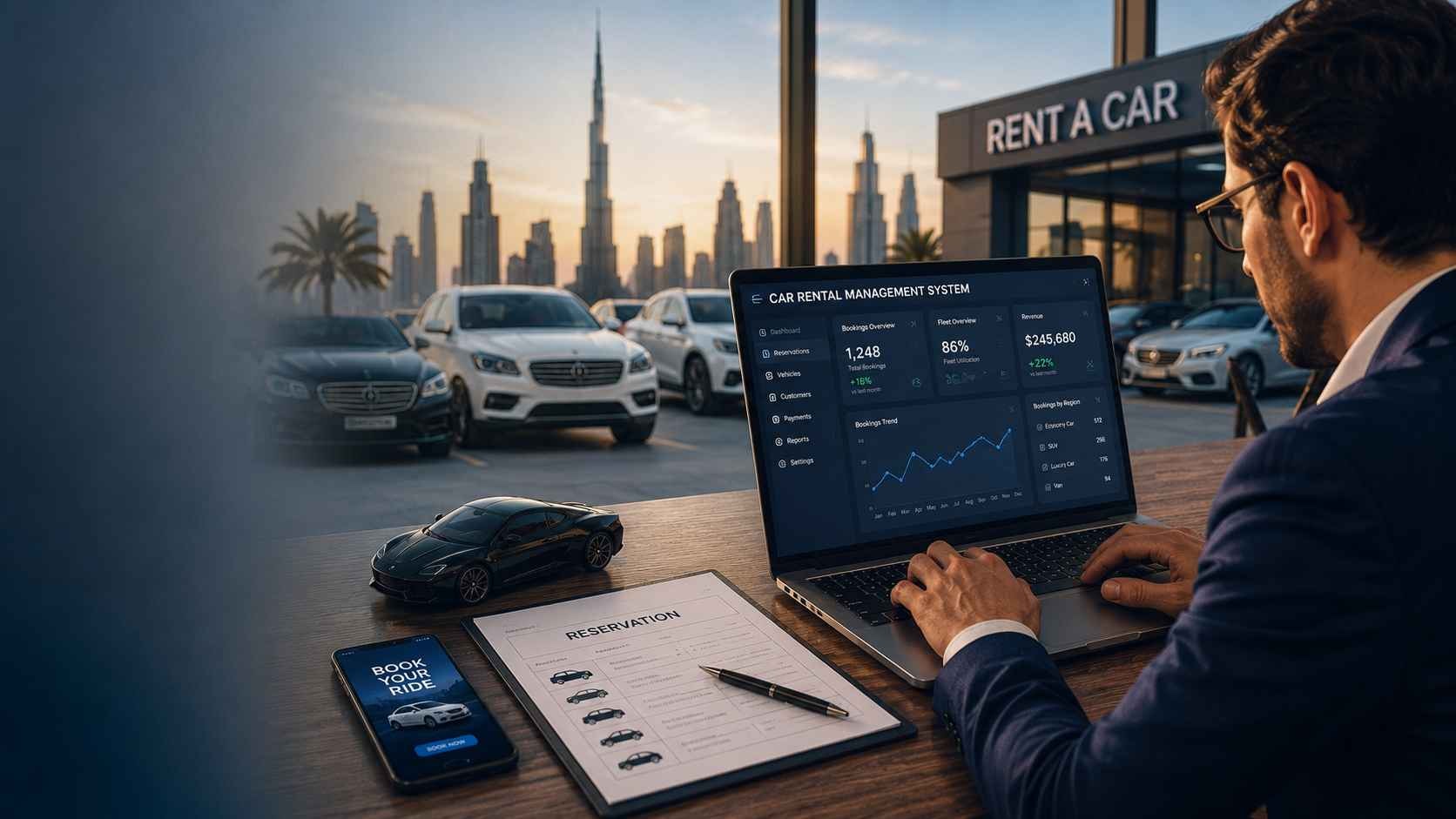
A rental company can manage ten vehicles with phone calls, spreadsheets, WhatsApp messages, paper agreements, and a staff member who remembers where every car is. That operating model becomes far less dependable when the business adds more vehicles, more customers, airport deliveries, replacement cars, chauffeurs, maintenance schedules, deposits, extensions, fines, different rate plans, and multiple branches.
The real reason businesses start looking for rent a car software is not simply to put bookings online. It is to control the operational chain behind every rental: which vehicle is actually available, what condition it is in, who has it, when it should return, whether payment is complete, whether maintenance is due, which branch owns the transaction, and what the next employee needs to do.
That makes software selection an operational decision rather than a feature-counting exercise. A platform with an attractive reservation screen can still leave staff maintaining separate spreadsheets for maintenance, accounting, damage records, driver assignments, and branch reconciliation. A larger system can create the opposite problem if employees must change practical workflows simply to satisfy the software.
The better question is therefore not, “Which car rental system has the most features?” It is, “Which workflows must operate from one reliable source of truth for this rental business to run without manual gaps?” That question becomes more important when operations span markets such as the UAE, Europe, and the USA, where customer expectations and regulatory requirements are not identical.
Car Rental Software Should Run the Rental Operation, Not Just Accept Bookings
Car rental software is an operational system for managing vehicle availability, reservations, customer records, rental agreements, rates, payments, maintenance, drivers, branches, and management reporting. The strongest systems connect these workflows so that one transaction updates the information other teams depend on instead of creating another isolated record.
This distinction separates a booking tool from a broader rental management platform.
A booking engine may answer a customer-facing question:
“Can I reserve this SUV from Friday to Monday?”
The rental business must answer several more:
- Is the SUV physically available at the requested location?
- Is another reservation expected to extend?
- Is the vehicle due for service before the pickup date?
- Has an unresolved damage issue made it unavailable?
- Which rate plan applies?
- Is a deposit required?
- Which branch receives the revenue?
- Does the booking require delivery or collection?
- Is a driver assigned?
- What documents must be completed before handover?
- What should happen when the vehicle returns?
If employees answer those questions using several disconnected applications, the company may technically have online booking while still operating manually behind the scenes.
The booking is only one point in a longer workflow
A typical rental lifecycle can involve:
- Availability search
- Quotation or rate calculation
- Reservation
- Customer verification
- Payment or deposit handling
- Vehicle allocation
- Pre-rental inspection
- Rental agreement generation
- Vehicle handover
- Extension, support, or vehicle replacement
- Return inspection
- Additional charge assessment
- Payment reconciliation
- Vehicle cleaning or preparation
- Maintenance decision
- Return to available inventory
The software becomes operationally valuable when these stages share data.
For example, closing a return should not require one employee to mark the booking complete while another separately changes vehicle availability and a third updates a maintenance spreadsheet. If the inspection identifies a problem, the system should be capable of keeping that vehicle unavailable until the required operational action is completed.
That is the difference between digitizing individual tasks and connecting the rental workflow.
Where Do Manual Car Rental Operations Start Breaking Down?
Manual rental operations usually begin to fail when information changes faster than staff can reliably synchronize it across spreadsheets, calls, messages, paper documents, and separate applications. The first visible symptom may be a booking conflict, but the underlying problem is usually fragmented operational data.
Consider a rental business operating from three locations.
The website displays a vehicle as available. A branch employee has already promised it to a walk-in customer but has not updated the shared spreadsheet. Another employee is arranging an airport delivery. Meanwhile, the same vehicle has a maintenance item that should have prevented another allocation.
Each employee may be doing their individual job correctly.
The system around them is the problem.
Availability becomes uncertain
A rental operator should be able to distinguish between vehicles that are:
- Available
- Reserved
- Currently rented
- Expected back
- Being cleaned or prepared
- Under inspection
- In maintenance
- Unavailable because of damage
- Allocated to another branch
- Temporarily blocked from booking
Without a shared status model, “available” can mean different things to different employees.
That ambiguity produces operational risk.
Extensions create downstream conflicts
Rental extensions look simple to customers, but they can affect the next reservation.
If one customer wants to keep a vehicle for two additional days, the system should make the consequence visible before an employee confirms the extension. The next booking may need another vehicle, a branch transfer, or direct customer communication.
A spreadsheet can record the new return date. It does not automatically coordinate every dependency created by that change.
Vehicle condition becomes detached from availability
A vehicle can be physically parked at a branch and still be unavailable.
It may require:
- Scheduled servicing
- Tyre replacement
- Damage assessment
- Cleaning
- Registration-related action
- Insurance-related action
- Another operational inspection
If booking staff cannot see those restrictions, they may promise a vehicle operations cannot safely release.
Management reports arrive too late
Owners often discover the limitations of manual operations when a basic management question requires several people to assemble an answer.
For example:
- Which vehicles are idle?
- Which branch has the most upcoming demand?
- Which rentals remain unpaid?
- Which vehicles are due for maintenance?
- How many deposits remain open?
- Which reservations are likely to create allocation conflicts?
If those answers require manually reconciling multiple files, management is reviewing history rather than operating from current information.
The Real Goal Is One Source of Truth for Every Vehicle
A useful car rental management system should allow the business to understand the operational state of a vehicle without reconstructing its history from several departments.
Think of each vehicle as a business asset with a continuously changing operational record.
That record can include:
- Vehicle details
- Current branch
- Availability status
- Current reservation
- Current renter
- Rental history
- Odometer readings
- Fuel or charging information
- Inspection records
- Damage records
- Maintenance history
- Upcoming service requirements
- Insurance information
- Relevant documents
- Financial activity associated with rentals
The practical value is not the size of that record. It is that employees see the information relevant to their role without creating parallel versions elsewhere.
A reservation should change fleet reality
When a reservation is confirmed, the system should reflect the commitment in availability planning.
When a vehicle is handed over, its status should reflect that it is on rent.
When it returns, the next status should depend on the return process rather than automatically assuming the vehicle is immediately rentable again.
When maintenance blocks a vehicle, booking availability should respect that restriction.
This creates a connected operating model.
Businesses that have reached the point where rental operations depend on disconnected tools can evaluate whether a custom ERP and business automation approach fits better than forcing every process into unrelated applications.
The system should also preserve operational history
Current status matters, but history matters too.
When staff review a vehicle, they may need to understand previous rentals, inspections, maintenance events, damage reports, transfers, and other operational changes.
This reduces dependence on employee memory and makes handovers between teams easier.
A rental system becomes useful when the next employee can understand what happened, what is happening now, and what must happen next without calling three other people.
1. Real-Time Fleet Visibility Is the Foundation
Fleet visibility means knowing the operational status, location, availability, and relevant restrictions of each vehicle from one system. Without that foundation, reservations, maintenance planning, branch transfers, driver allocation, and customer communication can all operate from different versions of reality.
The live article correctly identifies fleet visibility as a core requirement. The deeper issue is what “visibility” should actually contain.
Vehicle availability should be operational, not binary
A basic system may classify a vehicle as available or unavailable.
A rental operation usually needs more detail.
For example, a vehicle could be:
- Available now
- Available after a confirmed return
- Reserved
- On rent
- Overdue
- Pending inspection
- Blocked for maintenance
- Being transferred
- Held for another branch
- Inactive
Those distinctions make allocation decisions more reliable.
Branch location must be part of availability
For multi-location operators, a vehicle being technically available does not mean it is available where the customer needs it.
The system should make location visible alongside status so teams can decide whether to:
- Allocate a different vehicle
- Transfer the requested vehicle
- Offer another pickup location
- Adjust the booking
This becomes increasingly important when businesses operate airport desks, city branches, delivery services, franchise locations, or vehicles that move regularly between branches.
Future availability matters as much as current availability
Rental teams do not only need to know what is free now.
They need to know what is expected to be free on a future date.
That requires connecting:
- Reservation dates
- Expected returns
- Extensions
- Maintenance blocks
- Vehicle transfers
- Preparation time
A useful availability engine therefore works as a planning tool, not merely a live vehicle list.
Visibility should be role-specific
Not every employee needs every piece of information.
A reservation agent may need availability, pricing, vehicle class, branch location, and customer-facing details. A maintenance coordinator needs service history, odometer data, inspection findings, and upcoming maintenance. Finance needs charges, deposits, payments, adjustments, and reconciliation information.
The system should connect the same underlying operation while presenting the information appropriate to each role.
2. Reservation Management Must Prevent Double-Booking and Allocation Conflicts
A car rental reservation system should do more than record customer dates. It should continuously check vehicle class, branch, existing bookings, expected returns, maintenance blocks, extensions, and operational restrictions before confirming availability.
This is one of the clearest differences between basic booking software and a proper rental management system.
A reservation is a future operational commitment.
The moment a booking is confirmed, the business has promised that a suitable vehicle will be available at a specific place and time under specific commercial terms.
If the system cannot protect that promise, employees are left resolving conflicts manually.
Reservation logic should work by vehicle class and actual unit
Many rental companies sell by category rather than by individual registration number.
A customer may reserve:
- Economy
- Compact
- SUV
- Luxury
- Van
- Seven-seater
- Electric vehicle
The system therefore needs to balance two levels of inventory:
- Vehicle class availability for the customer-facing booking process
- Specific vehicle allocation for branch and operational teams
Assigning a specific vehicle too early can reduce operational flexibility. Assigning one too late can create handover problems.
The software should support the rental company's chosen allocation model rather than forcing one universal workflow.
Extensions should trigger conflict checks automatically
When a current customer asks to extend a rental, the system should immediately identify whether that vehicle is already committed to another reservation.
Employees should be able to see options such as:
- Approve the extension
- Move the future reservation to another suitable vehicle
- Transfer a replacement vehicle from another branch
- Offer a different category
- Contact the next customer before confirming the extension
Without this visibility, the extension may solve one customer's request while creating another operational problem two days later.
Walk-in and online bookings must share the same inventory
A common source of conflict is operating separate availability for:
- Website bookings
- Phone bookings
- Walk-in customers
- Travel agents
- Corporate accounts
- Marketplace or partner channels
If those channels do not update the same availability source, overbooking becomes more likely.
The operational requirement is straightforward: every confirmed booking channel should reduce the same available inventory.
3. Rate Management Needs More Than One Daily Price
Car rental pricing software should support the commercial rules the business actually uses, including vehicle class, rental duration, season, branch, customer type, extras, mileage policy, taxes, discounts, and negotiated corporate rates.
Rental pricing often becomes complicated long before the owner realizes it has become a software problem.
A business may begin with a simple daily rate.
Over time, it adds:
- Weekly pricing
- Monthly pricing
- Weekend offers
- Airport pricing
- Seasonal pricing
- Corporate contracts
- Long-term rental agreements
- Promotional discounts
- Additional-driver fees
- Delivery charges
- Child seats
- Navigation devices
- Insurance options
- Mileage limits
When employees calculate these rules manually, quotation errors and inconsistent pricing become difficult to avoid.
Rate plans should be configurable
A useful system should allow authorized users to create and maintain rate structures without requiring software changes for every pricing update.
Depending on the rental model, rates may need to vary by:
- Branch
- Vehicle group
- Rental period
- Customer segment
- Season
- Booking source
- Contract type
The goal is to centralize pricing logic so that reservation agents, website users, branch teams, and finance staff are not applying different rules.
Long-term rentals need different commercial logic
A monthly rental is not simply a daily rental multiplied by thirty.
Longer agreements may involve:
- Different rate structures
- Mileage allowances
- Scheduled maintenance during the contract
- Vehicle replacement rules
- Recurring billing
- Contract renewal
- Deposit handling
- Additional-driver policies
Rental companies serving both short-term and long-term customers should evaluate whether the software handles those models as distinct workflows.
4. Customer and Driver Records Should Follow the Entire Rental Lifecycle
Customer management in car rental software should connect identity, contact details, driving credentials, agreements, payments, rental history, incidents, preferences, and relevant documents to the same customer record.
The goal is not to collect as much personal information as possible.
The goal is to prevent employees from repeatedly reconstructing the customer history from paper files, inboxes, separate folders, and previous bookings.
Customer records should avoid duplicate profiles
Duplicate customer records create operational confusion.
The same renter may appear under:
- Personal email
- Company email
- Different phone formats
- Passport name variation
- Separate branch records
A well-designed system should help staff identify possible duplicates without automatically merging different people.
Corporate accounts need a different structure
Business rentals often involve more than one individual.
The system may need to distinguish between:
- Corporate account
- Billing contact
- Authorized driver
- Booking contact
- Contract terms
- Credit limits
- Negotiated rates
Storing everything under one customer name can make invoicing and authorization difficult.
Driver records should connect to eligibility
Depending on the jurisdiction and rental policy, the system may need to record and validate information related to:
- Driving licence
- Licence expiry
- Identity documents
- Age requirements
- Additional drivers
- International driving documentation where applicable
The software should help staff identify missing or expired information before handover rather than after a problem occurs.
5. Rental Agreements Should Be Generated From Operational Data
A rental agreement should be generated from the confirmed booking, customer, vehicle, rate, deposit, insurance, and rental-condition data already stored in the system. Re-entering the same information into separate documents adds unnecessary work and increases the chance of inconsistency.
Rental agreements often sit at the point where several workflows meet.
The agreement may need information from:
- Reservation
- Customer profile
- Driver profile
- Allocated vehicle
- Rate plan
- Deposit
- Extras
- Insurance selections
- Mileage policy
- Fuel or charging policy
- Branch
- Rental dates
If the system already knows this information, staff should not be typing it again.
Agreement versions should be controlled
Rental businesses may operate with:
- Different branches
- Different customer types
- Different rental products
- Different jurisdictions
- Different languages
That can require more than one agreement template.
The software should help prevent employees from accidentally using outdated documents or the wrong contract variation.
Extensions should update the commercial record
When a rental is extended, the system should preserve a clear history of:
- Original return date
- New return date
- Rate changes
- Additional charges
- Approvals
- Payment activity
This creates a better audit trail than replacing the original agreement details without history.
6. Vehicle Inspection and Damage Tracking Should Be Part of the Same Workflow
Vehicle inspection software should connect pre-rental condition, return condition, images, odometer readings, fuel or charge levels, damage observations, and repair decisions to the vehicle and rental record.
This is a major operational area because vehicle condition affects:
- Customer disputes
- Damage charges
- Maintenance
- Future availability
- Vehicle safety
- Fleet value
Pre-rental inspection establishes the handover condition
Before the vehicle leaves, staff may need to record:
- Existing damage
- Odometer
- Fuel level
- Battery charge for EVs
- Tyre condition
- Interior condition
- Accessories
- Photographs
The exact inspection checklist should reflect the company's operating process.
Return inspection should affect vehicle status
A returned vehicle should not automatically become bookable if the inspection identifies an issue.
For example:
- Damage may require assessment
- A warning light may require maintenance
- A tyre issue may require replacement
- The interior may require additional cleaning
The return workflow should therefore be capable of changing the vehicle's availability status based on inspection results.
Evidence should remain linked to the correct rental
Photos and inspection records are far more useful when they remain attached to:
- The specific vehicle
- The specific rental
- The inspection timestamp
- The employee or user who completed the inspection
Saving images separately in phone galleries or messaging applications weakens the operational record.
7. Maintenance Management Should Protect Revenue-Producing Fleet Capacity
Maintenance in car rental software should help operators plan servicing, record repairs, track downtime, and prevent vehicles with unresolved maintenance requirements from being assigned to customers.
Rental fleet maintenance is not just a workshop issue.
Every day a vehicle is unexpectedly unavailable can affect reservations, substitutions, transfers, and revenue planning.
Preventive maintenance should use operational triggers
Depending on the fleet and vehicle, maintenance may be triggered by:
- Date
- Odometer
- Manufacturer schedule
- Inspection findings
- Repair history
- Operational policy
A useful system should help employees see upcoming maintenance before it becomes urgent.
Maintenance and reservation planning must be connected
If a vehicle is scheduled for workshop work next Tuesday, the reservation system should not treat that unit as normal available inventory for the same period.
This sounds obvious, but disconnected software makes it surprisingly easy for workshop plans and booking plans to diverge.
Track downtime, not only repair cost
Repair invoices matter, but fleet operators also need visibility into how long vehicles remain unavailable.
A relatively inexpensive repair can still have a larger operational impact if the vehicle sits idle waiting for parts or approval.
Management should be able to understand both:
- What maintenance costs
- How maintenance affects fleet availability
8. Billing, Deposits and Payment Tracking Need to Match the Rental Workflow
Car rental billing software should connect quotations, rental charges, deposits, extensions, extras, penalties, refunds, taxes, invoices and payment status to the same rental record. When finance data is separated from operational data, staff spend time reconciling transactions that the system should already understand.
The challenge is that rental billing is rarely one simple payment.
A transaction can include:
- Base rental charge
- Security deposit
- Additional driver fees
- Delivery or collection charges
- Insurance-related options
- Fuel or charging adjustments
- Mileage charges
- Late-return charges
- Damage-related charges
- Traffic fines or administrative fees where applicable
- Discounts
- Taxes
- Refunds
If each item is tracked in a different place, the finance team cannot easily determine the true financial state of a rental.
Deposits should have a visible lifecycle
A deposit should not become an unexplained transaction sitting outside the rental record.
The system should make it clear:
- Whether a deposit was required
- How much was taken
- When it was collected
- Whether it remains held
- Whether any amount was applied to charges
- Whether the balance was released or refunded
This is especially important when employees across branches or shifts handle different stages of the same rental.
Extensions must update billing automatically
When the customer extends the rental, the commercial record should update alongside the operational record.
The system may need to:
- Recalculate charges
- Apply a different rate band
- Request additional payment
- Update tax calculations
- Record approval history
- Generate revised documentation
Manual extension calculations are one of the easiest places for inconsistent pricing to appear.
Payment status should be visible to operations
Finance information should not be hidden from the employees who need it to make rental decisions.
For example, authorized staff may need to know whether:
- A booking is unpaid
- A required deposit is missing
- An extension payment has failed
- A corporate account has an outstanding balance
That does not mean giving every employee full accounting access.
It means exposing the operational status they need without forcing them to call finance for every transaction.
9. Multi-Branch Car Rental Software Must Control Inventory Across Locations
Multi-branch car rental software should give each location the information it needs while maintaining centralized visibility of vehicles, bookings, transfers, customers, rates and financial activity. Without that structure, each branch can slowly become its own disconnected operation.
This is where rental management complexity increases quickly.
One vehicle may:
- Belong to Branch A
- Be rented from Branch B
- Return to Branch C
- Require maintenance at another location
- Be needed for a future reservation elsewhere
A single “vehicle location” field is not enough to manage that movement reliably.
Branch ownership and physical location are not always the same
A vehicle may be operationally assigned to one branch while temporarily located at another.
The system should distinguish between:
- Current physical location
- Owning branch
- Reservation branch
- Pickup branch
- Return branch
This allows managers to understand why a vehicle has moved and whether it needs to be returned, transferred, or permanently reassigned.
One-way rentals need controlled transfer logic
If the company allows customers to return vehicles to a different branch, the system should account for the operational consequence.
That may include:
- Changing vehicle location
- Updating future availability
- Triggering transfer planning
- Applying one-way fees
- Notifying affected branches
Without connected logic, one-way rentals can quietly create inventory imbalances.
Central management needs branch-level reporting
Head office should be able to compare operational performance across locations without merging separate spreadsheets.
Useful views may include:
- Fleet availability by branch
- Upcoming demand
- Idle vehicles
- Open rentals
- Overdue rentals
- Maintenance blocks
- Outstanding payments
- Vehicle transfers
The objective is not to create more reports. It is to make branch decisions visible from the same operational source.
10. Driver and Chauffeur Management Matters for Rental Businesses With Delivery Operations
Rental businesses that provide chauffeurs, airport delivery, vehicle collection, or inter-branch transfers need software that can coordinate drivers with bookings and vehicle movements. Managing these tasks only through calls and messaging becomes difficult as the number of daily assignments increases.
Driver workflows may include:
- Customer pickup
- Airport delivery
- Vehicle collection
- Branch transfer
- Replacement vehicle delivery
- Workshop movement
- Chauffeur service
Assignments should include operational context
A driver should not receive only a customer name and phone number.
The assignment may need:
- Vehicle
- Pickup location
- Delivery location
- Scheduled time
- Customer contact
- Branch contact
- Special instructions
- Required documents
- Return or handover status
This reduces repeated calls between dispatchers, branch teams, and drivers.
Driver status should be visible
Operations may need to distinguish whether a driver is:
- Available
- Assigned
- En route
- Waiting
- Completing a handover
- Unavailable
The objective is practical dispatch visibility rather than complex workforce tracking for its own sake.
Driver management should connect to vehicle movement
When a driver transfers a vehicle between branches, the operational system should capture that movement.
Otherwise, the driver may physically move the vehicle while the software continues showing the old location.
11. Mobile Access Should Support Field Operations, Not Just Shrink the Desktop Screen
A mobile car rental application should support the tasks employees actually perform away from desks, such as vehicle inspection, customer handover, signature capture, document access, driver assignments, and return processing.
A responsive dashboard can be useful, but field operations usually need a more focused experience.
Useful mobile workflows include
- Viewing assigned bookings
- Checking customer details
- Capturing vehicle photos
- Recording odometer readings
- Recording fuel or battery level
- Completing inspection checklists
- Collecting signatures
- Updating handover status
- Completing return inspection
- Reporting damage
- Viewing delivery instructions
These workflows reduce the need to write information on paper and re-enter it later.
Offline or poor-connectivity scenarios should be considered
Rental operations do not always happen in perfect network conditions.
Airport parking areas, underground garages, remote locations, and vehicle yards may have inconsistent connectivity.
If mobile workflows are operationally important, the software design should consider what happens when the connection is interrupted.
The correct approach depends on the workflow, but the failure mode should be deliberate rather than accidental.
12. Reporting Should Answer Operational Questions, Not Produce Decorative Dashboards
Car rental reporting is useful when it helps managers make decisions about fleet utilization, demand, revenue, maintenance, receivables, branches and vehicle allocation. A dashboard filled with charts is not valuable if managers still need spreadsheets to answer basic operating questions.
Reporting should start with decisions.
Fleet questions
- Which vehicles are currently idle?
- Which vehicles are unavailable and why?
- Which vehicle classes are heavily booked?
- Which vehicles have frequent maintenance events?
- Where are branch shortages developing?
Reservation questions
- Which bookings remain unallocated?
- Where do future reservation conflicts exist?
- Which rentals are overdue?
- Which upcoming returns are critical to future bookings?
Financial questions
- Which rentals remain unpaid?
- Which deposits remain open?
- Which corporate accounts have outstanding balances?
- Which branches need reconciliation attention?
Maintenance questions
- Which vehicles are due for service?
- Which units are currently unavailable because of maintenance?
- How long have vehicles remained in downtime?
Reports should be built around the decisions managers actually make rather than around every field stored in the database.
13. Role-Based Access Is Essential When Multiple Teams Use the Same System
Role-based access allows employees to work from one connected system without exposing every user to every function or sensitive record. This becomes increasingly important as the rental business adds branches, finance teams, reservation agents, drivers, workshop staff, and managers.
Different roles may require different access.
Reservation staff
May need:
- Availability
- Rates
- Customer details
- Bookings
- Extensions
Operations team
May need:
- Vehicle allocation
- Inspection status
- Branch transfers
- Driver assignments
- Vehicle restrictions
Maintenance team
May need:
- Service schedules
- Inspection findings
- Repair history
- Vehicle status controls
Finance team
May need:
- Invoices
- Payments
- Deposits
- Refunds
- Outstanding balances
Management
May need cross-functional visibility without editing every operational record.
Clear permissions reduce accidental changes and make audit history easier to interpret.
14. Audit Trails Become More Important as the Rental Operation Scales
An audit trail should show meaningful changes to important rental records, including who made the change and when it occurred. This is especially useful for rate overrides, booking changes, extensions, payment adjustments, vehicle status changes and contract updates.
Without change history, teams can see the current value but not understand how it got there.
For example, if a return date changed, management may need to know:
- What the original date was
- Who changed it
- When it changed
- Whether the extension was approved
- Whether additional payment was recorded
This is not about monitoring employees unnecessarily.
It is about preserving operational accountability when several people can modify the same rental.
15. The Best Car Rental Software Connects the Entire Rental Lifecycle
The strongest car rental software does not treat reservations, vehicles, customers, payments, maintenance and branches as separate modules that employees must reconcile manually. It connects each stage of the rental lifecycle so that an action in one area updates the operational information other teams depend on.
This is the point where many rental software evaluations become misleading.
A vendor may demonstrate:
- A reservation screen
- A vehicle list
- An invoice module
- A maintenance screen
- A reporting dashboard
Each feature can look complete in isolation.
The more important question is whether those features behave as one operational system.
Consider a normal rental return
A customer returns an SUV.
The return process records:
- Actual return time
- Final odometer
- Fuel or battery level
- Vehicle condition
- Additional mileage
- Possible damage
A connected system can use that information to affect several workflows.
If everything is normal, the vehicle may move into cleaning or preparation status before becoming available.
If the inspection identifies damage, the vehicle may remain blocked while operations assess the issue.
If the odometer triggers scheduled maintenance, the unit may move into a maintenance queue instead of returning to bookable inventory.
If additional charges apply, finance should see them against the same rental.
If another reservation depends on that vehicle, operations should see the risk immediately.
One event changes the state of the entire operation.
That is what integration inside car rental management software should mean.
The Rental Operations Control Framework
A practical way to evaluate software is to follow a rental from the moment demand enters the business until the vehicle is ready for its next customer.
Use the following six-stage framework during software demonstrations, requirements workshops or internal process reviews.
Stage 1: Demand
The system should capture where the rental request originated and what the customer requires.
Evaluate:
- Website reservations
- Phone bookings
- Walk-ins
- Corporate accounts
- Travel or partner channels
- Vehicle class
- Pickup and return location
- Rental dates
- Extras
The key question is whether all channels consume the same operational inventory.
Stage 2: Commitment
Once the business accepts the reservation, the system should protect that commitment.
Evaluate:
- Availability checking
- Rate confirmation
- Deposit requirements
- Customer documents
- Vehicle class allocation
- Future conflict detection
A reservation should become more than a row in a booking table. It should influence future fleet planning.
Stage 3: Handover
The software should help the branch or delivery team prepare and release the correct vehicle.
Evaluate:
- Specific vehicle allocation
- Inspection
- Agreement generation
- Payment confirmation
- Driver verification
- Signature capture
- Vehicle status change
Stage 4: Active Rental
During the rental, the system should support events that change the original plan.
Examples include:
- Extension
- Replacement vehicle
- Additional driver
- Payment update
- Roadside issue
- Branch coordination
The critical test is whether those changes update future availability and financial records automatically.
Stage 5: Return
The system should capture the actual outcome of the rental.
Evaluate:
- Return time
- Odometer
- Fuel or battery
- Inspection
- Damage
- Additional charges
- Deposit status
- Payment reconciliation
Stage 6: Recovery and Reuse
The rental is not operationally complete until the vehicle is ready for its next assignment.
Evaluate:
- Cleaning
- Maintenance
- Damage repair
- Branch transfer
- Vehicle status
- Next reservation
This final stage is often missing from basic booking systems.
Yet it directly determines whether the next reservation can be fulfilled.
Are Disconnected Rental Tools Slowing Down Your Fleet?
Assess whether your reservations, fleet, billing, maintenance and branch workflows should operate from one connected rental management system.
Explore a Custom Rental ERP
Off-the-Shelf vs Custom Car Rental Software: Which Approach Fits?
Off-the-shelf car rental software works best when the business can operate comfortably within standardized workflows, while custom car rental software becomes more relevant when operational rules, integrations, branches or commercial processes differ significantly from generic rental models.
Neither approach is automatically better.
The right decision depends on operational complexity.
When standard and custom car rental software approaches fit best
| Decision Area |
Off-the-Shelf Software |
Custom Rental Software |
| Core Workflow |
Works best when the business follows common rental processes. |
Fits businesses with specialized approval, pricing or operational workflows. |
| Implementation |
Usually faster when configuration covers the requirements. |
Requires requirements analysis, development and controlled rollout. |
| Integrations |
Limited to supported connectors or APIs. |
Can be designed around required ERP, payment, GPS or internal integrations. |
| Customization |
Typically limited to configuration, templates and available modules. |
Can reflect branch logic, roles, automation rules and company-specific processes. |
| Upgrades |
Vendor controls product roadmap and platform changes. |
Business controls development priorities but also carries ownership responsibilities. |
| Best Fit |
Standardized rental operations seeking faster deployment. |
Complex or differentiated rental businesses where software must fit the operating model. |
Choose off-the-shelf software when standardization is acceptable
A packaged car rental platform may be the better choice when:
- The business operates one or a small number of locations
- Pricing is relatively standard
- Reservation workflows are conventional
- Existing integrations are sufficient
- The organization can adapt processes to the software
- Speed of implementation matters more than deep customization
In these situations, custom development can introduce unnecessary complexity.
Consider custom software when the workflow is the differentiator
Custom car rental software becomes more relevant when the business has requirements such as:
- Complex multi-branch operations
- Unique corporate rental agreements
- Specialized driver or chauffeur workflows
- Long-term leasing combined with short-term rentals
- Custom pricing logic
- Internal finance integrations
- Existing fleet telematics integrations
- Special approval processes
- Region-specific documentation
- Custom mobile field workflows
- Large amounts of historical operational data
The key principle is simple: custom software should solve a real operational mismatch, not exist merely because customization sounds attractive.
When Is Custom Rent A Car Software Worth Considering?
Custom rent a car software is worth considering when the cost and friction of forcing existing workflows into generic systems becomes greater than the value of standardization. The decision should be driven by operational requirements, integration needs, and long-term control rather than by feature preferences alone.
Sign 1: Employees maintain shadow spreadsheets
If staff use the official rental platform but still depend on spreadsheets for:
- Maintenance
- Vehicle transfers
- Corporate rates
- Driver schedules
- Deposits
- Damage
- Branch reconciliation
the system may not reflect the actual operating model.
Sign 2: The same information is entered repeatedly
Duplicate data entry is a strong integration warning sign.
Examples include entering customer information into:
- Reservation system
- Rental agreement
- Accounting software
- Deposit tracker
- CRM
Every repeated entry adds work and another opportunity for inconsistent information.
Sign 3: Important workflows depend on messaging apps
Messaging tools are useful for communication.
They become risky when they are the only record of:
- Vehicle assignments
- Damage approvals
- Branch transfers
- Extension approvals
- Driver instructions
- Maintenance decisions
Operational decisions should eventually become part of the system of record.
Sign 4: Reporting requires manual consolidation
If management reporting requires exporting multiple systems and combining data every week or month, integration may be too weak.
Sign 5: Branches operate differently because the software cannot support their workflows
Some variation between branches is normal.
But uncontrolled workarounds create inconsistent customer experience and make centralized management harder.
What Should a Custom Car Rental Software Project Include?
A custom car rental software project should start with workflow mapping and operational priorities before any screens are designed or code is written. Building modules without understanding how reservations, vehicles, customers, payments and branches affect one another risks recreating the same fragmentation inside a new application.
Step 1: Map the current process
Document how work happens now.
Include:
- Reservation intake
- Availability checks
- Quotation
- Customer verification
- Vehicle assignment
- Handover
- Extensions
- Return
- Damage handling
- Payments
- Maintenance
- Branch transfers
Do not document only the official process.
Include real workarounds employees use every day.
Step 2: Identify the system of record
For each major data type, define which system owns the information.
Examples include:
- Customer
- Vehicle
- Reservation
- Payment
- Maintenance event
- Driver assignment
This reduces duplicate and conflicting records.
Step 3: Define role-based workflows
Reservation agents, branch managers, finance staff, drivers and maintenance teams should not all receive identical screens.
Define what each role needs to:
- See
- Create
- Edit
- Approve
- Export
Step 4: Prioritize integrations
Common integration areas may include:
- Payment gateways
- Accounting platforms
- GPS or telematics
- Website booking engines
- CRM platforms
- Email or messaging services
- Identity verification services
- Analytics platforms
The exact integrations should follow the business model rather than a generic checklist.
Step 5: Design for operational exceptions
Rental businesses do not run only on ideal workflows.
The software also needs to handle:
- Late returns
- Vehicle swaps
- Failed payments
- Damage disputes
- Booking extensions
- Vehicle breakdowns
- Branch shortages
- Cancelled reservations
- No-shows
Exception handling is where operational software is often tested most heavily.
UAE, Europe and USA: Why Regional Requirements Matter
Car rental software can use the same operational core across multiple regions, but payments, taxation, customer documentation, privacy, contracts and local business rules may differ by country or market. Rental companies should therefore separate universal rental workflows from region-specific requirements instead of assuming one configuration works everywhere.
The universal operational layer usually includes:
- Reservations
- Fleet availability
- Vehicle allocation
- Customer records
- Rental agreements
- Payments
- Inspections
- Maintenance
- Branch management
- Reporting
The regional layer may affect how those workflows are configured.
This distinction becomes important for companies operating internationally or planning expansion.
UAE rental operations
Rental businesses operating in the UAE may need software that supports a combination of airport rentals, tourism demand, monthly rentals, corporate customers, premium fleets, vehicle delivery, and multi-branch operations.
Operational requirements can include:
- Multiple rental durations
- Airport pickup and delivery workflows
- Vehicle delivery and collection
- Customer identity documentation
- Different customer residency scenarios
- Security deposits
- Traffic fine handling
- Driver or chauffeur assignments
- Corporate rental agreements
- Multi-location fleet visibility
The software should allow the operator to configure these processes around its own policies and applicable requirements rather than hard-coding one workflow for every customer.
European rental operations
European rental businesses may operate across markets where privacy, taxation, language, documentation and consumer-facing requirements differ.
One important design consideration is personal-data handling.
Rental systems can contain:
- Identity information
- Driving licence details
- Contact information
- Payment records
- Rental history
- Location-related information
- Inspection evidence
Companies operating in markets subject to GDPR need to consider how personal data is collected, accessed, retained and deleted as part of system design.
That requirement should influence:
- User permissions
- Data retention
- Consent processes where applicable
- Customer data requests
- Audit logging
- Third-party integrations
Localization may also matter when the business operates across countries or customer groups requiring different languages and currencies.
USA rental operations
US rental operators may need to support a wide range of commercial models, from independent local fleets to airport operations, specialty rentals, replacement vehicles, and multi-state businesses.
Software evaluation may need to consider:
- State-specific operational requirements
- Different tax treatments
- Insurance-related workflows
- Corporate accounts
- Payment processing
- Vehicle replacement scenarios
- Branch or franchise operations
- Customer documentation
A rental platform intended for multiple US locations should allow business rules to be configured where necessary rather than assuming every branch follows identical commercial and regulatory conditions.
Do You Need Different Car Rental Software for Each Country?
Not necessarily. A well-designed rental platform can use one shared operational core while applying region-specific configuration for taxes, currencies, documents, language, policies, and compliance requirements. Separate systems become necessary only when regulatory, organizational or integration constraints make a shared platform impractical.
For a multi-country operator, one platform can provide several advantages.
Management can potentially maintain:
- Common vehicle data structures
- Shared reservation concepts
- Central customer management
- Standard fleet-status definitions
- Unified reporting
- Common role and security policies
Regional configuration can then control:
- Currency
- Tax treatment
- Agreement templates
- Language
- Required customer information
- Payment providers
- Branch-specific pricing
- Data-retention rules
The trade-off is governance
A highly configurable platform creates flexibility, but someone must control that configuration.
If every branch can independently change:
- Rate rules
- Document templates
- Vehicle statuses
- Permissions
- Customer fields
the company can recreate fragmentation inside one application.
Multi-region rental software therefore needs clear governance defining which settings are:
- Global
- Country-specific
- Branch-specific
Security and Privacy Should Be Designed Into the Rental Platform
Car rental systems store commercially sensitive and personal information, so security should be treated as a core system requirement rather than an optional technical feature. Access control, authentication, encryption, backups, audit trails, and secure integrations should be considered from the beginning of implementation.
The system may contain:
- Customer identity data
- Driving licence information
- Contact details
- Rental history
- Vehicle records
- Payment-related information
- Internal pricing
- Corporate account data
- Employee information
Apply least-privilege access
Employees should receive access based on what they need for their role.
For example, a driver may need customer delivery details but not full finance data. A reservation agent may need payment status but not accounting administration. A branch manager may require reporting for that location without having permission to modify global settings.
Role-based access should be granular enough to support real operating responsibilities.
Use strong authentication
Administrative and high-privilege accounts should receive stronger protection.
Depending on the platform and risk level, this may include:
- Strong password policies
- Multi-factor authentication
- Session controls
- Login monitoring
- Account lockout or abuse controls
Protect integrations
A rental platform may connect with:
- Payment gateways
- Accounting software
- GPS providers
- Messaging services
- Email platforms
- Identity services
- Website booking engines
Those integrations extend the system's security boundary.
API credentials, tokens, and other secrets should not be exposed in client-side code or shared informally between employees.
Plan backups and recovery
A rental business may depend on its system throughout daily operations.
Backups should therefore be accompanied by a recovery plan.
The practical question is not only:
“Do we have backups?”
It is:
“Can we restore usable operational data when the business needs it?”
GPS and Telematics Integration Can Improve Fleet Visibility
GPS or telematics integration can add useful location and vehicle data to car rental operations, but it should solve specific operational problems rather than simply add another map to the dashboard.
Possible use cases include:
- Locating vehicles
- Confirming branch transfers
- Supporting recovery processes
- Monitoring mileage
- Supporting maintenance planning
- Understanding fleet movement
Telematics data should connect to action
Collecting data has limited value if no workflow uses it.
For example, mileage data can become more useful when it contributes to:
- Maintenance alerts
- Service planning
- Vehicle utilization reports
- Rental closing processes
Likewise, location data may be useful when operations need to coordinate vehicle recovery, transfers or field support.
Do not assume every rental business needs continuous tracking
Telematics can add cost, integration complexity, and privacy considerations.
It works best when the operational benefit is clear.
A small local rental business may not need the same tracking architecture as a large distributed fleet.
Software selection should therefore begin with the business requirement rather than the availability of the technology.
Should Car Rental Software Integrate With Accounting?
Yes, when the rental platform generates financial transactions that the accounting team must record, integration can reduce duplicate entry and reconciliation work. The exact integration depends on which system owns invoices, payments, taxes, refunds, and financial reporting.
This ownership decision should be made deliberately.
Option 1: Rental system owns operational billing
The rental platform calculates:
- Rental charges
- Extras
- Extensions
- Deposits
- Adjustments
It then sends approved financial data to the accounting platform.
This can work well when rental-specific pricing logic is too complex to reproduce inside generic accounting software.
Option 2: Accounting platform owns final invoicing
The rental platform sends transaction details while the accounting system remains responsible for the formal invoice and financial ledger.
This approach may fit businesses with established finance processes.
Avoid duplicate financial truth
The most important design principle is defining which system is authoritative for each financial record.
If staff can edit the same invoice independently in two systems, differences will eventually appear.
Integration should reduce duplication rather than automate duplication.
Online Booking Should Connect Directly to Rental Operations
An online car rental booking system should use the same availability, rate, and reservation rules as internal staff systems whenever practical. A website that accepts bookings independently from operational inventory can create overbooking, manual reconciliation, and inconsistent pricing.
The website should not become a separate booking database
The better architecture is usually:
Customer request → availability/rate check → reservation creation → operational inventory update.
This allows online and branch reservations to share the same source of truth.
Customer-facing booking should remain simple
The operational system may contain hundreds of fields.
The customer does not need to see them.
A booking journey should ask only for information required to:
- Search availability
- Select a vehicle or category
- Understand price
- Add relevant extras
- Provide required customer information
- Confirm the reservation
Additional operational information can be collected later when appropriate.
Rate transparency matters
The booking experience should make pricing understandable before confirmation.
Where applicable, customers should be able to understand:
- Base rental rate
- Included mileage
- Extras
- Taxes
- Deposit requirements
- Important rental conditions
The objective is to reduce surprises at pickup and minimize manual clarification.
What Should Management See on a Car Rental Dashboard?
A useful management dashboard should highlight operational exceptions and decisions rather than display every metric available in the database. Managers need to see where attention is required now and where future fleet or reservation conflicts are developing.
A practical dashboard may prioritize:
- Vehicles available today
- Vehicles currently rented
- Overdue rentals
- Returns due today
- Pickups due today
- Vehicles blocked for maintenance
- Unallocated upcoming reservations
- Open deposits
- Outstanding payments
- Branch transfer requirements
Exception-first dashboards reduce noise
Managers do not need a notification when everything is operating normally.
They need attention drawn to:
- A reservation without a vehicle
- A vehicle due back but required for another booking
- A maintenance block affecting future demand
- An overdue customer
- An unpaid extension
- A branch running short of a vehicle class
These signals help management act before a small operational issue becomes a customer-facing failure.
How Should Car Rental Businesses Handle Vehicle Replacement and Breakdown Workflows?
Vehicle replacement workflows should connect the original rental, replacement vehicle, customer, branch, billing, inspection, and future availability records. Treating a breakdown or replacement as an informal side process can create major gaps in fleet status, charging, and vehicle accountability.
Consider a customer whose rental vehicle develops a mechanical problem during an active booking.
Operations may need to:
- Record the incident
- Block the original vehicle
- Arrange recovery
- Allocate a replacement vehicle
- Update the customer
- Adjust the rental agreement
- Recalculate charges if required
- Update future reservations
- Send the original vehicle to maintenance
If these actions happen across phone calls, spreadsheets, and separate systems, the business can quickly lose track of which vehicle is attached to the active rental.
The original vehicle should remain part of the rental history
A replacement should not overwrite the original allocation as if it never happened.
The system should retain:
- Original vehicle
- Replacement vehicle
- Reason for replacement
- Date and time
- Location
- Odometer information
- Inspection details
- Employee action history
This is useful for customer service, maintenance analysis, and operational auditability.
Replacement vehicles affect future reservations
The substitute vehicle may already have been expected for another booking.
Before confirming the replacement, staff should be able to see whether reallocating that unit creates a future conflict.
A connected system turns replacement management into a fleet-planning decision rather than a last-minute vehicle swap.
How Should Car Rental Software Handle Overdue Vehicles?
Car rental software should identify overdue rentals automatically, show their impact on future bookings, and provide a controlled workflow for customer contact, extension, payment, and escalation. An overdue vehicle is not only a customer issue; it can create immediate fleet and reservation consequences.
The system should distinguish between:
- A rental approaching return time
- A rental officially overdue
- A customer requesting an extension
- An approved extension
- An overdue rental with failed contact attempts
Overdue status should affect availability immediately
If a vehicle was expected back at 10:00 AM and is still with the customer, future availability should reflect that uncertainty.
The next reservation may require:
- A substitute vehicle
- A branch transfer
- A customer upgrade
- A revised pickup time
- Direct customer communication
Operations should see the conflict before the next customer arrives.
Communication history should remain visible
Employees may contact overdue customers through:
- Phone
- Email
- SMS
- Messaging applications
Where practical, the system should preserve relevant communication status or notes so that different employees do not repeat the same outreach without knowing what has already happened.
How Should Traffic Fines and Post-Rental Charges Be Managed?
Post-rental charges should remain connected to the original customer, vehicle, and rental so the business can trace why a charge exists and how it was resolved. Traffic fines, tolls, administrative fees, and delayed damage assessments often appear after the vehicle has already been returned.
This creates a different workflow from normal checkout billing.
Late-arriving charges need traceability
The system should help identify:
- Which vehicle was involved
- Which customer had the vehicle
- The relevant rental period
- The charge date
- The source of the charge
- Any administrative fee
- Payment status
This reduces manual searching through old agreements.
Not every charge should be automatically passed to the customer
Different jurisdictions, contracts, and company policies can affect how post-rental charges are handled.
The software should support the business process without assuming one universal legal or commercial rule.
Authorized users may need to:
- Review the charge
- Approve customer billing
- Attach documentation
- Record disputes
- Track payment
How Should Car Rental Software Support Corporate Customers?
Corporate rental management should separate the company account from individual drivers while connecting negotiated rates, billing rules, authorized users, credit arrangements, and rental history. Treating every corporate rental as an ordinary consumer booking can create unnecessary administrative work.
Business customers may require:
- Central account details
- Multiple authorized drivers
- Negotiated vehicle rates
- Monthly billing
- Cost-center references
- Purchase-order fields
- Credit limits
- Approval workflows
- Consolidated statements
Corporate rates should be controlled centrally
If each branch manually applies corporate discounts, pricing can become inconsistent.
The system should connect the customer account to approved commercial terms.
Those terms may include:
- Vehicle class pricing
- Rental-duration discounts
- Mileage allowances
- Delivery arrangements
- Deposit rules
- Billing cycle
Driver history and company billing should remain separate
The person driving the vehicle is not always the organization paying the invoice.
The data model should recognize that distinction.
This becomes important for companies managing:
- Employee mobility
- Project vehicles
- Replacement vehicles
- Long-term corporate rentals
What Should Happen When a Reservation Is Cancelled?
Cancellation workflows should update availability, customer records, payment status, and any cancellation-related charges from one action. A cancellation is operationally important because it can immediately release fleet capacity that may be sold to another customer.
Cancelled reservations should free inventory correctly
If a specific vehicle or vehicle class had been reserved, the system should return that capacity to future availability where appropriate.
Otherwise, the business may continue showing a vehicle as unavailable even though the customer is no longer coming.
Payment handling should follow the cancellation policy
Depending on the booking terms, the business may need to:
- Issue a full refund
- Issue a partial refund
- Retain a cancellation fee
- Convert payment into future credit
The software should record what happened rather than leaving the financial team to reconstruct it later.
Cancellation reason can support business decisions
Where appropriate, recording structured cancellation reasons can help identify patterns such as:
- Price
- Vehicle unavailable
- Travel plans changed
- Duplicate booking
- Documentation issue
- Customer no longer required the vehicle
The purpose is not to force employees to collect unnecessary data. It is to distinguish preventable operational problems from normal customer changes.
No-Show Management Should Be Different From Cancellation
A no-show should be treated differently from an advance cancellation because the vehicle may have been held unavailable until the pickup time. The business needs clear rules for when inventory can be released and how deposits or booking charges are handled.
The system may need to track:
- Scheduled pickup time
- Grace period
- Customer contact attempts
- Booking source
- Payment status
- Final no-show status
Once the booking is formally classified as a no-show, the vehicle or class capacity can be released according to policy.
How Should Car Rental Software Handle Vehicle Sales and Fleet Disposal?
Fleet disposal should remove a vehicle from future rental availability while preserving its historical rental, maintenance, inspection, and financial records. Deleting the vehicle entirely can damage reporting and make past transactions harder to understand.
Rental fleets change continuously.
Vehicles may leave because of:
- Age
- Mileage
- Maintenance cost
- Accident damage
- Fleet replacement strategy
- Sale
- Lease termination
Use lifecycle status instead of deletion
A vehicle may move through statuses such as:
- Active
- Temporarily inactive
- For sale
- Disposed
This preserves history while preventing future bookings.
Fleet history supports replacement decisions
When management evaluates which vehicles to replace, useful information may include:
- Rental frequency
- Downtime
- Maintenance history
- Age
- Mileage
- Damage history
The system should make these factors easier to review without presenting a simplistic automatic replacement decision.
Data Migration Can Determine Whether a New Rental System Succeeds
Moving to new car rental software is not only a software implementation task; it is also a data-quality project. Customer records, vehicles, active reservations, rate plans, contracts, and financial balances may already exist across spreadsheets or legacy applications.
Trying to migrate everything without cleanup can move old problems into the new platform.
Classify data before migration
Separate information into categories such as:
- Must migrate
- Useful historical data
- Archive only
- Duplicate
- Invalid or incomplete
This reduces unnecessary migration work.
Active operational data deserves the highest attention
Critical migration records may include:
- Active vehicles
- Current customers
- Future reservations
- Open rentals
- Outstanding deposits
- Maintenance schedules
- Corporate agreements
These records directly affect day-one operations.
Do not assume spreadsheet fields map cleanly
A legacy file may use one column called “Status” containing values such as:
- Available
- Booked
- Repair
- Out
- Hold
- Workshop
The new system may use a more structured status model.
Migration should therefore include mapping and validation rather than blind import.
A Practical Implementation Sequence for Car Rental Software
Car rental software implementation works best when the business stabilizes core fleet and reservation workflows first, then expands into additional automation and integrations. Attempting to launch every possible module simultaneously can make testing and staff adoption harder.
Phase 1: Core operational model
Establish:
- Vehicle master data
- Vehicle statuses
- Branches
- Users and roles
- Customer records
- Reservation workflow
- Rental agreements
Phase 2: Rental execution
Add:
- Vehicle allocation
- Inspections
- Handover
- Returns
- Extensions
- Replacements
Phase 3: Financial workflow
Connect:
- Rates
- Payments
- Deposits
- Invoices
- Refunds
- Accounting integration
Phase 4: Fleet optimization
Expand into:
- Maintenance
- Telematics
- Driver management
- Branch transfers
- Advanced reporting
Phase 5: Customer-facing automation
Introduce or refine:
- Online booking
- Customer notifications
- Self-service workflows
- Mobile experiences
- Partner integrations
The exact order should follow business risk and operational priorities rather than this sequence mechanically.
How Should a Car Rental Company Choose Between Cloud and On-Premise Software?
Cloud car rental software is usually easier to access across branches and devices, while on-premise deployment can provide greater infrastructure control for organizations with specific internal IT or regulatory requirements. The better choice depends on connectivity, security policies, integrations, operational footprint, internal technical capability and ownership expectations.
Cloud deployment can simplify multi-location access
A cloud-based system can be useful when employees need access from:
- Multiple branches
- Airport counters
- Vehicle yards
- Remote offices
- Mobile devices
- Management locations
The business does not need to maintain a separate application installation for every site.
Centralized deployment can also make software updates easier to manage.
On-premises systems can suit specialized environments
Some organizations may prefer infrastructure under their own direct control.
This can be relevant when:
- Internal IT policies require it
- Existing systems are hosted locally
- Specific integration constraints exist
- Network architecture is tightly controlled
- The organization has the internal resources to operate the platform
The real decision is operational responsibility
Deployment affects more than server location.
The business should understand who is responsible for:
- Infrastructure
- Monitoring
- Backups
- Security updates
- Database maintenance
- Disaster recovery
- Application updates
- Scaling
A lower software price can become misleading if the organization must absorb significant infrastructure and maintenance responsibilities elsewhere.
What Integrations Should Car Rental Software Support?
The most useful integrations are the ones that remove duplicate work or connect information that affects rental decisions. A long integration list is not automatically valuable. Businesses should prioritize systems that employees already depend on for payments, accounting, fleet tracking, customer communication, and online reservations.
Payment gateway integration
Payment integration can connect:
- Reservation payments
- Deposits
- Extensions
- Additional charges
- Refunds
The exact workflow should depend on the payment provider and the rental company's financial process.
Accounting integration
Accounting integration can reduce duplicate entry of:
- Invoices
- Payments
- Taxes
- Refunds
- Customer balances
The implementation should define clearly which platform owns the final financial record.
GPS or telematics integration
Fleet telematics may provide:
- Vehicle location
- Mileage
- Movement data
- Vehicle status signals
Only data with an operational use should be brought into the rental platform.
Website booking integration
Website bookings should connect directly to the same availability and pricing rules used by internal staff whenever possible.
This reduces the risk of:
- Double bookings
- Different online and branch pricing
- Manual booking imports
- Delayed inventory updates
Messaging and notification integration
Automated customer communication may support:
- Booking confirmation
- Pickup reminders
- Document requests
- Return reminders
- Extension notices
- Payment notifications
Notifications should reduce repetitive manual communication without overwhelming customers with unnecessary messages.
Automation Should Remove Repetitive Work Without Removing Human Control
Rental workflow automation is most useful when it handles predictable repetitive actions while leaving employees in control of exceptions, approvals, and customer-sensitive decisions. Automating every possible process can create rigid workflows that fail when unusual rental situations appear.
Good candidates for automation
Examples include:
- Booking confirmation messages
- Return reminders
- Maintenance alerts
- Licence-expiry warnings
- Deposit-status reminders
- Overdue rental alerts
- Vehicle availability updates
- Scheduled reports
Some decisions should remain controlled
Examples may include:
- Damage-charge approval
- Manual rate override
- High-value refund
- Corporate credit approval
- Exceptional rental extension
- Vehicle replacement decisions
These processes can still be supported by workflow automation, but the system should allow an authorized employee to make the final decision.
How Can AI Be Used in Car Rental Management Software?
AI can support forecasting, customer service, document processing, and operational analysis in car rental software, but it should be introduced only where data quality and business value justify it. Rental companies should first establish reliable core workflows before adding AI to fragmented data and inconsistent processes.
Demand forecasting
Historical reservation data can potentially help teams analyze:
- Seasonal demand
- Vehicle-class demand
- Branch demand
- Booking lead time
Forecasting should support planning rather than automatically making every fleet decision.
Customer support assistance
An AI assistant may help answer routine questions related to:
- Booking status
- Pickup location
- Rental requirements
- Return instructions
- Available vehicle classes
Customer-facing AI should have clear escalation paths when the issue requires human judgment.
Document processing
AI-assisted document extraction may help reduce manual entry from:
- Driving licences
- Identity documents
- Invoices
- Inspection documents
Extracted data should still be validated before it becomes authoritative operational information.
Operational anomaly detection
Analytics may help highlight unusual patterns such as:
- Repeated vehicle downtime
- Unexpected booking cancellations
- Unusual extension frequency
- Abnormally high maintenance activity
These signals can help management investigate, but they should not be treated as proof of a problem without review.
What KPIs Should Car Rental Management Software Track?
Useful car rental KPIs should help management understand fleet use, reservation demand, operational delays, maintenance, receivables and branch performance. The objective is not to maximize the number of metrics but to monitor indicators connected to decisions the business can actually make.
Fleet utilization
Management should understand how much of the rentable fleet is actively generating rental activity compared with remaining idle or unavailable.
Interpretation should consider:
- Seasonality
- Vehicle class
- Branch
- Maintenance downtime
Vehicle downtime
Track time lost because of:
- Maintenance
- Damage
- Cleaning delays
- Operational holds
Downtime helps explain why a fleet can appear large on paper while fewer vehicles are actually available to customers.
Reservation conversion
Where data is available, management may compare:
- Inquiries
- Quotes
- Reservations
- Completed rentals
This can help identify whether demand is being lost because of pricing, availability or process friction.
Cancellation and no-show patterns
These metrics can reveal:
- Booking-quality issues
- Channel-specific behavior
- Policy problems
- Availability failures
Receivables and deposits
Management should be able to identify:
- Outstanding rental balances
- Open deposits
- Corporate receivables
- Refunds awaiting completion
Maintenance frequency
Repeated maintenance events can help identify vehicles that require deeper review.
The metric should be interpreted alongside:
- Vehicle age
- Mileage
- Usage
- Repair type
How Should Staff Be Trained on New Car Rental Software?
Training should be based on real rental workflows rather than generic software navigation. Employees need to understand how to complete the tasks they perform every day, what changed from the old process and what to do when exceptions occur.
Train by role
Different teams need different training.
Reservation team
- Availability search
- Quotes
- Bookings
- Customer records
- Extensions
Branch operations
- Vehicle allocation
- Inspections
- Handover
- Returns
- Vehicle status
Finance team
- Payments
- Deposits
- Invoices
- Refunds
- Reconciliation
Maintenance team
- Service planning
- Vehicle blocks
- Repair records
- Return-to-service process
Train exception scenarios
Employees should practice situations such as:
- Customer requests an extension
- Reserved vehicle is unavailable
- Customer returns late
- Payment fails
- Vehicle is damaged
- Vehicle requires replacement
- Reservation is cancelled
These scenarios build more practical confidence than simply showing employees where buttons are located.
Common Car Rental Software Implementation Mistakes
Most implementation problems come from treating software installation as the project instead of redesigning how information and decisions move through the rental business. Technology can automate a weak process just as easily as a strong one.
Mistake 1: Recreating every old workaround
A new system should preserve valuable business rules, not every historical workaround created because the old system was limited.
Ask why each process exists before rebuilding it.
Mistake 2: Customizing too early
Teams sometimes request custom development before understanding whether standard configuration already solves the requirement.
Customization should address a real business gap.
Mistake 3: Migrating poor-quality data without cleanup
Duplicate customers, inconsistent vehicle statuses and outdated records can reduce confidence in the new platform immediately.
Mistake 4: Ignoring frontline users
Management may understand reporting requirements while reservation agents and branch staff understand the operational exceptions.
Both perspectives matter.
Mistake 5: Launching without defined ownership
The business should know who owns:
- Vehicle master data
- Rates
- User access
- Branch configuration
- Customer-data quality
- Reporting definitions
Without ownership, system quality declines after launch.
Mistake 6: Measuring success only by go-live
Launching the software is not the final outcome.
After implementation, evaluate whether the system actually reduced:
- Duplicate entry
- Booking conflicts
- Manual reporting
- Unclear vehicle status
- Disconnected branch workflows
How Long Does Car Rental Software Implementation Take?
Implementation time depends on scope, integrations, data migration, customization, branch count, testing and staff readiness. A configured standard platform can usually be introduced more quickly than a custom ERP that replaces several legacy workflows, so realistic planning should follow the actual project rather than a generic timeline.
Factors that increase implementation complexity include:
- Large historical datasets
- Multiple branches
- Complex pricing
- Legacy integrations
- Custom accounting workflows
- Mobile applications
- GPS integrations
- Multiple countries
- Custom approval rules
A phased rollout can reduce risk when the operation is complex.
How Do You Know When Your Rental Business Has Outgrown Its Current Software?
A rental company has usually outgrown its current software when employees depend on spreadsheets, messaging apps, duplicate data entry and manual reconciliation to complete workflows the main system should already manage. The issue is not the age of the software. It is the operational friction surrounding it.
Common warning signs include:
- Vehicle availability differs between branches
- Staff maintain separate maintenance spreadsheets
- Reservations are manually copied between systems
- Extensions regularly create allocation conflicts
- Finance reconciles deposits outside the rental platform
- Management reporting requires repeated spreadsheet consolidation
- Customer records are duplicated
- Vehicle inspections are stored in messaging apps or phone galleries
- Online bookings do not update fleet availability immediately
- Corporate pricing requires manual overrides
- Drivers receive assignments informally
- Branch transfers are difficult to track
One workaround does not automatically justify replacing the software.
A pattern of workarounds is more significant.
Measure the work happening outside the system
A useful diagnostic exercise is to ask each department:
“What do you still manage outside the rental software?”
Collect answers from:
- Reservations
- Branch operations
- Finance
- Maintenance
- Drivers
- Management
The result often reveals the true software gap more clearly than a feature checklist.
What Should You Ask During a Car Rental Software Demo?
Ask vendors to demonstrate real rental scenarios from beginning to end instead of showing isolated modules. A scripted dashboard tour may prove that features exist, but an operational scenario shows whether reservations, vehicles, payments, inspections, and branches actually work together.
Ask the vendor to demonstrate a normal booking
Follow the entire process:
- Create the reservation
- Check future availability
- Allocate the vehicle
- Verify the customer
- Collect payment or deposit
- Generate the rental agreement
- Complete inspection
- Hand over the vehicle
- Process the return
- Return the vehicle to available inventory
Then introduce an exception
For example:
“The customer wants to extend the rental, but this vehicle is already required for another booking.”
Ask the vendor to show exactly how the system handles it.
Then try another:
“The vehicle returns with damage and cannot be rented again tomorrow.”
A useful system should expose the downstream impact.
Ask about configuration, not only features
Questions should include:
- Can our rate rules be configured without development?
- Can branch permissions differ?
- Can vehicle statuses be adapted?
- Can agreement templates vary by location?
- Can corporate customers have negotiated pricing?
- Can approval workflows be configured?
- Which changes require vendor development?
Ask about data ownership and export
Understand:
- How data can be exported
- Which formats are available
- How backups are handled
- What happens if the company later changes platforms
Ask about integrations realistically
Do not accept “we have an API” as the complete answer.
Clarify:
- What the API exposes
- Whether webhooks or event notifications are available
- Authentication approach
- Rate limits where relevant
- Existing accounting integrations
- Existing payment integrations
- Integration documentation
The goal is to understand what can actually be integrated, not whether an integration page exists.
Car Rental Software Selection Checklist
Before choosing, replacing or building a rental platform, review the following operational checklist.
Reservations and availability
- Can the system prevent double-booking?
- Can it manage vehicle-class and specific-unit allocation?
- Does it calculate future availability?
- Do extensions trigger conflict checks?
- Do website, branch and phone bookings use the same inventory?
Fleet management
- Can each vehicle have a clear operational status?
- Can location and owning branch be distinguished?
- Can maintenance block future availability?
- Can vehicle transfers be tracked?
- Can historical vehicle activity be reviewed?
Customers and contracts
- Can customer and driver data be managed separately where needed?
- Can corporate accounts contain multiple authorized drivers?
- Can rental agreements be generated from system data?
- Can contract versions differ by branch or market?
Inspection and maintenance
- Can staff capture pre-rental and return inspections?
- Can photos remain attached to the correct rental?
- Can damage change vehicle availability?
- Can maintenance be scheduled using date or mileage triggers?
Billing and finance
- Can deposits be tracked through their full lifecycle?
- Can extensions update charges?
- Can refunds and additional charges be recorded?
- Can corporate billing be supported?
- Can the rental platform integrate with accounting?
Branches and users
- Can multiple branches share one source of truth?
- Can branch-level permissions be configured?
- Can head office see consolidated reporting?
- Can audit trails show important record changes?
Technology and integration
- Does the system provide suitable APIs or integrations?
- Can payment gateways be connected?
- Can GPS or telematics be integrated where needed?
- Can the website booking engine use live operational data?
- Can data be exported when required?
Security and compliance
- Are role-based permissions available?
- Is strong authentication supported?
- Are backups and recovery procedures defined?
- Can regional privacy and retention requirements be supported?
- Can important actions be audited?
If a platform fails several requirements that are central to everyday operations, the business should evaluate whether configuration, integration, replacement or custom development is the more appropriate response.
Choose Car Rental Software Around the Operation You Need to Control
The right rent a car software is the system that gives the business reliable control over the complete rental lifecycle—not simply the platform with the longest feature list.
Reservations depend on real vehicle availability. Availability depends on returns, maintenance, inspections and branch movements. Extensions affect future bookings and billing. Damage affects fleet capacity. Deposits and additional charges need to remain connected to the rental. Multi-branch operations need a shared view of inventory without removing local operational control.
That connected model matters whether the business operates in the UAE, Europe, the USA or across several regions.
The regional configuration may change. The operating principle does not: one event should update every workflow that depends on it.
Before replacing an existing platform, map where employees still use spreadsheets, repeated data entry, messaging apps and manual reconciliation. Those gaps reveal whether the business needs better configuration, stronger integrations, a different standard platform or purpose-built rent a car software.
The practical next step is not to begin with a technology stack. Begin with one rental—from booking through return—and document every person, system, decision and exception involved. That workflow becomes the foundation for evaluating what the software actually needs to control.
Planning a Connected Car Rental Management System?
KSoft Technologies works with businesses evaluating custom ERP and workflow automation where reservations, fleet operations, billing, maintenance and branch data need to work together.
Discuss Your Rental Software Requirements
Frequently Asked Questions
What is rent a car software?
Rent a car software is a business system used to manage vehicle availability, reservations, customers, rental agreements, payments, deposits, inspections, maintenance, branches and reporting. More advanced platforms connect these workflows so that changes to a booking, vehicle or rental automatically update the operational information other teams depend on.
Why do car rental companies need rental management software?
Rental management software becomes useful when spreadsheets, paper records and disconnected applications can no longer keep vehicle, booking and customer information synchronized. A connected platform can reduce duplicate entry, improve fleet visibility, identify reservation conflicts and give different teams access to the same current operational information.
What features should car rental software include?
Core features typically include fleet availability, reservations, customer and driver records, rate management, rental agreements, billing, deposits, inspections, maintenance, branch management, role-based permissions and reporting. The required feature set should follow the rental company's actual operating model rather than a generic software checklist.
How does car rental software prevent double-booking?
It prevents double-booking by checking confirmed reservations, expected returns, vehicle classes, specific vehicle allocations, maintenance blocks, branch location and rental extensions against the same availability source. Online, walk-in and staff bookings should ideally consume the same inventory so separate channels cannot promise the same capacity independently.
Can car rental software manage multiple branches?
Yes. Multi-branch rental software can centralize reservations, vehicles, customers and reporting while retaining branch-level permissions and operational views. It should distinguish vehicle ownership, current physical location, pickup branch, return branch and transfers so managers can understand where fleet capacity actually exists.
Can car rental software manage maintenance and vehicle inspections?
Yes. A connected platform can record pre-rental and return inspections, vehicle photos, odometer readings, damage and maintenance history. Inspection or maintenance findings can also change vehicle availability so a vehicle requiring repair or service is not accidentally allocated to another customer.
Should car rental software integrate with accounting software?
Accounting integration is useful when rental transactions would otherwise need to be entered again manually. The implementation should clearly define whether the rental system or accounting platform owns invoices, payments, refunds and final financial records so the business does not create two conflicting sources of financial truth.
Can online bookings connect directly to car rental management software?
Yes. A website booking engine can connect to operational availability, rates and reservation logic so confirmed online bookings immediately affect fleet inventory. This reduces manual booking imports, inconsistent pricing and the risk that website customers reserve vehicles already committed through another channel.
What is the difference between off-the-shelf and custom car rental software?
Off-the-shelf software provides standardized rental workflows and can be faster to deploy when the business fits those processes. Custom car rental software is designed around specific workflows, integrations and business rules. It is more appropriate when operational requirements differ materially from what standard platforms can configure.
When should a rental company consider custom software?
Custom software becomes worth evaluating when employees maintain major workflows outside the existing system, duplicate data across platforms, depend heavily on manual reconciliation or require integrations and business rules that standard products cannot support. The decision should be based on operational mismatch rather than a preference for customization.
Can one car rental platform support UAE, Europe and USA operations?
A shared platform can support multiple regions when its architecture separates common rental workflows from configurable local requirements. Currency, taxation, contracts, language, payments, documentation and privacy rules may vary by market, so multi-region systems need controlled country and branch configuration rather than one rigid global setup.
How much does car rental software cost?
Cost depends on whether the business selects a standard subscription platform or builds a custom system, as well as fleet size, users, branches, integrations, data migration, mobile applications and required customization. Rental companies should compare total implementation and operating scope rather than evaluating software only by its initial subscription or development price.
How long does it take to implement car rental management software?
Implementation time varies with project scope, branch count, data quality, integrations, customization, and training requirements. A configured standard platform can be introduced more quickly than a custom ERP replacing several systems. Complex implementations are often safer when rolled out in controlled phases rather than as one large deployment.
Can AI be added to car rental software?
AI can support areas such as demand forecasting, customer assistance, document extraction, and operational analysis. It works best after the business has reliable core rental data and consistent workflows. Adding AI to fragmented records or poorly defined processes usually creates more complexity rather than solving the underlying operational problem.
What should a car rental company check before buying new software?
Map the complete rental workflow first, including bookings, vehicle allocation, handover, extensions, returns, inspections, maintenance, payments and branch transfers. Then test potential systems using real scenarios and exceptions. The best evaluation focuses on how modules work together, what integrations are supported and which important workflows still require manual work.