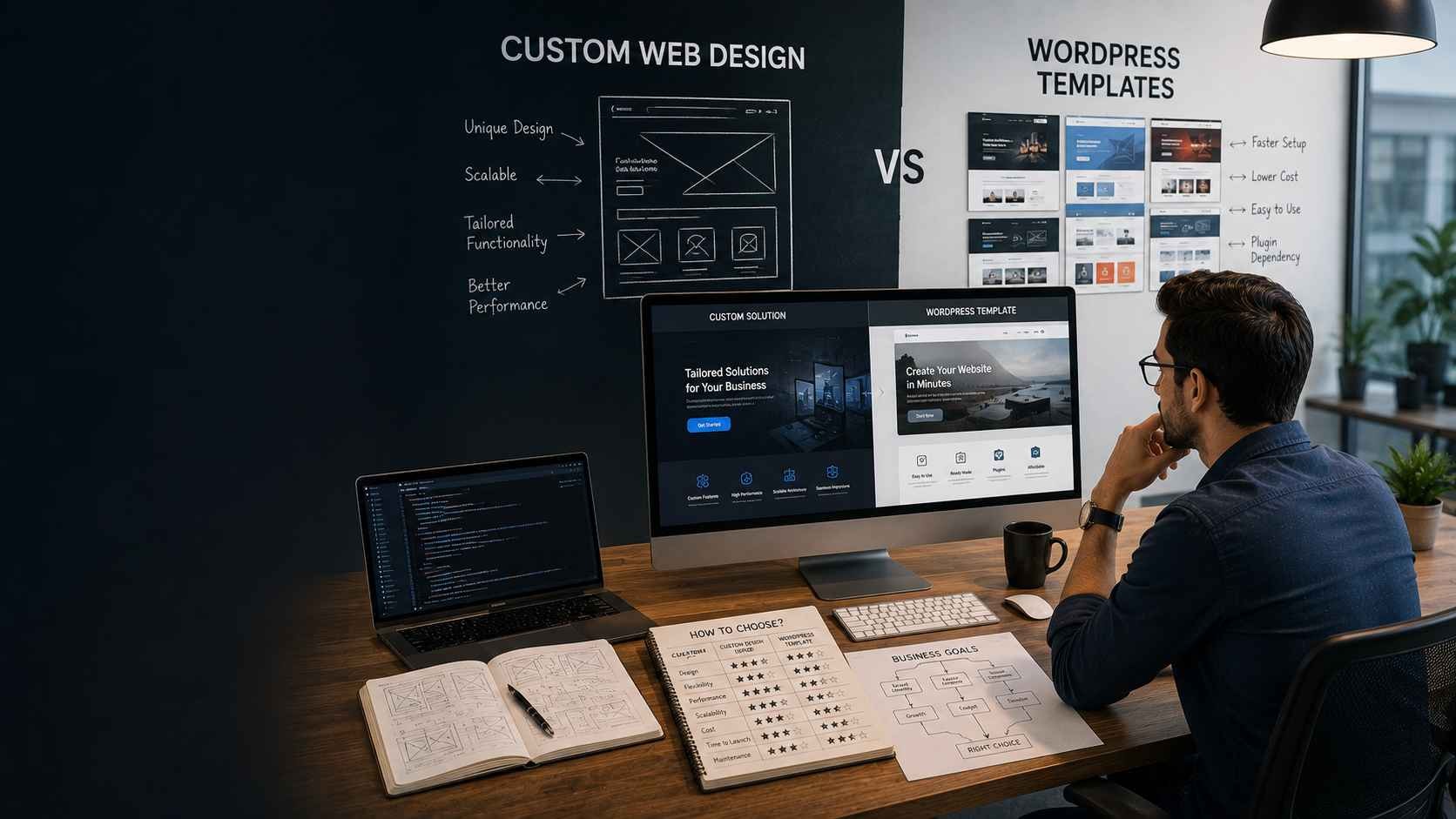
A WordPress template can launch a professional-looking website quickly. A custom website can give a business far more control over structure, functionality, branding, and user experience. Neither option is automatically the smarter investment.
The real decision behind custom web design vs WordPress templates is whether your website needs to fit an existing structure or whether the structure needs to fit your business. That difference affects far more than appearance. It can influence content management, page speed, integrations, lead generation, ecommerce workflows, future features, maintenance, and how easily the site evolves when the business changes.
A small consulting firm launching a five-page website may gain little from building every component from scratch. A growing SaaS company with custom onboarding, pricing logic, integrations, account functionality, and a complex conversion journey has a very different problem. Choosing the cheaper option in the first case can be sensible. Choosing it in the second can create expensive workarounds later.
This guide compares both approaches from that business perspective. Instead of treating templates as “cheap” and custom websites as “premium,” it looks at where each approach works, where it becomes restrictive, and which questions you should answer before committing budget and development time.
Start With the Business Requirement, Not the Website Technology
The right website approach depends on what the site must accomplish, how much differentiation the business needs, how quickly it must launch, and how much change is expected after launch. A template is often enough for a straightforward content-led website. Custom development becomes more relevant as workflows, integrations, UX requirements, and growth constraints become more specific.
Many website projects start in the wrong order.
The discussion begins with:
- Should we use WordPress?
- Which theme should we buy?
- Should we use Elementor?
- Should we build in React or Next.js?
- How much would a custom site cost?
Those are implementation questions.
The business questions should come first:
- What must customers be able to do on the website?
- What information do they need before contacting or buying?
- How frequently will content change?
- Who will maintain the website?
- Does the site need e-commerce, portals, booking, calculators, dashboards, or other application-like functionality?
- Which CRM, ERP, payment, marketing, or internal systems must connect to it?
- How important is visual differentiation?
- What traffic and performance requirements are expected?
- What will likely change over the next two or three years?
Once these requirements are clear, choosing between a template and a custom build becomes much easier.
What Is a WordPress Template Website?
A WordPress template website starts from an existing theme or design system that already defines much of the site's layout, styling, components, and behavior. The business then adapts that foundation using branding, content, plugins, page-builder controls, configuration, and sometimes additional development.
This approach can significantly reduce the amount of design and development needed before launch.
A business might purchase or install a theme that already includes:
- Homepage layouts
- Service pages
- Blog templates
- Contact forms
- Headers and footers
- Mobile-responsive layouts
- Typography settings
- Color controls
- Pre-built sections
The implementation team then configures those elements around the company.
Templates are not all the same
The term “WordPress template” covers a wide range of approaches.
At one end, a business may install a free theme and make only basic changes.
At the other, an experienced developer may use a high-quality theme or framework as a foundation, create custom components, remove unnecessary features, optimize performance, and heavily adapt the design.
These projects should not be treated as identical.
The important question is how much of the final website is constrained by the original theme and how much can be safely adapted without creating unnecessary complexity.
When WordPress templates work well
Templates are often a practical fit when:
- The website is primarily informational
- The business needs to launch quickly
- The budget is limited
- Required page types are conventional
- The team is comfortable working within an existing design system
- Complex integrations are not required
- Visual uniqueness is useful but not strategically critical
Examples can include local service businesses, early-stage professional firms, personal brands, temporary campaign websites, basic company sites, and businesses validating a market before committing to a larger digital platform.
A template is not automatically a low-quality option
This distinction matters.
A carefully selected and properly implemented theme can produce a fast, accessible, professional website. A poorly planned custom website can still be slow, difficult to maintain, inaccessible, and expensive.
The quality of the outcome depends on architecture, implementation, hosting, plugins, assets, content, testing, and ongoing maintenance—not simply whether the starting point was a template.
Where Do WordPress Templates Become Restrictive?
Templates become restrictive when the business repeatedly needs layouts, workflows, integrations, or user experiences that the original theme was not designed to support. The warning sign is not that one customization requires code. It is that every new requirement becomes another workaround layered onto the existing system.
This usually appears gradually.
The business starts with a template because it fits most of the initial requirements.
Then it needs:
- A different service-page structure
- A custom lead qualification flow
- A pricing calculator
- A customer portal
- Advanced CRM integration
- A complex ecommerce workflow
- Conditional forms
- Location-specific content
- Custom account functionality
- Role-based content
Each requirement may be solved with another plugin, override, custom script, or page-builder workaround.
Eventually, the site can become technically more complicated than a purpose-built solution would have been.
Plugin accumulation can become an architecture problem
Plugins are one of WordPress's strengths.
They allow businesses to add functionality without building everything themselves.
The problem appears when several plugins overlap or depend on different technical assumptions.
For example, a business may install separate plugins for:
- Forms
- SEO
- Security
- Caching
- Analytics
- Page building
- Popups
- CRM integration
- Booking
- Membership
Each plugin introduces code, configuration, updates, dependencies, and potential compatibility considerations.
The issue is not “plugins are bad.”
The issue is whether the collection remains understandable and maintainable.
Design restrictions often appear after the first redesign
A template may fit the business well at launch.
Two years later, the marketing team wants a different navigation system, new landing-page structure, richer content modules, or a more distinctive customer journey.
If the theme assumes one rigid page structure, those changes can require increasingly complex overrides.
At that stage, the business should compare the cost of continued modification with the cost of rebuilding on a foundation designed around current requirements.
What Is Custom Web Design?
Custom web design is the process of designing the site's information architecture, interfaces, components, and user journeys around specific business requirements instead of adapting the business to a pre-built visual structure. Depending on the project, the final implementation may use WordPress, another CMS, or a fully custom web application stack.
This is an important clarification because “custom web design” does not necessarily mean abandoning WordPress.
A custom WordPress website can use WordPress for content management while replacing a marketplace theme with:
- Custom page templates
- Custom components
- Custom styling
- Purpose-built content structures
- Selected integrations
- A theme created specifically for the business
For more application-like projects, another architecture may be more suitable.
KSoft Technologies' current custom web development approach covers browser-based platforms and business applications built around specific business logic rather than forcing all projects into a pre-built template structure
Custom should mean requirement-driven, not complexity for its own sake
A custom build should not involve writing unnecessary code simply because the project has a larger budget.
Existing libraries, frameworks, CMS tools, APIs, design systems, and tested components can still be used.
The difference is that the business requirements determine the architecture.
For example, a custom project may need:
- A specialized conversion journey
- Complex search or filtering
- CRM-connected lead routing
- Customer authentication
- Subscription management
- Product configurators
- ERP integration
- Interactive dashboards
- Multi-location content architecture
- Highly specific ecommerce behavior
Trying to force those requirements into a generic theme can eventually cost more than designing the correct structure from the beginning.
Custom Web Design vs WordPress Templates: The Core Difference
The core difference is where compromise happens. With a template, the business usually adapts some requirements to fit a pre-built structure. With custom web design, more of the structure is adapted to the business, but the project requires greater planning, design effort, development effort, testing, and budget.
Neither trade-off is inherently wrong.
Key differences between WordPress templates and custom web design
| Decision Area | WordPress Template | Custom Web Design |
| Launch Speed | Usually faster when requirements fit the existing theme. | Requires more discovery, design, development and testing. |
| Initial Cost | Often lower because much of the structure already exists. | Usually higher because more work is created specifically for the business. |
| Design Flexibility | Strong within the theme's supported patterns; harder outside them. | Can be designed around specific brand and UX requirements. |
| Functionality | Works well when plugins or existing modules cover requirements. | Better suited to specialized workflows and integrations. |
| Maintenance | Depends heavily on theme, plugin and update compatibility. | Depends on code quality, documentation and ongoing technical ownership. |
| Scalability | Can scale well when the architecture remains within intended use. | Can be planned around expected growth and more specific future requirements. |
The decision should therefore be based on the cost of compromise.
If a template satisfies nearly every important requirement, custom development may add cost without enough business value.
If the team is already listing dozens of exceptions before implementation begins, the template may be the expensive option disguised as the cheaper one.
When Does a WordPress Template Make the Most Business Sense?
A WordPress template makes the most sense when the business needs a conventional website, wants to launch quickly, has a controlled budget, and can work comfortably within an existing design and feature system. In that situation, the speed and lower initial build effort can outweigh the limitations of deeper customization.
This is especially true when the website's primary job is to communicate rather than operate complex business logic.
Good template-fit scenarios
A template-led WordPress site can be a practical choice for:
- Local service businesses
- Small professional firms
- Consultants
- Portfolio websites
- Basic company websites
- Early-stage startups validating positioning
- Short-term campaign sites
- Simple brochure-style websites
These businesses often need:
- Homepage
- About page
- Service pages
- Blog
- Contact form
- Basic lead generation
Those requirements are common enough that a well-built theme may already solve most of them.
Templates are useful when speed matters more than differentiation
A business preparing for an event, investor presentation, market test, or short-term campaign may value launch speed more than a highly unique interface.
In that case, spending weeks designing custom navigation, content modules, and interactions may not create enough additional value.
The better choice can be to launch on a reliable template, validate the business need, and invest more heavily once requirements become clearer.
Templates can also work for mature businesses with simple needs
A template is not only for startups or low-budget projects.
A mature accounting firm, consultancy, law practice, or local service company may have stable requirements for years.
If the website only needs to:
- Explain services
- Build credibility
- Publish content
- Generate inquiries
a carefully selected theme can remain a rational business choice.
When Does Custom Web Design Become the Better Choice?
Custom web design becomes more valuable when the website must support unique user journeys, business workflows, integrations, complex content structures, differentiated branding, or future functionality that does not fit comfortably inside a standard theme.
The key signal is not company size.
It is requirement specificity.
Custom design is stronger when the website is part of the product
Some websites are primarily marketing assets.
Others are part of the actual customer experience.
Examples include:
- SaaS platforms
- Customer portals
- Marketplaces
- Booking platforms
- Membership systems
- Complex ecommerce stores
- Business dashboards
- Workflow applications
In these cases, the website is not simply displaying information.
It is helping users complete tasks.
The architecture should therefore be designed around those tasks.
Custom design is stronger when conversion paths are specific
A business may have a sales process that does not fit a standard contact form.
For example, the website may need to:
- Qualify leads
- Calculate pricing
- Route inquiries by geography
- Show different content based on business type
- Integrate directly with CRM workflows
- Schedule consultations
- Generate proposals
If conversion depends on those workflows, custom design can support the business process more directly.
Custom design is stronger when brand differentiation matters
Some companies compete heavily on brand perception.
A luxury service, premium consulting company, design-led SaaS product, or funded startup may need a visual system that feels distinct from competitors from the first interaction.
A template can still be heavily customized, but there is a point where working around the theme becomes less efficient than building the intended system directly.
Which Option Is Better for SEO?
Neither custom web design nor WordPress templates have an automatic SEO advantage. Search performance depends on technical implementation, content quality, information architecture, internal linking, page speed, crawlability, structured data, accessibility, mobile usability, and how well the site answers real search intent.
This is one of the most common misconceptions in the comparison.
WordPress is often described as “SEO-friendly.”
That can be true because WordPress provides a mature content-management environment and access to useful SEO plugins.
But installing an SEO plugin does not automatically create a well-optimized website.
A WordPress template can perform well in search when
- HTML structure is clean
- Pages load quickly
- Unused scripts are minimized
- Content hierarchy is clear
- Mobile layouts are usable
- Internal linking is deliberate
- Images are optimized
- The site is maintained properly
A template can hurt SEO when implementation is poor
Problems may include:
- Heavy page builders
- Large unused CSS or JavaScript bundles
- Duplicate content structures
- Poor heading hierarchy
- Unnecessary plugins
- Slow hosting
- Oversized images
- Layout shifts
Those are implementation problems, not unavoidable WordPress limitations.
Custom websites can provide more control
A custom build can make it easier to control:
- Markup
- Routing
- Structured data
- Page templates
- Rendering strategy
- Performance budget
- Content architecture
That control is valuable only when the development team uses it properly.
Custom code can also be poorly optimized.
The better SEO question is therefore:
Which implementation gives the team enough control to meet the website's search requirements without creating unnecessary technical overhead?
Which Option Is Better for Website Performance?
Performance depends more on implementation quality than on whether the website is custom or template-based. A lightweight WordPress theme can outperform a poorly engineered custom site, while a purpose-built custom architecture can outperform a theme loaded with unused plugins, scripts, animations, and page-builder code.
The comparison should focus on what the browser actually loads.
Template performance risks
Some themes are designed to support many possible use cases.
That flexibility can introduce assets the individual website does not need.
Possible issues include:
- Large JavaScript bundles
- Multiple font libraries
- Unused CSS
- Third-party scripts
- Heavy sliders
- Page-builder dependencies
- Duplicate functionality across plugins
A good implementation removes or avoids unnecessary overhead.
Custom performance risks
Custom websites can suffer from different problems.
Examples include:
- Poorly optimized application logic
- Large client-side bundles
- Excessive animation
- Slow APIs
- Unoptimized database queries
- Large media assets
Custom development gives greater control, but control is useful only when performance is treated as a requirement from the beginning.
Measure the final experience
Do not judge performance from the technology label.
Measure:
- Loading behavior
- Largest Contentful Paint
- Interaction responsiveness
- Layout stability
- Mobile experience
- Real hosting conditions
The correct decision is the architecture that can consistently meet the required experience for the actual site.
Which Approach Gives You More Design Freedom?
Custom web design gives more design freedom because layouts, components, interactions, and responsive behavior can be created around the brand and user journey. WordPress templates provide faster structure but usually work best when the team accepts some of the theme's underlying design assumptions.
Template freedom exists inside boundaries
Modern themes can allow significant control over:
- Colors
- Typography
- Spacing
- Sections
- Columns
- Images
- Buttons
For many businesses, that is enough.
The limitation appears when the desired experience requires changing how the system itself is structured.
Custom design begins with the user journey
A custom design process can start from questions such as:
- What should the visitor understand first?
- Which action matters most?
- How should complex services be explained?
- Which proof points remove uncertainty?
- How should different customer types move through the site?
The interface is then designed around those answers.
This is particularly valuable when the company's website needs to communicate a positioning that does not fit common industry patterns.
How Different Are the Costs?
Template websites usually have a lower initial build cost, while custom websites usually require a larger upfront investment because more discovery, UX, design, development, testing, and documentation are required. The full comparison should also include maintenance, plugin costs, future redesign work, integrations, and the cost of limitations.
This is why publishing a universal price range for either approach can be misleading.
Template project costs can include
- Theme license
- Page builder
- Premium plugins
- Hosting
- Configuration
- Content setup
- Design customization
- Performance optimization
- Maintenance
Custom project costs can include
- Discovery
- Information architecture
- UX design
- Visual design
- Frontend development
- Backend development
- CMS implementation
- Integrations
- Testing
- Deployment
- Documentation
The right way to compare cost is not:
“Which option is cheaper to launch?”
It is:
“Which option gives us the lowest total cost for the website we actually need over its useful life?”
How Should You Compare WordPress Templates and Custom Web Design for Scalability?
Scalability depends on how well the website architecture can accommodate more content, more traffic, more integrations, more users, and more complex business requirements without requiring constant workarounds. Both WordPress and custom websites can scale, but they tend to reach different limits depending on how they were originally designed.
A common mistake is treating scalability only as a traffic question.
Traffic matters, but business growth usually creates other forms of complexity first.
The website may need:
- More service pages
- More landing pages
- Additional locations
- Multiple languages
- New integrations
- Customer accounts
- Advanced search
- Role-based content
- New ecommerce rules
- Partner portals
- New conversion flows
Template scalability works best when growth stays within the original model
A WordPress template can scale effectively when the business keeps adding content and functionality that the theme and plugin ecosystem already support well.
For example, a professional services company may begin with ten pages and later expand to:
- Fifty service pages
- Hundreds of blog posts
- Case studies
- Location pages
- Lead-generation forms
If the content model remains conventional, WordPress can continue to work well.
The problem appears when the company needs functionality the theme was never intended to support.
Custom architecture can reduce future workarounds
A custom website can be structured around expected growth.
That may include:
- Reusable content components
- Flexible APIs
- Custom data models
- Role-based permissions
- Integration layers
- Modular frontend architecture
This requires more planning upfront, but it can reduce the need to repeatedly alter the foundation later.
The trade-off is ownership.
Custom systems need disciplined development, documentation, testing, and maintenance. Poorly maintained custom code can become just as restrictive as an overloaded theme.
Which Option Is Better for Integrations?
WordPress is effective when the business needs common integrations already supported by mature plugins, while custom development becomes more valuable when integrations involve specialized workflows, proprietary systems, or complex data exchange.
WordPress handles many standard integrations efficiently
Existing plugins and APIs often support integrations with:
- CRM platforms
- Email marketing tools
- Analytics
- Payment gateways
- Scheduling tools
- Form platforms
- Social media services
- Common ecommerce systems
If the integration is already well supported, building it from scratch may create unnecessary work.
Custom requirements change the equation
A business may need to connect the website with:
- ERP systems
- Legacy applications
- Internal databases
- Custom pricing engines
- Inventory systems
- Authentication providers
- Proprietary APIs
- Complex CRM workflows
In these cases, a generic plugin may not be enough.
The site may need to:
- Transform data
- Apply business rules
- Synchronize records
- Handle failures
- Authenticate securely
- Log integration events
At that point, integration becomes part of the application architecture rather than a simple website feature.
Custom Web Design vs WordPress Templates for Ecommerce
WordPress and WooCommerce can work well for standard ecommerce requirements, while custom ecommerce development becomes more relevant when pricing, checkout, product configuration, inventory, fulfillment, customer accounts, or integrations differ significantly from conventional online-store workflows.
Template-based ecommerce works well when the model is standard
A WordPress and WooCommerce setup can be a practical fit when the business needs:
- Standard product pages
- Shopping cart
- Checkout
- Common payment gateways
- Coupons
- Basic shipping rules
- Product categories
- Order management
This can reduce development time significantly.
Complex ecommerce can outgrow the template model
Custom development becomes more relevant when the business requires:
- Product configurators
- Complex B2B pricing
- Customer-specific catalogs
- Approval workflows
- Subscription logic
- ERP synchronization
- Advanced inventory rules
- Marketplace functionality
- Custom checkout sequences
Businesses dealing with these requirements may benefit from a more purpose-built ecommerce website development approach instead of stacking multiple plugins around workflows that do not fit standard ecommerce assumptions.
How Much Does Branding Influence the Decision?
Branding matters more when the website is a major part of how customers judge the company, compare alternatives, and decide whether the business feels credible or differentiated. A template can still be branded effectively, but custom design gives greater control when visual distinction is strategically important.
Not every company needs an unusual website.
Clarity is often more valuable than originality.
But some businesses compete in markets where almost every website uses the same structure:
- Large hero heading
- Three feature cards
- Logo strip
- Testimonials
- Generic CTA
That structure may be effective, but if every competitor looks almost identical, the company can become difficult to remember.
Templates can still support strong branding
Brand differentiation does not come only from layout.
It can also come from:
- Typography
- Color
- Photography
- Illustration
- Messaging
- Content hierarchy
- Tone of voice
A high-quality template can support all of these when the underlying structure is flexible enough.
Custom design becomes more useful when experience is part of the brand
Some companies need differentiation at the interaction level.
That can include:
- Unique navigation
- Interactive storytelling
- Custom product demonstrations
- Specialized calculators
- Personalized content paths
- Distinctive motion systems
At that point, the website experience itself becomes part of the brand identity.
The Website Fit Framework: 6 Questions Before You Choose
Before deciding between a WordPress template and custom web design, evaluate the project using six practical questions.
1. How standard are your requirements?
If the website mainly needs:
- Content pages
- Blog publishing
- Basic forms
- Standard navigation
a template may solve the problem efficiently.
If the site needs specialized workflows, the custom case becomes stronger.
2. How important is launch speed?
A template can reduce the amount of design and development required before launch.
This matters when:
- A campaign has a fixed date
- A startup is validating demand
- The current site is unusable
- A temporary site is acceptable
3. How important is visual differentiation?
If the website only needs to look professional and trustworthy, a flexible theme may be enough.
If the website is a major competitive differentiator, custom design deserves stronger consideration.
4. How complex are the integrations?
Common marketing integrations are often well supported by WordPress plugins.
Custom integrations with business systems may require a more controlled architecture.
5. How much change do you expect?
A stable five-page site has different needs from a platform expected to add:
- Customer accounts
- Ecommerce
- Locations
- Portals
- Interactive tools
Future requirements should influence the foundation chosen today.
6. Who will maintain the website?
A marketing team may value the ability to create pages quickly without developer involvement.
A product company may already have technical staff who can maintain a custom stack.
The operating model after launch is part of the architecture decision.
Not Sure Whether a Template or Custom Website Fits?
Assess your functionality, integrations, content, performance and growth requirements before committing to a website architecture.
Explore Custom Web Development
When Does a WordPress Template Become More Expensive Than Custom Development?
A template can become the more expensive option when the business repeatedly pays for workarounds, plugin conflicts, redesigns, performance fixes, and custom features that fight against the original theme structure.
This usually does not happen on day one.
It happens gradually.
The website starts with a simple theme
The initial project may be efficient and inexpensive.
Then requirements grow.
The business adds:
- A premium page builder
- A custom form plugin
- A membership plugin
- A CRM connector
- A booking plugin
- Custom JavaScript
- Theme overrides
Each addition solves a real requirement.
Eventually, however, the team may spend more time maintaining compatibility than improving the customer experience.
Watch for repeated technical exceptions
Warning signs include:
- Every new feature requires overriding theme code
- Plugin updates regularly break layouts
- Pages require large amounts of custom CSS
- Performance deteriorates as functionality increases
- Developers avoid updates because they fear regressions
- The business cannot remove outdated plugins because other functionality depends on them
At that point, a rebuild may reduce long-term complexity.
When Does Custom Development Become Unnecessarily Expensive?
Custom development becomes unnecessarily expensive when the project recreates common functionality that existing platforms already solve well without creating a meaningful business advantage.
A business does not need a custom CMS simply because it wants a professional website.
It may not need a custom booking system when a proven service already matches the workflow.
It may not need a proprietary ecommerce engine when a mature platform covers the requirements.
Custom development should focus on differentiation
The strongest use of custom development is usually around requirements that are genuinely specific to the business.
For example:
- Unique workflow logic
- Specialized customer experience
- Complex integration
- Custom reporting
- Proprietary data
- Distinct conversion process
Commodity functionality can often remain on established platforms.
This hybrid approach can produce better economics than building every layer from zero.
How Should You Compare Long-Term Maintenance?
WordPress template maintenance usually depends on keeping themes, plugins, hosting, PHP versions, and integrations compatible, while custom website maintenance depends more heavily on code quality, documentation, deployment practices, and ongoing technical ownership. Neither approach is maintenance-free.
WordPress maintenance is ecosystem-driven
A template-based site may require regular attention to:
- WordPress core updates
- Theme updates
- Plugin updates
- Security patches
- PHP compatibility
- Database health
- Backups
- Performance monitoring
- Broken integrations
The advantage is that mature plugins and themes often receive vendor updates.
The trade-off is dependency.
If one important plugin becomes unsupported or conflicts with another component, the website may require replacement work.
Custom websites reduce some dependencies but increase ownership
A custom build may use fewer theme-level dependencies, but the business still needs to maintain:
- Framework versions
- Libraries
- APIs
- Infrastructure
- Security patches
- Build pipelines
- Database logic
The site can offer greater architectural control, but that control comes with responsibility.
Good documentation and disciplined development practices matter more as customization increases.
Which Option Is Easier for Marketing Teams to Manage?
WordPress is often easier for marketing teams when the website relies heavily on publishing pages, blogs, landing pages, and updates without developer involvement. Custom websites can provide the same flexibility, but only if content management is designed deliberately into the project.
WordPress has a mature publishing workflow
Marketing teams are often familiar with:
- Posts
- Pages
- Media libraries
- Categories
- Tags
- Drafts
- Scheduled publishing
This makes WordPress a strong fit for content-heavy websites.
Page builders increase freedom but can also increase inconsistency
Marketing teams may appreciate the ability to create new sections without development support.
However, unrestricted editing can create problems such as:
- Inconsistent spacing
- Different button styles
- Duplicate layouts
- Incorrect heading hierarchy
- Performance-heavy sections
A strong implementation should balance flexibility with guardrails.
Custom websites should use structured content where possible
Instead of giving editors complete layout control, custom systems can provide approved reusable components.
For example:
- Hero
- Feature grid
- Testimonial block
- Case-study section
- FAQ block
- CTA section
This allows marketing teams to build pages while maintaining design consistency.
What About Security?
Both WordPress and custom websites can be secure when maintained correctly, and both can become vulnerable when updates, authentication, dependencies, permissions, or infrastructure are neglected.
WordPress security requires disciplined maintenance
Common areas to manage include:
- Core updates
- Theme updates
- Plugin updates
- Administrator access
- Unused plugins
- Backups
- Hosting security
- Login protection
The large WordPress ecosystem makes plugin selection especially important.
Installing poorly maintained plugins can introduce unnecessary risk.
Custom development does not eliminate security responsibility
A custom site may reduce exposure to some generic plugin vulnerabilities, but developers must correctly handle:
- Authentication
- Authorization
- Input validation
- API security
- Session management
- Dependency updates
- Infrastructure configuration
Security quality depends on implementation and maintenance, not the label attached to the platform.
How Important Is Accessibility in the Decision?
Accessibility should be part of either approach from the beginning. Templates can provide a strong accessible foundation when coded well, while custom design provides greater control over interaction patterns but also places more responsibility on the design and development team.
Important accessibility considerations include:
- Keyboard navigation
- Color contrast
- Heading hierarchy
- Form labels
- Focus states
- Alternative text
- Semantic HTML
- Readable text sizes
A visually polished website that blocks users from completing basic tasks is not a successful implementation.
What Does a Hybrid Approach Look Like?
A hybrid approach combines established platforms or CMS tools with custom design and development where differentiation or functionality actually matters. For many businesses, this provides a better balance than choosing between a completely generic template and a fully custom platform.
For example, a business might use:
- WordPress as the CMS
- A custom theme
- Custom reusable components
- Selected third-party plugins
- Custom CRM integration
- Purpose-built landing pages
This avoids rebuilding commodity content-management features while still giving the business more control over design and workflows.
Hybrid architecture works best when boundaries are clear
The team should define:
- What stays standard
- What gets customized
- Which plugins are approved
- Which functionality belongs in custom code
- Who owns ongoing maintenance
Without these boundaries, hybrid projects can become the worst of both approaches: a heavily customized theme with too many plugins and no clear architecture.
A Practical Decision Matrix for Your Business
Use the following rules as a quick decision aid.
Choose a WordPress template when:
- Your requirements are conventional
- Launch speed is important
- Your initial budget is limited
- You mainly publish content
- You can accept an existing design system
- Your integrations are standard
- You expect limited functional change
Choose custom web design when:
- Your user journeys are unique
- The website is part of the product
- You need custom workflows
- You require complex integrations
- Brand differentiation is strategically important
- You expect significant future functionality
- Template limitations are already visible during planning
Choose a hybrid approach when:
- You want WordPress content management
- You need a distinctive design system
- You have some custom integrations
- You want to reduce unnecessary custom development
- You need marketing flexibility with technical guardrails
What Should You Ask a Web Development Partner Before Deciding?
A good development partner should be able to explain why a template, custom build, or hybrid architecture fits your requirements rather than recommending the same stack for every project.
Ask:
- Which requirements can be handled without custom development?
- Which requirements genuinely need custom code?
- What dependencies will the website have?
- How will editors manage content?
- How will performance be tested?
- How will SEO requirements be handled?
- What integrations are included?
- How are updates and maintenance managed?
- What happens if we want to change vendors later?
- How will the site support future features?
The quality of these answers matters more than whether the agency prefers WordPress, headless CMS, Next.js, or another platform.
Choosing Between WordPress and a Custom Build?
KSoft Technologies can assess your content, integrations, performance, scalability and workflow requirements before you commit to an architecture.
Discuss Your Website Requirements
How Should Content Management Influence the Decision?
The best website architecture is not only the one developers can build efficiently; it is also the one your team can operate after launch. If marketing depends on developers for every headline change, landing page, case study, or campaign update, the website can become an operational bottleneck regardless of how well it was engineered.
This is one reason WordPress remains attractive for content-heavy business websites.
Its publishing model is familiar, and teams can often manage:
- Blog posts
- Service pages
- Case studies
- Team profiles
- FAQs
- Landing pages
- Images
- SEO fields
without needing direct access to application code.
Custom websites should not automatically mean developer-only editing
A purpose-built website can still provide a strong CMS experience.
The development team can design structured content models for:
- Services
- Industries
- Locations
- Authors
- Resources
- Testimonials
- FAQs
- Calls to action
Editors then update the content while the design system controls how it appears.
This can create a useful balance: marketing gets editorial freedom while the website retains consistent layouts, accessibility, and performance.
Too much editing freedom can create another problem
A page builder that allows every editor to change every spacing value, font, animation, and layout can initially feel empowering.
Over time, it can create a site where:
- Buttons look different from page to page
- Spacing becomes inconsistent
- Headings are used for visual sizing instead of structure
- Mobile layouts break
- New pages become unnecessarily heavy
The objective should therefore be controlled flexibility.
Editors should be able to create what the business needs without rebuilding the design system every time they publish a page.
How Much Technical Ownership Does Your Business Want?
Website ownership includes more than owning the domain and content. It also means understanding who controls the code, hosting, plugins, licenses, deployment, source files, credentials, integrations, and future development.
This question becomes more important as the website becomes more valuable to the business.
Template-based ownership
A WordPress template website may depend on:
- Theme vendor
- Plugin vendors
- Page builder
- Hosting provider
- Third-party integrations
This is not necessarily a problem.
Using established products can reduce development effort.
But the business should know what happens if:
- A theme stops receiving updates
- A plugin changes its pricing
- A plugin becomes incompatible
- A vendor removes a feature
- A critical integration changes
Custom website ownership
A custom build may give the business more control over application logic and architecture.
However, the company should ensure it receives what it needs to maintain that control.
That may include:
- Source-code access
- Repository ownership or access
- Deployment documentation
- Hosting credentials
- Environment configuration
- API documentation
- Database documentation
- Design files
A custom website that only one developer understands can create a different form of dependency.
What Happens When Your Website Needs a Major Redesign Later?
The cost of a future redesign depends heavily on how well content, design, and functionality are separated in the current architecture. A website can become difficult to redesign when important content is tightly embedded inside page-builder layouts, theme-specific shortcodes, or custom code that cannot be reused easily.
Template redesign risk
A company may begin with Theme A and later want to move to Theme B.
If the content relies heavily on theme-specific:
- Shortcodes
- Widgets
- Page-builder components
- Layout metadata
the redesign may require significant cleanup.
The business may discover that changing the visual layer means rebuilding large portions of the content structure.
Custom redesign risk
Custom websites can face similar issues when presentation and content are tightly coupled.
A better architecture separates:
- Content
- Business logic
- Presentation
where practical.
This makes it easier to redesign the user interface without replacing everything underneath it.
Consider a Growing B2B Company Choosing Between Both Approaches
Consider a growing B2B services company replacing a five-year-old website.
The business initially believes it needs only:
- A new homepage
- Service pages
- Case studies
- A blog
- A contact form
Based on that list alone, a WordPress template appears entirely reasonable.
During discovery, however, additional requirements emerge.
The sales team wants leads automatically assigned according to:
- Service
- Country
- Company size
Marketing wants to create campaign landing pages without developers.
Management wants industry-specific content.
The company plans to launch:
- A customer portal
- A pricing estimator
- CRM-connected qualification
within the next year.
The cheapest first version may not be the cheapest business decision
The company could still start with a template.
But the team should recognize that several future requirements already fall outside a simple brochure-site model.
A hybrid or custom architecture may therefore cost more initially while avoiding:
- Repeated plugin replacement
- Theme overrides
- Duplicate lead logic
- A second rebuild shortly after launch
Now consider the opposite scenario.
A regional consulting company needs:
- Ten service pages
- Monthly blog publishing
- Case studies
- Contact forms
- Basic CRM integration
It does not expect customer accounts, complex workflows, or major application functionality.
For that company, a quality WordPress implementation could be the more disciplined choice.
The right website investment is not the architecture with the most technical freedom. It is the architecture that gives the business enough freedom without paying for complexity it is unlikely to use.
Should You Rebuild an Existing WordPress Website or Improve It?
You do not need to rebuild a WordPress website simply because it uses a template. If the site remains structurally sound, improvement may be more economical than replacement.
Start with a technical and content audit.
Improvement may be enough when:
- The content model still works
- The theme remains supported
- Plugins are manageable
- Performance problems can be corrected
- The design can be refreshed without major structural work
- Required integrations fit the current platform
A rebuild becomes more reasonable when:
- The theme is unsupported
- The site relies on obsolete plugins
- Pages are difficult to edit
- The structure no longer matches the business
- Performance problems come from fundamental architecture
- New functionality requires constant workarounds
- The redesign would require rebuilding most pages anyway
Businesses evaluating this decision should compare the cost of repairing the current foundation with the value of replacing it.
How Should Website Migration Be Planned?
A website migration should protect content, URLs, search visibility, analytics, integrations, forms, and customer journeys while moving to the new architecture. Treating migration as a simple matter of copying pages can create avoidable SEO and operational problems.
Inventory the existing website
Before development begins, identify:
- Current URLs
- High-value landing pages
- Blog posts
- Case studies
- Forms
- Downloads
- Redirects
- Tracking scripts
- Integrations
Decide what should actually move
Not every old page needs to survive unchanged.
Classify content as:
- Keep
- Rewrite
- Merge
- Redirect
- Remove
This prevents outdated content from being moved into the new site simply because it already exists.
Preserve important URLs where possible
If a page already has search visibility, backlinks, customer usage, or campaign history, changing its URL without a reason adds migration risk.
Where URLs must change, plan appropriate redirects.
Test forms and integrations before launch
A website can look complete while important business processes remain broken.
Test:
- Contact forms
- CRM routing
- Analytics
- Email notifications
- Payments
- Booking systems
- Third-party APIs
before replacing the existing production site.
What Should You Measure After the New Website Goes Live?
Website success should be measured against the business reason for the project rather than only visual quality or launch completion.
Useful measurements may include:
- Qualified leads
- Form completion
- Demo requests
- Purchases
- Bookings
- Organic traffic
- Page engagement
- Mobile usability
- Performance
- Content publishing efficiency
Operational metrics matter too
A redesign may create internal improvements that analytics alone will not show.
For example:
- Marketing publishes pages faster
- Developers spend less time fixing theme conflicts
- Sales receives better-qualified leads
- Content updates no longer require code deployments
These improvements can be part of the business case for choosing a different architecture.
Do Not Choose WordPress or Custom Development Based on Labels
The comparison becomes much clearer once the labels are removed.
A business does not actually need “WordPress.”
It needs an effective way to publish and manage the website.
It does not automatically need “custom development.”
It needs functionality that supports requirements standard tools cannot address efficiently.
That leads to a more useful decision:
- Use existing capabilities where they fit.
- Customize where differentiation creates value.
- Build custom functionality where business requirements justify it.
- Avoid adding technical complexity without a clear reason.
This approach prevents technology preference from driving the project before the business problem is understood.
How Should Mobile Experience Affect Your Choice?
Mobile usability should influence the architecture decision because most business websites now need to perform reliably across smaller screens, slower connections, touch interactions, and a wide range of devices. Both WordPress templates and custom websites can deliver strong mobile experiences, but the quality depends on how responsive behavior is designed and tested.
Templates can provide a useful responsive foundation
Many modern WordPress themes include responsive layouts by default.
That can reduce design and development effort for:
- Navigation
- Content columns
- Image scaling
- Buttons
- Forms
- Typography
But responsive does not automatically mean optimized.
A desktop-heavy page can technically shrink to mobile while still creating problems such as:
- Long scrolling sections
- Oversized images
- Poor tap targets
- Heavy animations
- Slow scripts
- Awkward navigation
Custom design allows mobile behavior to be planned deliberately
A custom project can define different interaction priorities for smaller screens.
For example:
- Sticky mobile CTAs
- Condensed navigation
- Different information hierarchy
- Mobile-specific forms
- Progressive disclosure
- Touch-friendly interaction patterns
This becomes more valuable when mobile users complete important business actions rather than simply reading content.
How Should Conversion Optimization Influence the Architecture?
If the website's primary job is to generate leads, bookings, demos, sales, or other measurable actions, the architecture should support experimentation and conversion improvements without requiring major redevelopment every time the business wants to test a new idea.
Conversion optimization may involve changes to:
- Headlines
- Calls to action
- Forms
- Pricing presentation
- Proof points
- Landing-page structures
- Navigation
- Lead qualification
Templates can support conversion testing effectively
If the theme and page builder allow flexible landing-page creation, marketing teams may be able to launch tests quickly.
This works well when experiments stay within conventional structures.
Custom development helps when conversion depends on business logic
Some conversion experiences require more than changing page content.
Examples include:
- Dynamic pricing tools
- Interactive calculators
- Multi-step qualification flows
- Personalized content
- Conditional lead routing
- Account-based experiences
These workflows may justify more custom architecture because the conversion mechanism itself becomes application logic.
What Role Should Analytics and Tracking Play?
The website should make it possible to measure the actions that matter to the business without turning every page into a collection of overlapping tracking scripts.
Before launch, define events such as:
- Form submissions
- Demo requests
- Phone clicks
- Downloads
- Bookings
- Purchases
- Account registrations
- Key CTA clicks
WordPress can support common analytics tools easily
Plugins and tag-management integrations can simplify implementation.
The risk is duplicate tracking when several plugins insert the same scripts.
Custom sites can provide more controlled event tracking
Developers can define application events directly around user actions.
This becomes useful for more complex journeys where page views alone do not describe user behavior.
What About Localization and Multi-Language Websites?
WordPress can support multilingual websites effectively through established plugins and content workflows, while custom development becomes more relevant when localization affects complex data, user accounts, pricing, or application behavior.
Template-based multilingual sites work well for content
A business may need translated versions of:
- Service pages
- Blogs
- Case studies
- Contact pages
WordPress can manage this effectively with the right implementation.
Custom requirements appear when localization goes beyond translation
A multi-region platform may need:
- Country-specific pricing
- Different product availability
- Regional forms
- Local compliance content
- Currency handling
- Location-specific integrations
At that point, localization becomes part of the data and application architecture.
How Should Ecommerce Growth Plans Affect the Decision?
An ecommerce website should be chosen around the complexity of catalog, pricing, customer accounts, fulfillment, integrations, and future commerce strategy rather than simply the number of products being sold.
A straightforward store with:
- Standard products
- Simple variants
- Common payment methods
- Conventional shipping
may fit WordPress and WooCommerce well.
More complex commerce may require:
- B2B pricing
- Customer-specific catalogs
- ERP integration
- Custom inventory rules
- Subscription logic
- Complex product configuration
- Multiple fulfillment models
The website should be evaluated as part of the wider commerce operation.
What Should You Do If You Are Still Unsure?
If the decision is still unclear, document the requirements that are certain, separate them from future possibilities, and compare each architecture against the requirements that actually matter now.
Create three lists:
Must have at launch
- Critical pages
- Required integrations
- Essential forms
- Mandatory workflows
- Performance requirements
Likely within 12–24 months
- New services
- Customer portal
- Ecommerce
- Additional countries
- Advanced CRM automation
Possible future ideas
- Features without confirmed business cases
- Experimental tools
- Long-term expansion concepts
Architecture should strongly support the first list, reasonably accommodate the second, and avoid high cost for the third.
Choose the Website That Fits the Business, Not the Trend
The decision between custom web design and WordPress templates is not a contest between old and new technology, cheap and expensive websites, or simple and sophisticated businesses.
A WordPress template can be the better decision when the business needs a conventional site, wants to publish content easily, values speed, and can work within an established design system.
Custom web design becomes more valuable when the website must support specialized workflows, complex integrations, distinctive user journeys, advanced ecommerce, or growth requirements that repeatedly push beyond a theme's intended structure.
A hybrid approach can sit between the two.
The practical decision rule is straightforward: use standard tools where they solve standard problems, and invest in custom development where the business actually needs differentiation or control.
Before committing budget, map the website around real customer actions, integrations, content workflows, internal ownership, and likely future requirements. That analysis usually reveals whether a template provides enough flexibility or whether the business would be paying for workarounds from the beginning.
Need a Website Architecture That Fits Your Growth Plans?
KSoft Technologies can help assess whether WordPress, a custom build, or a hybrid approach best matches your content, integrations, performance, and business requirements.
Discuss Your Website Project
WordPress Template vs Custom Website: A Practical Decision Checklist
Before approving a platform or development approach, review the website against the business requirements that will matter after launch.
Choose a WordPress template if most of these are true
- The website is primarily informational.
- You need to launch quickly.
- Your initial budget is controlled.
- Your page structures are conventional.
- Your marketing team needs easy content editing.
- Your integrations are common and well supported.
- You can work within an existing design system.
- You do not expect major application-like functionality soon.
- Visual differentiation is useful but not central to your competitive position.
Choose custom web design if most of these are true
- Your user journey is materially different from standard business websites.
- The website performs important business workflows.
- You need custom integrations with internal systems.
- You require advanced account, portal, or application functionality.
- Brand differentiation is strategically important.
- You need specialized conversion journeys.
- Future functionality is already visible in the roadmap.
- Existing themes would require significant overrides.
- You need greater control over performance and architecture.
Choose a hybrid approach if most of these are true
- You want WordPress or another CMS for editorial management.
- You need a custom visual system.
- You want reusable custom components rather than unrestricted page building.
- Some workflows require custom development.
- Standard plugins can still solve selected commodity requirements.
- You want marketing flexibility without rebuilding the entire technology stack.
No checklist should replace requirements analysis, but it can reveal whether the project is naturally leaning toward one architecture.
What Are the Biggest Mistakes Businesses Make When Choosing?
The most common mistakes come from choosing the platform before defining the website's job, optimizing only for initial cost, and underestimating how much the business may change after launch.
Mistake 1: Choosing the cheapest initial build
Initial cost matters.
But the lowest launch price can become expensive if the business later pays for:
- Plugin conflicts
- Theme overrides
- Performance repairs
- Repeated redesign work
- Manual workarounds
- Replatforming shortly after launch
The better comparison is total cost over the useful life of the website.
Mistake 2: Assuming custom automatically means better
Custom development should solve real business requirements.
If a standard platform already supports:
- Content publishing
- Forms
- Blogging
- Basic ecommerce
- Common integrations
rebuilding those features from scratch may create cost without enough benefit.
Mistake 3: Selecting a theme based only on the demo
Theme demos are designed to look impressive.
They do not necessarily show:
- Code quality
- Performance under real content
- Plugin dependencies
- Accessibility quality
- How easy the theme is to maintain
- How much customization requires overrides
Evaluate the implementation, not only the screenshots.
Mistake 4: Ignoring content architecture
A business may focus heavily on homepage design while giving little attention to:
- Service-page structure
- Blog taxonomy
- Case studies
- Locations
- Authors
- Resources
- Internal linking
Content structure affects SEO, usability, editing, and future growth.
Mistake 5: Ignoring post-launch ownership
Someone needs to own:
- Updates
- Content
- Security
- Backups
- Performance
- Integrations
- Analytics
A website without clear ownership gradually becomes harder to trust and maintain.
How Do You Evaluate a WordPress Theme Before Buying It?
Evaluate a WordPress theme based on code quality, update history, plugin dependencies, performance, accessibility, documentation, support, and how closely its structure matches your actual requirements. Visual appeal should be only one part of the decision.
Check update history
A regularly maintained theme is generally safer than one that has not been updated for a long period.
Review:
- Recent release history
- Compatibility notes
- Support activity
- Documentation quality
Review required plugins
Some themes depend on several bundled or recommended plugins.
Understand which are:
- Required
- Optional
- Premium
- Third-party
The more critical dependencies the site has, the more maintenance relationships the business inherits.
Test performance before customization
Use the theme demo as a starting signal rather than final proof.
Look for:
- Large scripts
- Heavy animations
- Slow mobile rendering
- Excessive layout shifts
- Very large page sizes
Real performance will change once the site includes your content, plugins, analytics, and hosting.
Check editing experience
Ask whoever will maintain the website to test:
- Creating a page
- Editing a section
- Adding images
- Changing CTAs
- Publishing a blog post
A technically capable theme can still be a poor operational fit if editors find it confusing.
What Should You Expect From a Custom Web Design Process?
A good custom web design process should move from business requirements to information architecture, UX, visual design, development, testing, launch, and post-launch measurement. Starting directly with visual mockups can produce attractive pages without solving the right customer or business problems.
1. Discovery
The team should understand:
- Business goals
- Target users
- Conversion objectives
- Content requirements
- Integrations
- Current website problems
- Future roadmap
2. Information architecture
Define:
- Site hierarchy
- Navigation
- Content relationships
- Page types
- User journeys
3. UX design
Plan how users:
- Find information
- Compare services
- Understand value
- Complete important actions
4. Visual design
Apply the brand through:
- Typography
- Color
- Imagery
- Layout
- Components
- Interaction patterns
5. Development
Build:
- Frontend
- CMS
- Backend functionality
- Integrations
- Analytics
6. Testing
Test:
- Responsive behavior
- Forms
- Performance
- Accessibility
- SEO fundamentals
- Browser compatibility
- Integrations
7. Launch and measurement
After launch, monitor whether the website is achieving the reason it was built.
Can You Start With WordPress and Move to Custom Later?
Yes. Many businesses sensibly begin with WordPress and move to a more custom architecture when their requirements become clearer or more complex. The key is avoiding unnecessary lock-in so content, URLs, data, and integrations can be migrated when needed.
This approach works well for validation-stage businesses
An early startup may not yet know:
- Which customer segment will convert best
- Which services will become core
- Which workflows will require automation
- How the product will evolve
A simpler website can help validate these assumptions before the company funds more complex development.
Plan for migration even if you do not expect one soon
A few good practices can make future change easier:
- Use clean URLs
- Keep content structured
- Avoid excessive theme-specific shortcodes
- Document integrations
- Keep ownership of domains and accounts
- Maintain exportable content
This keeps the business from becoming unnecessarily dependent on one implementation.
How Do You Know When It Is Time to Move Away From a Template?
It may be time to move away from a template when the website requires more work to bypass the theme than to support the business, or when the template begins limiting conversion, performance, integrations, content management, or future functionality.
Common signals include:
- Developers repeatedly override theme behavior
- New plugins are added for every requirement
- Performance continues to degrade
- Editors struggle with page complexity
- Major features cannot be added cleanly
- The user experience feels constrained by the theme
- The business is planning a major repositioning or product change
One limitation is not enough to justify a rebuild.
A repeated pattern is more significant.
What Is the Safest Way to Make the Final Decision?
The safest decision process is to define the website requirements, classify them by importance, evaluate each architecture against those requirements, and calculate the likely cost of both initial implementation and future change.
Step 1: List required outcomes
Examples:
- Generate qualified leads
- Sell products
- Support customer self-service
- Publish content
- Integrate with internal systems
Step 2: List non-negotiable functionality
Separate must-have capabilities from preferences.
Step 3: Map likely growth
Identify realistic future requirements, not every possible idea.
Step 4: Compare the cost of compromise
For a template, ask:
- What must we change about our requirements?
- Which plugins are required?
- Which customizations are likely?
For a custom build, ask:
- Which standard features are we rebuilding?
- What maintenance responsibility are we accepting?
- Which capabilities justify the additional cost?
Step 5: Choose the simplest architecture that comfortably supports the business
That rule prevents both underbuilding and overengineering.
Frequently Asked Questions
Is custom web design better than a WordPress template?
Custom web design is better when your website needs unique user journeys, integrations, business logic, branding, or future functionality that does not fit comfortably inside a standard theme. A WordPress template can be the better choice for a conventional content-led site where speed, budget, and easy editing matter more than deep customization.
What is the main difference between custom web design and WordPress templates?
The main difference is how much the business adapts to the website structure. A WordPress template starts with pre-built layouts and components, while custom web design creates more of the structure around specific requirements. Templates usually reduce initial effort, while custom builds provide greater control over design, workflows, integrations, and future expansion.
Are WordPress templates good for business websites?
Yes. WordPress templates can work well for business websites that mainly need service pages, blogs, contact forms, case studies, and standard lead-generation functionality. The quality depends on the theme, hosting, plugins, implementation, performance optimization, accessibility, and maintenance rather than on the fact that a template was used.
When should a business choose custom web development?
A business should consider custom web development when the website must support specialized workflows, custom integrations, portals, advanced ecommerce, interactive tools, complex lead routing, or application-like functionality. Custom development is most valuable when standard platforms require repeated workarounds or cannot support important business requirements cleanly.
Is WordPress cheaper than a custom website?
WordPress template websites usually have a lower initial implementation cost because much of the design and functionality already exists. The long-term cost can increase if the site requires many premium plugins, complex overrides, performance fixes, or repeated redevelopment. Businesses should compare total ownership cost rather than only the initial build price.
How much does custom web design cost?
Custom web design costs vary based on discovery, number of page types, UX complexity, visual design, CMS requirements, integrations, ecommerce, custom functionality, testing, migration, and ongoing support. A simple custom marketing site and a business platform with accounts, dashboards, and integrations are very different projects, so fixed universal pricing is rarely useful.
Which is better for SEO: WordPress or a custom website?
Neither platform has an automatic SEO advantage. Search performance depends on technical structure, content quality, page speed, crawlability, mobile usability, internal linking, structured data, and ongoing optimization. WordPress provides mature SEO tools, while custom development can offer greater technical control when that control is implemented correctly.
Can a WordPress template be fast?
Yes. A WordPress template can perform well when the theme is lightweight, hosting is suitable, images are optimized, unnecessary plugins are avoided, and scripts are managed carefully. Performance problems usually come from implementation choices such as heavy page builders, oversized assets, excessive third-party scripts, or poorly maintained plugins rather than WordPress itself.
Can a custom website use WordPress as the CMS?
Yes. Custom web design and WordPress are not mutually exclusive. A business can use WordPress for content management while building a custom theme, custom components, custom page templates, and selected integrations around its specific brand and workflow requirements. This hybrid model can combine editorial flexibility with greater design and development control.
What are the disadvantages of using a WordPress template?
Potential disadvantages include design restrictions, plugin dependency, theme-specific limitations, compatibility issues, unnecessary code, and difficulty supporting specialized workflows. These problems are not guaranteed. They become more likely when the business tries to force complex requirements into a theme designed for a much simpler type of website.
What are the disadvantages of custom web design?
Custom web design usually requires more planning, development time, testing, technical ownership, and upfront budget. Poorly documented custom code can also create vendor or developer dependency. Custom development is most effective when the additional control solves real business requirements rather than recreating standard features that existing platforms already provide effectively.
Should a startup use WordPress or build a custom website?
An early-stage startup can use WordPress effectively when it needs a marketing site quickly and is still validating its positioning or market. A custom build becomes more appropriate when the website is part of the product, requires account functionality, supports unique workflows, or must integrate deeply with the startup's application and business systems.
Can I start with a WordPress template and move to a custom website later?
Yes. Many businesses begin with WordPress and migrate later as requirements become more complex. Keeping URLs clean, content structured, integrations documented, accounts owned by the business, and data exportable makes migration easier. Avoiding excessive theme-specific shortcodes and unnecessary dependencies can also reduce future replatforming work.
How do I know if my WordPress site has outgrown its theme?
A WordPress site may have outgrown its theme when developers repeatedly override theme behavior, plugin count keeps increasing, performance declines, editors struggle with page complexity, and new functionality requires workarounds. One limitation does not justify a rebuild, but repeated technical exceptions usually indicate that the current foundation no longer fits the business.
What should I check before choosing between a template and custom web design?
Review your launch timeline, budget, content needs, branding requirements, integrations, conversion goals, performance expectations, maintenance model, and likely future functionality. The safest choice is usually the simplest architecture that comfortably supports the requirements that matter now while leaving reasonable room for expected growth.